


Estimated reading time: 11 minutes
An online store gives businesses a way to sell at any time of day. Customers can browse, compare, and buy without waiting for business hours. This helps small teams sell more without adding staff or space. Online stores also reach people far beyond one city or country.
Why online stores matter
Building a no-code e-commerce website is the easiest thing you can do to start your business. Having a physical store is difficult and expensive if you’re a new business owner.
You can check out our recent video on our YouTube Channel that guides new business owners and dropshippers how to build their first no-code site (from someone with no coding experience either!)

What a no-code e-commerce website is
A no-code ecommerce website lets people build and run an online store without writing code. The tools use visual editors where users click, type, and drag items into place. Hosting, updates, and store features often come built in.
Platforms like Shopify, Wix, and WordPress with WooCommerce handle complex tasks in the background. Payments, product pages, and checkout flows are already prepared. Store owners focus on content and products rather than technical work.
These tools are widely trusted. About 27 percent of e-commerce sites use WooCommerce, while Shopify powers about 20 percent. This shows how common no-code e-commerce website tools have become during online store setup across many industries.


Why business owners choose no-code tools
- No technical background required
- Faster setup compared to custom builds
- Lower starting costs
Planning products and target customers
Every online store starts with a clear product idea, whether physical goods, digital downloads, or dropshipped items. Each affects shipping, pricing, and support.
Know your buyers. Age and habits shape which features matter. Tool stores need specs; fashion stores need strong images and size guides.
Many early stores fail because they sell to “everyone.” Focused product choices often perform better. Research shows that stores with clear niches convert more visitors than those with broad catalogs. Planning early saves time and money later.

Choosing the right no-code e-commerce platform
The platform choice shapes how a store grows. Some tools focus on speed and ease, others on control and flexibility. All popular options support no-code ecommerce website creation, but strengths vary.
Shopify works well for beginners who want fewer decisions to make. Squarespace suits stores where design matters most. Wix offers flexible layouts for small catalogs. Hostinger AI Builder helps create fast starter sites using prompts.
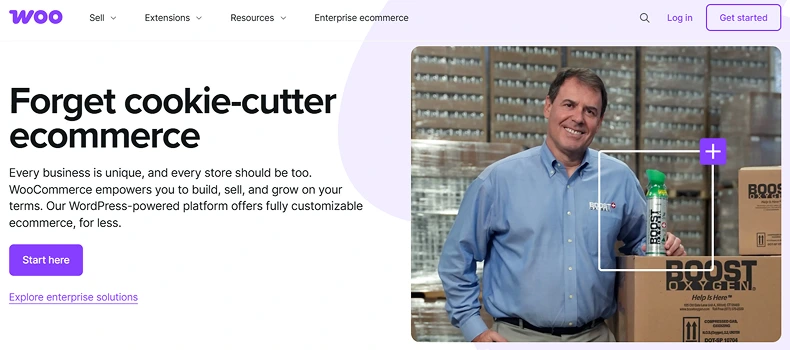
WordPress with WooCommerce offers full control through plugins and themes. It needs more setup, but scales well. WooCommerce remains popular because it adapts to many store types and long-term plans.
Platform overview
- Shopify: hosted, beginner-friendly
- Wix and Squarespace: design-focused
- WordPress with WooCommerce: flexible and scalable
Domain names and hosting basics
A domain name is the store’s address on the web. Short, clear names help customers remember the brand. Matching the store name builds trust and makes the online store setup look professional.
Hosted platforms include hosting as part of their plans. WordPress users choose hosting separately. Managed WordPress hosting handles updates and security, while self-hosted plans offer more control.
Hosting quality affects speed and uptime. Even a one-second delay can reduce conversions by over 7 percent, hurting sales. Reliable hosting allows for smoother shopping experiences.
Designing the storefront
Store design affects how long visitors stay. Clear layouts help shoppers find products quickly. Most no-code e-commerce website builders offer ready-made themes that work on phones and desktops that are also fully customizable.
Navigation should stay simple. Categories, search bars, and filters help visitors move through the store. Crowded menus often confuse users and increase bounce rates.
Mobile design matters more each year. Over half of online shopping now happens on phones. Testing layouts on small screens helps prevent missed sales during online store setup.

Adding products and catalog details
Product pages guide buying decisions. Each product needs a clear title, price, and description. Simple language helps explain benefits without overwhelming buyers.
Images matter more than text in many cases. High-quality photos from different angles help customers feel confident. Stores with strong visuals often see lower return rates.
Product options like size, color, or bundles should stay easy to understand. Clear SKUs and inventory tracking help avoid overselling and customer frustration later.
Payments and Checkout for a No-Code E-Commerce Website
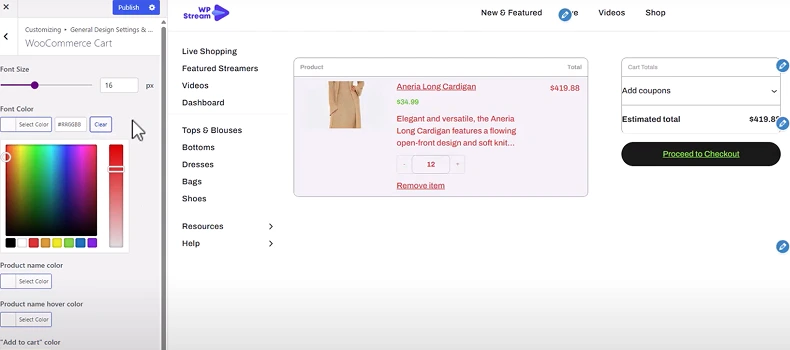
Checkout is where many stores lose sales. Nearly 70 percent of carts get abandoned. Simple checkout steps help reduce drop-offs.
Popular payment tools include Stripe and PayPal. These services handle security and support many currencies. Most no-code e-commerce website platforms connect to them in minutes.
Tax and shipping rules should match the customer’s location. Clear shipping costs shown early help avoid surprise fees. Transparent checkout builds trust and improves completion rates.
Pages That Every No-Code E-Commerce Website Needs
Certain pages help stores feel complete and reliable. An “About” page explains who runs the store and why it exists. This helps buyers feel confident.
Contact pages make it easy for customers to reach out. Email forms or support links reduce confusion and build credibility. Clear policies also matter.
The return, privacy, and terms pages explain how issues are handled. Stores with visible policies tend to see fewer disputes and better reviews during online store setup.


Marketing an online store after launch
Launching a store is only the start. Traffic does not arrive automatically. Marketing helps stores get seen by the right people.
SEO helps pages appear in search results. About 44 percent of buyers start shopping with a search engine. Clear titles and product descriptions support long-term traffic growth.
Social platforms also drive discovery. Around 58 percent of buyers find new brands through social media. Consistent posts and simple ads help stores stay visible. You can find all the tips and tricks to stand out and engage with your shoppers here.
Core marketing channels
- Search engine traffic
- Social media posts and ads
- Email updates

Email and analytics basics
Email helps stores stay connected with buyers. Signup forms and order emails create direct contact. Over 60 percent of customers say they like weekly brand emails.
Automation saves time by automatically sending welcome, order, and follow-up emails. These messages encourage repeat purchases.
Analytics tools track visitor behavior. Store owners see which pages convert best. Data helps guide changes instead of guessing during online store setup.
99% of Online Stores Aren’t Using THIS High Converting Feature
Video helps buyers understand products faster. Live streams show items in use and answer questions on the spot. This reduces doubt and builds confidence.
Live shopping keeps growing. Reports estimate live commerce sales reached $25 billion in the US by 2023. Nearly 30 percent of shoppers have bought through live video at least once.
WpStream allows WordPress stores to add live video directly to product or event pages. Streams run on the store’s site, keeping traffic and sales in one place.
Setting up live events with WpStream
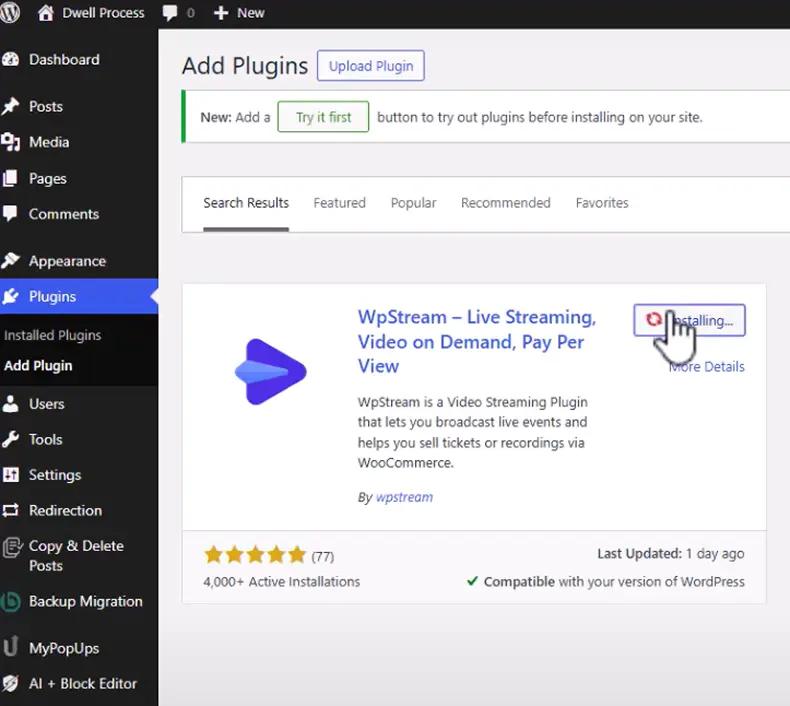
WpStream installs like any WordPress plugin. Store owners create channels and embed players using shortcodes. No custom coding is needed.

Streams can use a webcam or broadcast software. Hosts show products, answer questions, and guide viewers to buy links.
Live video works well for launches, demos, and limited offers. Many stores report higher engagement during live events than standard product pages.
Common live shopping uses
- Product demos
- Flash sales
- Weekly showcases


Hello WpStream Theme and Live Shopping ‘One-Click Demo’
The Hello WpStream theme makes online store setup easier for WordPress users who want video and commerce working together.
The theme installs like any standard WordPress theme from the dashboard.

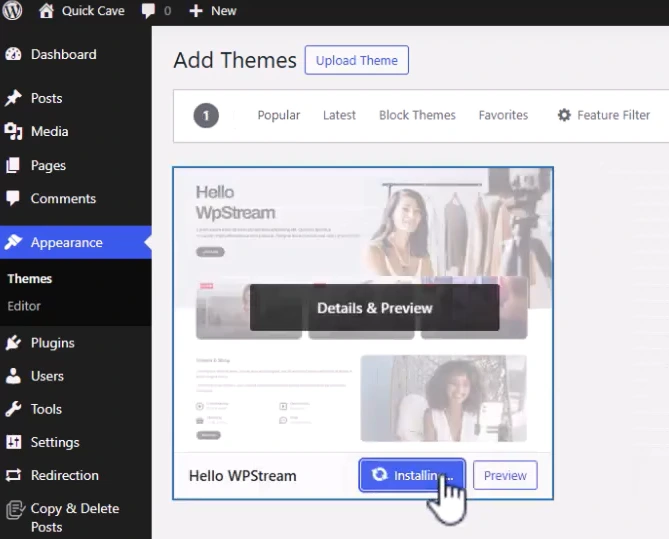
After activation, the Live Shopping Demo can be imported with one click.
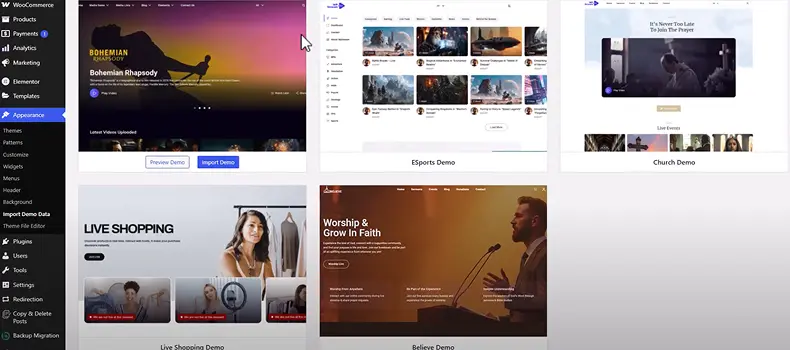
This adds ready-made pages, product layouts, and live video sections. Store owners can replace demo content with their own products and start using live shopping features right away without touching code.
Common challenges and how stores handle them
Many beginners worry about technical skills. No-code ecommerce website tools reduce that fear. Tutorials and support guides help solve most issues.
Traffic growth often starts slowly. SEO, social posts, and email lists take time. Consistency helps stores gain momentum month by month.
Trust takes effort. Clear pages, secure checkout, and honest content help. Reviews and visible support options reduce hesitation for new buyers.
Tools Checklist for a No-Code E-Commerce Website
A strong setup includes a few key tools. These support daily store tasks and growth goals.
Platforms like Shopify, Wix, and WooCommerce handle selling. Email tools like Mailchimp, Brevo, or Klaviyo support communication. Analytics tools track results.
WpStream adds live video for stores using WordPress. Video brings a human connection into the online store setup and helps explain products more clearly.


Basic setup list for a No-Code E-Commerce Website
- E-commerce platform
- Payment gateway
- Analytics tracking
Moving forward with confidence
Building an online store without code is more accessible than ever.
Testing, learning, and adjusting remain part of the growth process. Each update improves results over time. Small changes often lead to better sales. Things like the difference between Live Shopping vs Video Shopping also matter.
With the right platform, content, and tools, a no-code ecommerce website supports long-term success. Take the next step, set up your online store today and turn barriers into growth.
We start here.
Frequently Asked Questions
A no code ecommerce website is an online store built without writing code. It uses visual tools where users click and edit instead of programming. Platforms like Shopify, Wix, and WordPress with WooCommerce make online store setup easier for beginners and small teams.
Most no code ecommerce websites can be set up in a few days. Simple stores may go live in one day. Time depends on how many products are added and how much design work is needed. Ready-made themes like the Hello WpStream Theme with the Live Shopping Demo help speed things up.
Yes. No code tools work well for small businesses and solo owners. They reduce setup costs and make updates simple. Many small stores use these tools to test products, adjust pricing, and grow without hiring developers.
Yes. WordPress stores can add live video using WpStream. Live shopping pages show products in real time and allow customer questions. This helps explain products better and keeps shoppers engaged on the site.
Yes. Most platforms like WooCommerce support payment tools like Stripe and PayPal. Shipping rules and taxes can also be set inside the store dashboard. These features are built in, making online store setup easier for beginners.