


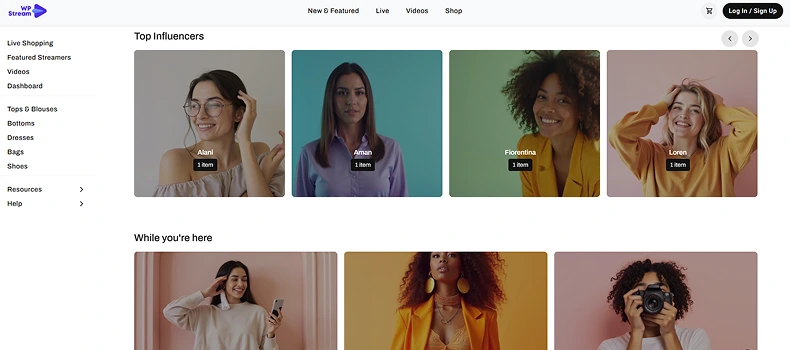
If you’ve installed the Hello WpStream theme, you’ve already taken the first step toward creating a modern streaming and now you want to learn how to use the Customizer for the Live Shopping Demo. Whether running live shopping events, esports tournaments, church services, or online classes, this theme gives you control over how your site looks and feels.
The Customizer is at the heart of this flexibility. It is a WordPress-native tool that lets you preview design changes in real time. Instead of guessing how a change will look, you see it immediately and you can adjust everything from the logo to the WooCommerce cart buttons without touching a single line of code.
In this article, we’ll examine every section of the Customizer on the Live Shopping Demo and explain how you can use it to create a unique streaming experience. For more information on live vs video shopping, check out this article.
Why the Customizer for the Live Shopping Demo Matters
Unlike static WordPress themes that require coding knowledge or third-party builders, the Hello WpStream theme integrates directly with WordPress’s Customizer panel. You also get a glimpse of all the live shopping features through this article. In this guide, you will learn about the Customizer for the Live Shopping Demo along with:
- Live previews: See changes instantly before publishing.
- Consistency: All site-wide elements (headers, footers, sidebars) can be styled in one place.
- Flexibility: Use a demo (like Live Shopping) as a starting point, or build your design from scratch.
- User control: Enable or turn off key streaming features for your viewers or contributors.
Now let’s go section by section.
Site Identity in the Customizer for the Live Shopping Demo

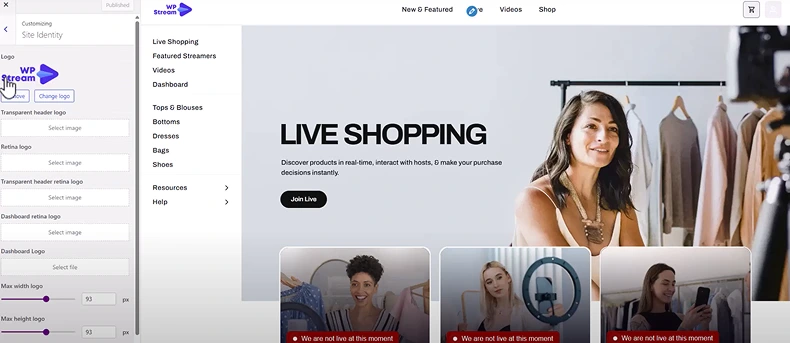
Your site identity is the foundation of your brand. From here, you can:
- Upload a logo: Standard, transparent, or retina-ready for sharper displays.
- Resize the logo: Make it more prominent or subtle.
- Menu management: Attach multiple menus (the theme supports several).
- Header logo options: Switch between transparent and colored logos depending on the header style.
- This section ensures that your brand is always front and center on your site, no matter where users land.
Header Settings
Your header is one of the most visible parts of your website. With Hello WpStream, you can:
- Choose between different header layouts (the theme includes multiple styles).
- Show or hide elements like:
- Search bar
- Cart (WooCommerce integration)
- User login/register links
- Adjust fonts, weights, and colors to fit your brand identity.
- Enable a transparent header for a sleek, modern look.
- Control menu alignment (left, center, or right).
- This level of control ensures your header is both functional and stylish.
Sidebar Settings
Sidebars are great for adding navigation, filters, or additional content. From here, you can:
- Adjust colors and fonts to match your site’s theme.
- Control heading sizes, widget padding, and spacing.
- Add or remove sidebars from specific pages (like Live Streams or VOD).
- For example, you might add a chat box or related streams on your Live Stream page. On a shop page, you could display product filters or categories.
Footer Settings
Footers often go unnoticed, but with Hello WpStream, they become powerful engagement tools. You can add multiple widgets, including:
- WpStream Video List – Showcase live or recorded streams.
- Shop Widget – Highlight products for live shopping or merchandise sales.
- Gallery Widget – Add image grids for promotions or highlights.
- Contact & Social Widgets – Connect via email, WhatsApp, or social media.
Additional footer options include:
- Selecting column layouts (4, 3, 2, or 1).
- Adding a copyright notice.
- Customizing colors, fonts, and background images.
- Switching between light mode and dark mode.
- This section ensures your site feels complete and professional, all the way down to the bottom.
Homepage & *Streaming Settings*

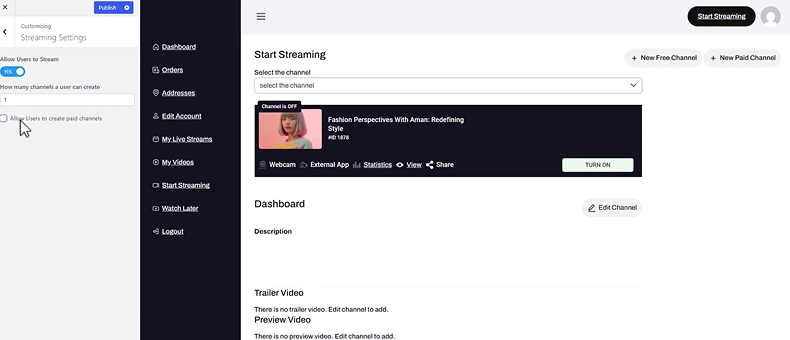
Because this theme is designed for streaming, you get unique options not found in most themes:
- Set your homepage and blog page.
- Allow or restrict regular users from live streaming.
- Enable paid channel creation for monetization.
For example, if you run a community-based streaming site, you can let users go live. If not, turn it off for a cleaner experience.
Typography and Global Colors
Consistency is key for readability and branding. This section lets you:
- Choose fonts, weights, and sizes for headings, body text, and widgets.
- Define primary and secondary colors for links, buttons, and hover effects.
- Set a global background color (great for thematic branding).
- All these options ensure that your site’s design feels unified and professional.
WooCommerce Settings
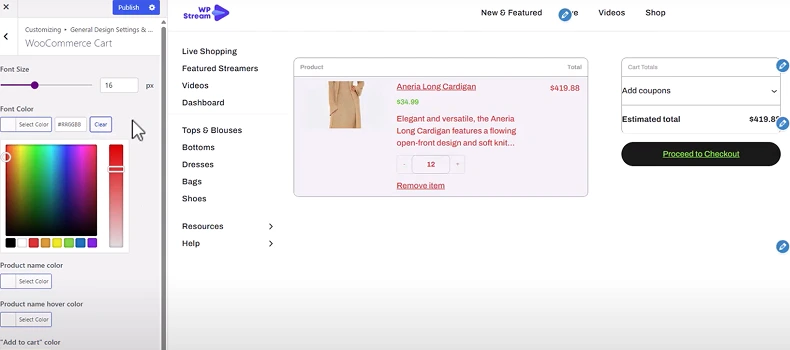
If you’re selling products or subscriptions, the WooCommerce integration is crucial. Here, you can:
- Customize the cart design (fonts, colors, backgrounds).
- Style buttons (text color, background, radius, hover effects).
- Adjust checkout appearance for a smoother buying experience.
- This makes the Hello WpStream theme ideal for live shopping websites, where users watch and buy in real time.
Video and Content Display Settings in the Customizer for the Live Shopping Demo
Since video is at the core of WpStream, the theme gives you granular control over how it appears:
- Turn video previews on or off.
- Show or hide user thumbnails and names.
- Display or remove view counts, likes, comments, and share options.
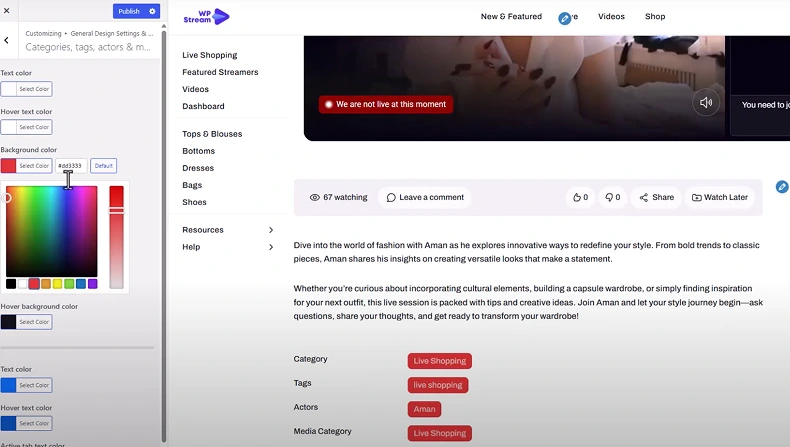
- Configure how categories, tags, and actors are shown on content cards.
- Adjust comment section colors for better UX.

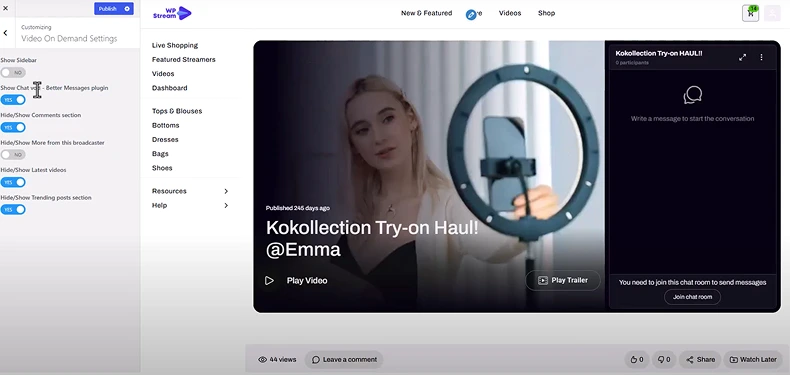
For Video on Demand (VOD) or Live Channels, you can:
- Toggle the sidebar on or off.
- Remove live chat for a minimal layout.
- Hide “More from this broadcaster” sections for a clean viewing experience.
Dashboard Customization
The user dashboard is where broadcasters manage their content. From here, you can:
- Adjust typography and colors.
- Hide or show options like Start Streaming.
- Style buttons and backgrounds for a branded experience.
- This makes the dashboard feel like part of your platform instead of a generic panel.
Blog, Product, and Page Settings

Even if streaming is your primary focus, the Hello WpStream theme doesn’t neglect other content types:
- Blog Posts: Style blog cards for news or updates.
- WooCommerce Product Pages: Control the look of product images, prices, and buttons.
- General Pages: Enable or turn off sidebars depending on your needs.
Advanced Appearance Settings
For final touches, you can:
- Add background images to headers, footers, or sections.
- Toggle between light and dark modes for accessibility and aesthetics.
- Fine-tune typography globally to ensure harmony across your site.
Who Should Use the WordPress Customizer for the Live Shopping Demo?
The Hello WpStream WordPress Customizer is perfect for:
Fashion & Apparel Stores
- Update colors, fonts, and layouts to match seasonal campaigns.
- Highlight live product launches during sales events.
Beauty & Cosmetics Shops
- Personalize product pages with brand-specific visuals.
- Use live shopping to demonstrate tutorials or product use.
Electronics & Gadgets Retailers
- Showcase live product demos for new tech releases.
- Adjust layouts to emphasize special offers.
Home & Lifestyle Brands
- Customize the demo to highlight furniture, décor, or kitchenware.
- Use live shopping sessions to display collections in real-time.
Specialty & Niche Stores (e.g., fitness gear, pet supplies, eco-products)
- Personalize the demo design to fit unique branding.
- Engage customers with live Q&A while selling.
Final Thoughts on the Customizer for Live Shopping Demo
The Hello WpStream theme isn’t just another WordPress template. It’s a streaming-focused design system that can lead you to an entertainment, e-commerce, or any other type of streaming website. With 5 free demos (and counting), you are welcome to explore. With the Customizer, you can control nearly every aspect of your site’s look and functionality without needing technical skills.
From adjusting headers and sidebars to enabling paid channels and WooCommerce carts, the Hello WpStream theme gives you everything you need to create a professional, engaging, fully branded streaming website.
If you want to build a site that feels truly yours — and not just another cookie-cutter streaming platform — the WordPress Customizer for the Live Shopping Demo is where it starts.
Check out the demos:
Watch the video tutorial:
