
Live shopping
Live Shopping Platform Guide for Online Stores
Pick the format. Run the show. Keep the checkout.
What live shopping is, which show format fits your products, how a show runs, and how social apps, marketplaces, hosted software and your own store compare.
New handbag collection launch
Streaming from your store websiteFrom your first show to the replay
Match the show to the product
Run a demo for products people need to see in use, a launch for something new, a Q&A for bigger purchases.
For a one-hour show, TikTok's seller guide suggests 3 to 5 products.
Choose where the order lands
Pick your live shopping platform: a social app, a marketplace, hosted software on your site, or your own WooCommerce store.
Each one decides who owns the checkout, the customer record and the replay.
Go live, then publish the replay
Greet shoppers, show one product at a time and answer their questions. Afterwards, on your own store, you turn the recording into a Video on demand that shoppers can watch again.
Your show on your store's own pages
Place your live player beside products on your WordPress site. Bring shoppers to your store and take every order through your WooCommerce checkout.
What differs between platforms
Platforms differ in who owns the checkout
Platforms differ in who owns the checkout, the customer data, the audience and the replay.
Industry data: an eMarketer forecast (January 2026) puts US livestream ecommerce sales at $14.64 billion in 2025, up nearly 50%.
Yet only 21.7% of US digital buyers bought through a livestream that year. Grand View Research estimated the global live commerce market at USD 172.86 billion in 2025.
These are market figures, not WpStream results: treat live shopping as one channel to test.
Five live shopping formats and what they sell
Whatever live shopping platform you choose, most shows follow one of five formats.
Pick the one that gives the shopper what your product needs them to see: the fit, the finish, the result or the person behind it.
Our guide: the goal of each format comes from the source named in it; the products we match to it are our own examples, not a platform rule.
Live auctions are a separate format with their own rules. McKinsey found in 2021 that many successful live shopping events add games, quizzes and giveaways.
Product demo
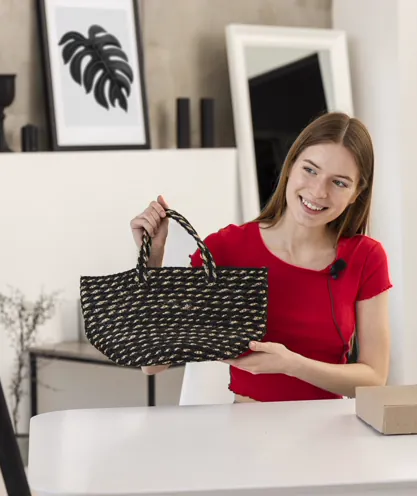
For products whose fit, texture or use needs showing: clothes, bags, kitchen tools.
For a 30-minute show, TikTok's seller guide says to demonstrate each item for 5 to 10 minutes and show how it fits into a routine.
Handle the product the way a shopper would in a store. Open the bag, show the lining, try it on.
Launch or drop
For a new line or limited stock.
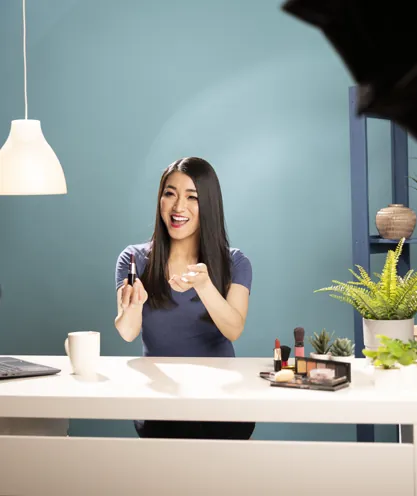
YouTube's own example: Simply Not Logical used a live stream to reveal a new line of nail paints and talked to its audience in live chat.
eMarketer names limited-time offers and exclusive drops as the way live shows create urgency.

Live Q&A
For bigger purchases, where shoppers want answers before they pay: sizing, materials, care.
Amazon's page for its live format puts it simply: "Customers can ask questions live and brands can offer exclusive deals and rewards."

How-to session
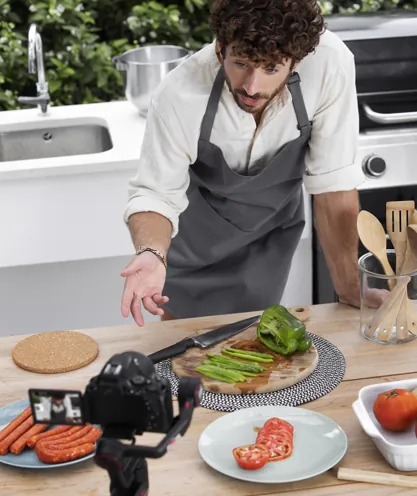
For consumables and products used together: beauty, cooking, crafts. McKinsey found that tutorials show how to use a product and suggest how to combine it with others, which opens up cross-selling.
A recipe show can feature the pan, the spices and the apron in one hour.
Guest host or interview
A founder, maker, creator or expert as a second voice. McKinsey says interviews "feel more personal, authentic, and genuine than product launches" and can be good for building awareness.
Amazon suggests featuring your own brand ambassador.

Run a live shopping show from plan to replay
This run of show works the same on any live shopping platform. Picture a weekly one-hour product demo: it's an example, not a customer story.
YouTube's tips for sellers say shopping live streams do well when they run at least half an hour to an hour.
Before you go live, decide the purpose of the show, its pace, and the order your products appear in.

Plan
Pick the products and the order
TikTok's seller guide suggests 3 to 5 products for a one-hour show and 5 to 10 for two hours or more.
Write down the order, the price of each and the one point every shopper should hear.
Promote
Tease the show
Post at least one teaser video the day before, then promote again two hours before going live (TikTok's guide). Share the show link early, as Whatnot tells sellers.
Your email list and a banner on your store count too.

Go live
Greet, show, repeat
Start with a greeting, then repeat the greeting and the product details often, because shoppers come and go (TikTok's guide).
Point at the product card as you explain each item, and end with a reason to come back.
Replay
Send them back to the recording
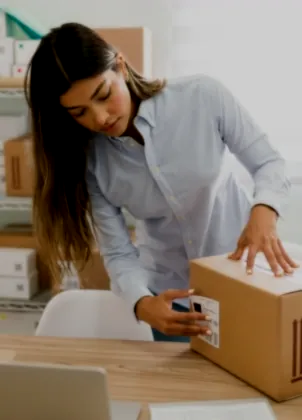
Close by telling shoppers the show can be watched and shopped again as a recording, and remind them to finish checkout.
On YouTube, products you tag after the stream show up in the replay.
Six habits from the platforms' seller guides
One product pinned
Pin one product at a time, so shoppers see what the host is holding. TikTok's guide says so, and on eBay Live only one item can be pinned at a time.
A second pair of hands
Put a second person on the comments. TikTok suggests two phones, one for filming and one for managing comments; on eBay Live, Team Access lets other members help during the stream.
A comfortable host
Choose a host who is comfortable in front of the camera, as it makes the show better. Rehearse with whoever will actually be on screen.
A practice run
Do a practice run first. Amazon has a Practice Mode and Whatnot suggests a private stream. On WpStream, test streams use broadcast hours, so keep them short before an important show.
A regular slot
Go live on the same day and time each week. TikTok's guide treats live shopping as a regular content channel, not a one-off event.
Clips after the show
Record the show and reuse it as short-form videos, product demos or social clips, as eMarketer suggests, so the work keeps paying off after the live hour ends.
Where social live shopping
stands in 2026
TikTok Shop LIVE
Live selling inside TikTok Shop. You set up the shop first, add products to the LIVE Showcase and pin them during the stream.
TikTok's 2024 fee page lists a 6% referral fee per order in most categories. Its Customer Service Policy lets sellers use customer information only to fulfill TikTok Shop orders.
YouTube Shopping
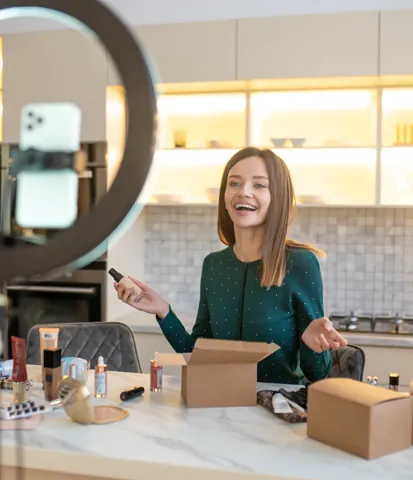
You tag products in your live streams. Eligibility includes the YouTube Partner Program and its subscriber threshold, and product approval can take up to 5 days.
Your store or retailer handles the order, so checkout happens on YouTube or on your store, depending on setup. Products tagged after the stream show in replays.
Facebook and Instagram
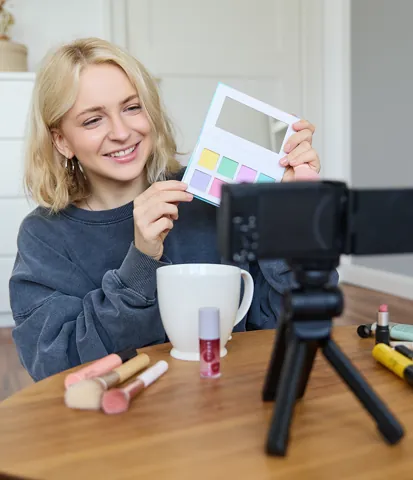
Facebook ended its live shopping feature on October 1, 2022 (TechCrunch). Instagram stopped product tags in live broadcasts on March 16, 2023 (Marketing Dive).
Since September 2025, Shops on both apps send buyers to the seller's own website to check out, per Meta's Business Help Centre.
A store can still go live there and share product links.
Four platform types
Which kind of live shopping platform fits your store?
There are four kinds of live shopping platform: social apps, marketplaces, hosted software that puts a shopping player on your site, and your own website running WooCommerce with a streaming plugin such as WpStream.
Four questions sort them. Who owns the checkout? Who holds the customer record? Who brings the audience? And what happens to the replay after the show?
Be fair to the apps: TikTok, YouTube and the marketplaces bring shoppers and discovery that your own site doesn't have.
Your site keeps the order and the customer record, but you bring the audience. You can do both: promote on social apps and sell on your own store.
| Platform type | Checkout and customer record | Audience | Replay | Cost model |
|---|---|---|---|---|
| Platform type: Social app (TikTok Shop LIVE, YouTube Shopping) | Checkout and customer record: TikTok Shop checkout, customer data only for TikTok Shop orders; on YouTube, your connected store handles the order | Audience: Built in: followers and the app's feed | Replay: Clips and tagged replays inside the app | Cost model: Referral fee per order (TikTok: 6% in most categories) or your store platform's fees (YouTube) |
| Platform type: Marketplace (Amazon Live, eBay Live, Whatnot) | Checkout and customer record: The marketplace's checkout; the order is a marketplace order | Audience: Built in: the marketplace's shoppers | Replay: Set by each marketplace | Cost model: Commission plus payment processing per order (eBay Live, Whatnot) |
| Platform type: Your own website (WooCommerce + WpStream) | Checkout and customer record: Your WooCommerce checkout; orders sit in your own store database | Audience: You bring it: your list, your site, your socials | Replay: You pick the recording and make it a Video on demand | Cost model: Plan metered in broadcast, viewer and recording hours |
What Your Store Handles in a Live Show
Your site can be your live shopping platform. The free Hello WpStream theme includes a one-click demo for live shopping. It works with Elementor and WooCommerce.
For setup details, check out live shopping for WooCommerce stores and live streaming for e-commerce.
Your store has no marketplace feed, so you build your audience. Display the next show’s date on your homepage and in emails before going live.
Player on Any Page
A shortcode lets you embed a live stream. You can add it to a product page, a landing page, or a dedicated show page.

Products Beside the Stream
Product cards appear next to or below the video player. Each card opens its product page, where shoppers can add items to their cart.

Your Checkout Process
Orders go through your WooCommerce cart and checkout. You can enable or disable guest checkout in WooCommerce settings.

Customer Records
Orders and customer details are stored in your WooCommerce site, just like other orders. You keep track of who bought what.

Chat from Better Messages
Live chat comes from the Better Messages integration in the Hello WpStream theme. Shoppers log in to post messages in the demo store.

Delay is Normal
A stream usually reaches shoppers after about 20 seconds. Low Latency (beta) reduces this to roughly 2 to 5 seconds. Do you need it? The docs say: "Most likely, no."

Inside the Demo
What a shopper sees in the demo store
When you open a stream page on our demo store as a logged-out visitor, you see the player and a list of products beside it. Each card shows the product name and price, like the Adison Clutch for $45.00. Clicking a card opens the product page. The "Add to Cart" button loads the cart, then proceeds to checkout.
We tested the demo checkout as a guest, and the page said, "You are currently checking out as a guest." To post in the chat, you need to log in.
Video unavailable. Please try again later.
After the Show
Turn the Recording into a Replay
Turn on "record live stream" in the channel settings before starting. After the show, the recording will appear under WpStream > Recordings.
The recording won't automatically become a replay. You need to create a free or pay-per-view Video on Demand from it. For a paid live product, switch it to Video on Demand and select the recording.
Recordings use recording hours, which limit the total video length you can keep. Deleting old recordings frees up those hours.
Video unavailable. Please try again later.
Your checkout, your customer list, plans counted in hours
Lite
Lite: $24 a month or $190 a year. Includes 100 broadcast hours, 500 viewer hours, 200 viewers at once, 5 live channels, and 25 recording hours.
Plus
Plus: $59 a month or $490 a year. Includes 250 broadcast hours, 2,000 viewer hours, 1,000 viewers at once, 15 live channels, and 100 recording hours.
Pro: $169 a month.
Ultra: $449 a month.
All paid plans allow unrestricted PPV streaming, 24/7 broadcasting, and watermark-free video.
The trial
The free trial gives you 100 viewer hours, 20 broadcast hours, and 10 recording hours to test. For a one-time launch, Lite One Time costs $36, and those hours don’t expire.
Fees and Plans
How Much Does a Live Shopping Show Cost?
Each platform has different billing methods. TikTok Shop and marketplaces take a cut of each order, plus payment processing fees. On YouTube, your store's fees apply.
Hosted software bills based on video views. WpStream charges based on hours used, plus your payment gateway's fees per order.
Fees change, so check each platform’s page for the latest info. Here’s an example based on September 2026 figures:
Assuming one weekly one-hour show, 5 shows in a busy month, and a 15-minute test before each, you’d have 60 shoppers watching the whole hour live, and 40 watching 30 minutes of each replay.
That month would use about 6.25 broadcast hours and 400 viewer hours, with 4 to 5 hours of stored recordings each month. Lite fits all three; viewer hours are the tightest (400 of 500 a month).
The 25 recording hours last about 5 months. After that, you can delete old replays or upgrade to Plus, which offers 100 recording hours. If you have 120 live shoppers, you’ll need Plus.
| Platform (type) | Fee model | Published rate |
|---|---|---|
| Platform (type): TikTok Shop LIVE (social app) | Fee model: Referral fee per order | Published rate: 6% in most categories (TikTok's 2024 fee page) |
| Platform (type): YouTube Shopping (social app) | Fee model: No YouTube commission stated for your own products; payments go through your store platform | Published rate: Your store platform's fees |
| Platform (type): eBay Live (marketplace) | Fee model: Commission plus payment processing per order | Published rate: 6% capped at $100 per item, plus 2.9% + $0.30 per order (most categories; eBay's fee page) |
| Platform (type): Whatnot (marketplace) | Fee model: Commission set by your sales tier and show category (new structure from September 21, 2026) | Published rate: Tiered commission plus 2.9% + $0.30 payment processing (US; Whatnot's seller fees page) |
| Platform (type): WpStream on your own store | Fee model: Plan metered in hours | Published rate: Lite $24 a month or $190 a year: 100 broadcast and 500 viewer hours a month, 25 recording hours |
Live Shopping Platform Guides
Live Shopping Demo: Engage and Sell with the Hello WpStream Theme
A tour of the Live Shopping demo for the free Hello WpStream theme: stream pages, product listings beside the player, and replays.
Explore the Live Shopping Demo Features
A features tour of the Live Shopping demo: streaming, product listings next to the player, and the shop pages behind them.
How to Get Started with Live Streaming for E-commerce (Beginner’s Guide)
Setting up a live sale on your own store: the gear, the run of show, the checkout and the replay.
Live shopping platform questions, answered
A live shopping platform is the software that powers a live shopping show. It carries the video, displays products, runs the chat, and sends buyers to checkout. It can be a social app (like TikTok Shop LIVE), a marketplace (like Amazon Live), hosted software on your site, or your WooCommerce store with WpStream.
Not as built-in features. Facebook ended live shopping on October 1, 2022, and Instagram stopped product tags in live broadcasts on March 16, 2023. Since September 2025, Shops on both apps direct buyers to the seller’s website for checkout. You can still go live on either app and share product links leading to your store.
Yes. The live player can be added to any page of your WordPress site, with product cards beside it. Orders are processed through your WooCommerce checkout. The Hello WpStream theme’s Live Shopping demo is a great starting point.
No app is needed; a web browser is enough. Logged-out shoppers can watch a free show and see products on the WpStream demo store. Buying depends on your WooCommerce settings, and the demo allows guest checkout. To post in the live chat, a site login is required.
You don’t need any audience to start. Most platforms have no minimum follower requirements. TikTok Shop has none for official shop accounts, while eBay Live and Whatnot have eligibility criteria. Your store with WpStream has no threshold. YouTube Shopping requires Partner Program status and a subscriber count.
McKinsey’s 2021 research suggests several formats: product launches, tutorials, behind-the-scenes shows, and more. TikTok advises sellers to choose items that match their niche. The five formats work the same with WpStream on your store.
WpStream charges based on hours, not per order. As of September 2026, Lite costs $24 a month or $190 a year for 100 broadcast hours, 500 viewer hours, and 25 recording hours. A weekly one-hour show with 60 live shoppers fits Lite; at 120 live shoppers, you’ll need Plus ($59 a month or $490 a year). A free trial lets you test first.
If “record live stream” was enabled before the show, the recording will appear under WpStream > Recordings. You need to select it to create a free or pay-per-view Video on Demand, or switch a paid live product to Video on Demand and pick the recording. Recordings count against your storage hours.
Ready when you are
Start your free trial
Try live broadcasting and replays on your website.