Free speech video platform

Uncensored Video Platform: What It Means on Your Own Site

Own your broadcast. Know the limits. Keep your archive.

We don’t pull a show for its views. Our Terms and the law set limits.

How it runs

Your program on your own site

01 · Website

Put the player on your WordPress site

The live show and its replays play on your domain. Your station name, your page, your schedule.

02 · Access

Decide who can watch

Open to everyone, or restricted to members, paying viewers, or staff. You control who can watch before you go live.

03 · On air

Go live and keep the recording

Turn on "Record Live Stream" before going live.

The recording appears in your Recordings list after the broadcast ends. You can choose to make it free or pay-per-view.

On your website

Your Audience Watches on Your Domain

Your WordPress site hosts the page while WpStream delivers the video from its cloud. The broadcast stays under your name, with your viewing rules.

The Short Answer

Every platform has rules; only the decision-makers change

Airing a program without review against a social platform's rules doesn't mean airing it without rules.

On social platforms, two rulebooks apply:

Community rules (e.g. YouTube's Community Guidelines, Meta's Community Standards).

Monetization rules (e.g. YouTube's advertiser-friendly guidelines).

On your website with WpStream, different layers decide what stays up, starting with the law. Four layers determine if a talk show or a Sunday service stays up.
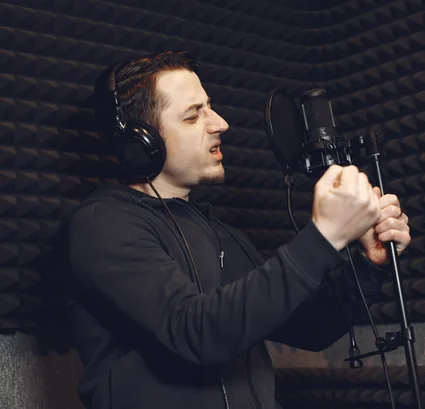
Independent broadcaster speaking into a studio microphone
LayerWhat it decidesSource
Layer: The law of your countryWhat it decides: What's illegal to broadcast: copyright, defamation, child protection, incitementSource: Statute, for example 17 U.S.C. § 512 (US) and the Digital Services Act (EU)
Layer: WpStream's TermsWhat it decides: Lawful use, prohibited uses, copyright policy, and the right to refuse service and remove contentSource: WpStream Terms and Conditions
Layer: Your web hostWhat it decides: The WordPress site itself: pages, text, the player embedSource: The host's acceptable-use policy, for example WP Engine
Layer: Your payment provider (paid streams only)What it decides: What you may sell through pay-per-view or subscriptionsSource: Stripe restricted businesses, PayPal Acceptable Use Policy

WpStream's Position

Will WpStream pull a program for its views?

No, we don’t mute, censor, or take down a program for its views or opinions. Our Terms allow use "only for lawful purposes".

They bar exploiting minors or infringing others' rights. We may terminate accounts at our discretion for any reason.

"You are responsible for Content that you post on or through Service, including its legality, reliability, and appropriateness." Your station answers for what goes on air.

Pricing Plans

Sized in hours for a weekly service or a daily show.

Lite

Lite costs $24 a month or $190 yearly. It includes 100 broadcast hours, 500 viewer hours, 200 viewers at once, 5 channels, and 25 recording hours.

Plus

Plus costs $59 a month or $490 yearly. It includes 250 broadcast hours, 2,000 viewer hours, 1,000 viewers at once, 15 channels, and 100 recording hours.

Pro and Ultra plans are available for higher needs.

The trial

One-time plans start at $36. "Resources from one-time purchases do not expire." The starter account includes 100 Viewer Hours, 20 Broadcast Hours, and 10 Recording Hours to get started.

What Each Layer Can Still Do

Even on an uncensored video platform, four layers decide if a station's bulletin or a church's service stays up. Each is governed by its own rules.

Your Country's Law

Laws on copyright, defamation, child protection, and incitement apply.

WpStream's Terms are governed by the laws of Romania and the EU. This info is general; consult a lawyer for specifics.

Balance scale resting on a law book
Notice and Takedown

In the US, rights holders notify the service provider to remove content. In the EU, hosting services follow specific notice and action rules.

Paper notice in an envelope on a desk
Your Web Host

Hosts may take action on illegal or policy-breaking material. Check each host's policy.

Server racks in a data center
Your Payment Provider

For paid streams, follow Stripe or PayPal's rules to avoid issues.

Viewer paying online with a card and tablet
Music and Program Rights

Ensure you have the right licenses for any music or syndicated shows.
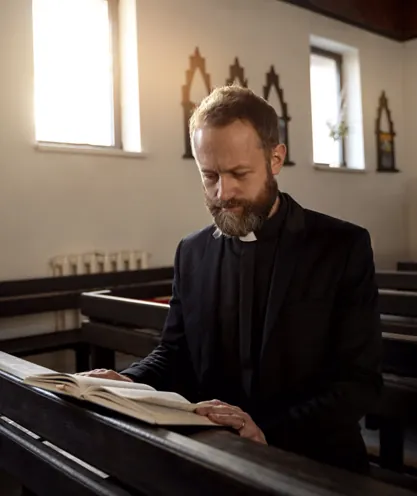
Minister reading a Bible in a church

Ownership

Do you still own your broadcast?

Yes, "You retain any and all of your rights to any Content you submit, post or display on or through Service." WpStream has a license to use your programs to deliver your stream.

Record Live Stream saves each broadcast. Recordings can be downloaded.

ClauseWpStream TermsYouTube TermsMeta Terms
Clause: License reachWpStream Terms: "on and through Service"YouTube Terms: "worldwide, non-exclusive, royalty-free, transferable, sublicensable", "for the purpose of operating, promoting, and improving the Service"Meta Terms: "non-exclusive, transferable, sub-licensable, royalty-free, and worldwide"; "will end when your content is deleted"
Clause: What it coversWpStream Terms: "use, modify, publicly perform, publicly display, reproduce, and distribute"; also "available to other users of Service"YouTube Terms: "reproduce, distribute, modify, display and perform"Meta Terms: Also "create derivative works"
Clause: RemovalWpStream Terms: "remove or edit content ... in our sole discretion"YouTube Terms: Content in breach or that "may cause harm"Meta Terms: "remove, block or restrict content that is in breach"
Clause: Notice to youWpStream Terms: Account may end "immediately, without prior notice"YouTube Terms: "notify you with the reason" (with exceptions)Meta Terms: "let you know and explain any options" for another review

Your Brand, Your Audience, Your Protection

You control the player’s name, who gets in, and how the stream is protected.

Private Streams

Keep broadcasts for chosen viewers like members or paying audiences.

Encryption

Our content protection page describes AES-128 encryption.

CORS

Turn on Lock to Website and your live stream shows only on your own site: cross-domain policies stop another site from playing it on its own pages.

Access Control

Viewing is limited to chosen viewers—login, purchase, or shared password.

DRM

Our DRM explainer lists "encryption, DRM, and CORS access control" among WpStream's capabilities, with content protection included on all paid plans.

Nine Checks Before You Go On Air

For a station, a show or a church moving its program to its own site.

For stations, shows, and churches

01

Read WpStream’s Terms: lawful use and prohibited activities.

02

Review your web host’s acceptable-use policy.

03

If selling access, check Stripe’s or PayPal’s restricted list.

04

Verify your streaming license covers your church music.

05

Ensure you have rights for syndicated shows or feeds.

06

Decide who watches: everyone, members, or buyers.

07

Enable encryption and test your stream in audience browsers.

08

Record each broadcast and track your recording hours as your archive grows.

09

Put your logo on the player and top up before your hours run out.

Your programme on your site, with limits known before airing.

More on your stream rights

FAQ

Your rights on air, answered

Not for its views or opinions; that’s WpStream’s stated position.

But its Terms require lawful use, bar harming minors and infringing others’ rights, allow terminating copyright infringers, and reserve the right “to refuse service, terminate accounts, remove or edit content” at their discretion.

So, even on a free speech platform, a stream can be taken down under those Terms.

You are. WpStream’s Terms state: “You are responsible for Content that you post on or through Service, including its legality, reliability, and appropriateness.”

Your country’s laws apply to what you broadcast. A rights holder can use notice and takedown to remove infringing material.

Three other layers: the law, through notice and takedown (US) or notice and action (EU); your web host, whose acceptable-use policy covers your site; and, for paid streams, your payment provider’s restricted list.

Yes.

WpStream’s Terms say you “retain any and all of your rights” to what you post, and license the service to use, reproduce, and distribute it to deliver your stream.

Recorded shows and sermons go in your Recordings list and can be downloaded, according to the support team.

Yes. White label puts your station’s or church’s logo on the player and your site.

One caveat: when viewer or broadcast hours run out, “Your streams may carry WpStream branding elements” until you top up or upgrade.

Yes. With WpStream, each stream can be open to everyone or restricted to those you choose: your congregation, paying members, or staff.

A members’ service or pay-per-view show stays with them. The private streaming guide explains the options.

Yes. Streaming with WpStream doesn’t change who owns the music or programme.

A church still needs a streaming licence, like the CCLI Streaming Licence for worship songs. A station needs permission for syndicated shows. Details are under music and programme rights.

In one sense, yes. An uncensored video platform on your site changes who decides, not whether rules apply. On YouTube, its rules determine what stays up and earns.

With WpStream, the law, the service’s Terms, your host, and, for paid streams, your payment provider decide. For features and costs, see YouTube vs self-hosted streaming.

Ready when you are

Start your free trial

Try live broadcasting and replays on your website.