


A good podcast site is more than an audio file on a page. It gives every episode a clear home with a play button people can spot fast. It also holds show notes, links, and a list of older episodes. Many creators use it as a stable place for links that never move. That helps new listeners find the right show and hit play. A WordPress site can also hold a Subscribe page, a guest form, and an email sign-up outside any podcast app.

Pick a podcast idea and a show style.
A creator should choose a topic that can last for years. The topic needs to be clear in a single short sentence. A quick test is to write ten episode ideas. If the list runs out fast, the topic may need a tweak. Restream also suggests checking other shows in the same category to see what listeners already follow.
A show style comes next. A solo show is easier to book and record. An interview show can grow faster because guests may share the episode. A co-host show can sound lively, though it needs shared time and strong planning. The style should match the creator’s time and comfort on the mic.
A posting pace matters more than a huge batch of episodes. Weekly can work, yet a slower pace can still build trust if it stays steady. Clear goals and a clear pace make a podcast easier to run, long after the launch week ends.
Lock in the show basics before the site build.
A name should be easy to say and easy to spell. Cover art should look sharp as a small square, since most apps shrink it. WordPress.com’s podcast settings require artwork between 1400×1400 and 3000×3000 pixels, which aligns with common podcast app requirements.
Audio-only or audio-plus-video is another early choice. Edison Research’s 2026 data shows that 57% of Americans have both listened to and watched a podcast. That makes video planning more common, even for shows that still post audio. The choice changes gear, editing time, and page layout.
Episodes also need a simple shape. An opening idea, the main points, and a short close are enough. Restream’s planning sections focus on goals, format, and repeatable parts because a steady format saves time and helps listeners know what to expect.
Audio files need a format plan, too. WordPress.com says .mp3 is supported by all major podcast platforms, while other formats are not. A show that wants fewer feed problems can stick to .mp3 as the default audio file type.
Set up WordPress and choose a theme that fits audio.
A podcast site starts with a domain, hosting, and WordPress installed. The menu should stay simple so visitors can find the newest episode fast. Home, Podcast, About, Contact, and Subscribe are a common set for most shows.
A theme matters because it controls how episode pages look and how the episode list feels. Pixel Jar points out that podcast themes often feature layouts designed for players and phone screens. A creator can pick a podcast theme or use a flexible theme plus a builder to create podcast pages.
Good design is mostly about clarity. Episode pages need clear headings, enough spacing, and a play button people can spot right away. A busy layout can hide the player and make visitors leave. A simple design also helps the site feel trustworthy.
Divi can help with templates. Divi Extended shows how to build a custom archive template for a podcast category with the Theme Builder. A template like that can turn an episode list into clean cards with the right info in the right place.
Choose a podcast plugin with the right job.
WordPress can play audio with built-in blocks, yet podcast plugins add structure. MemberPress notes that podcast plugins can create custom post types for episodes and include friendly audio players. That makes episodes easier to manage and easier to browse on the site.
Some plugins are best for showing a feed on a page. Hostinger says Podcast Player can build a player by pasting a feed URL, and it can add tools like live search and sharing. That approach fits a show that hosts audio elsewhere and wants WordPress to display it.
Other plugins are built for more control over publishing. Hostinger lists Podlove Podcast Publisher as a free plugin that supports additional file types and lets you set up multiple podcast feeds. It also offers stats and subscription tools, which help a creator track listening on the site.
Some sites need importing and auto-sync. Hostinger lists Podcast Importer as a tool that can create posts or custom post types from an RSS feed, bring in featured images, and add tags to episode posts. Syncing can save time when a show already has a feed and wants the site to stay up to date.

Publish episodes and build pages that help browsing.
Episode posts should follow a repeatable layout. A good episode page has a clear title, a short summary, and the player close to the top. It should also link to any tools, books, or guests mentioned. This keeps the page useful even for someone who cannot listen right away.
Categories and tags help organize the library. WordPress.com explains that posts placed in the chosen podcast category become part of the show’s podcast feed. That makes the category part of the show’s public setup, not just a private label.
Pages should also be built for how people listen. A podcast home page can display the latest episode and a “start here” option. An archive page can list all episodes. Divi Extended focuses on archive and single templates because a podcast library needs more than a basic blog view.
A site should always give a next click. A “more episodes” area, a season list, or a topic list can keep people on the site longer. Hostinger’s roundup highlights players and tools that support search and playlists, which can make this easier to do well.
Add audio, a player, show notes, and basic SEO
Audio hosting is a real choice. Pixel Jar warns that podcast files are large and can strain normal web hosting limits. Hostinger also notes that syncing episodes from a podcast host can be easier on a WordPress server than uploading large files straight to the site.
File type can prevent problems later. WordPress.com supports several audio formats, and it says .mp3 works across major podcast platforms. When a show uses the same .mp3 file everywhere, the feed is less likely to fail in a podcast app.
The player should be easy to find and easy to use on a phone. Hostinger’s list includes tools that place players in posts, sidebars, or footers, with style choices and share buttons. Good show notes sit under the player with a short summary, links, and a few time marks for long episodes.
On-page SEO can stay simple. Google Search Central says titles should be clear and concise, and headings should stay clear on mobile and desktop. Google also says a meta description can show as the snippet when it gives a helpful summary. Yoast SEO says the key phrase how to create a podcast can fit in subheadings when it makes sense.


Connect the site to podcast apps and promote from pages.
A podcast site usually needs an RSS feed that podcast apps can read. WordPress.com explains that posts in the podcast category become part of the podcast feed, and the feed URL is used to submit the show to podcast platforms. That’s why episode posts need a stable structure and a steady category plan.
Podcast platforms each have their own submission screens. WordPress.com provides instructions for submitting an RSS feed to platforms like Apple Podcasts, Spotify, and YouTube. Once accepted, new episodes in the feed can be delivered to followers without a new manual submission each week.
Listener habits change across apps. Edison’s Q4 2025 data shows 32% of daily podcast time on YouTube, 25% on Spotify, 20% on Apple, and 23% on other sources. For weekly “most used” reach, YouTube leads at 39%, followed by Spotify at 20% and Apple Podcasts at 11%. A WordPress site should link to more than one app.
A good Subscribe page can make that easy. Hostinger lists Podcast Subscribe Buttons as a free plugin that adds platform icons and links with blocks, shortcodes, or Elementor widgets. A clean Subscribe page helps visitors follow the show in the app they already use.
Make money, avoid common slip-ups, and add WpStream.
A podcast can earn money in more than one way. Ads may fit large shows. Smaller shows often earn faster with paid extras like bonus content or early access. Backlinko reports worldwide podcast ad spending in 2025 at $4.46 billion, showing that the ad market is real, even if it usually rewards scale.
A membership setup is a clear path in WordPress. MemberPress offers a simple approach: add a podcast plugin, create membership plans, and set rules to protect paid content. That can turn episode pages into a private library for paid members.
Common slip-ups are avoidable with a steady plan. A show name change after launch can break links and confuse followers. WordPress.com warns that changing the podcast category after submitting the feed may require resubmitting it. Locking the basics early keeps the site, feed, and apps in sync.
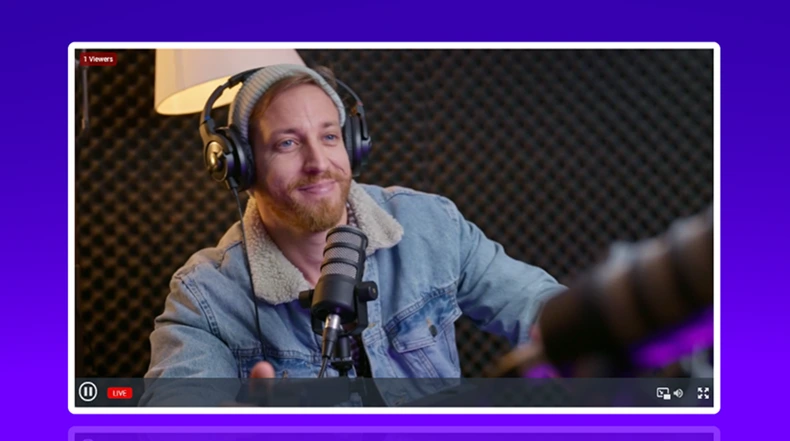
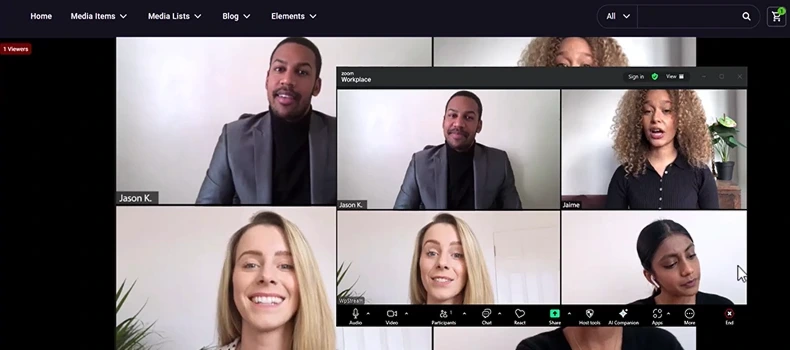
With WpStream, podcast site may also post live sessions, recorded video episodes, or stream replays. A streaming section can fit beside the audio library when the watch and listen paths stay clear on the page.