



Two tickets per dancer. That is the rule at The Dance Spot in Austin for this year’s Nutcracker. A family with one dancer pays a $100 performance fee. The fee comes with two free tickets. Anyone else needs a ticket for every show they go to. Seats go to the people who buy first.
Two tickets are enough for two parents. They are not enough for the grandmother who lives two states away, or the big brother at college.
You probably have the same problem. Think of your recital, graduation, competition, open day or last class before the break. Each one happens in a room with only so many seats. And there are more family members than seats. Big schools have this problem too. Georgia College & State University and Belmont University both need tickets for their December graduations. Both also plan a livestream. Illinois State University says its stream is “for family and friends unable to attend commencement in person.”
So the people who don’t get a seat watch the stream. That stream needs one person who runs it. Pick that person now, before December, and give them three jobs.
Send the link with the ticket
The worst time to look for the stream is five minutes after it starts. Your stream person makes sure no family has to do that.
Use the email families already read. The Dance Spot sends each dancer’s family an email with a code to buy tickets. Put the stream link in that same email. The family with tickets will send it on to the grandmother who has none.
The link should go to a page that does not change. Georgia College does this. Its graduation page says “a livestream of the ceremony will be provided on this page.” So families know where to go weeks before the day. One way to do this on your own site is WpStream, a plugin that puts the live stream on a page of your WordPress site. You send that page’s link once. Before you go live, the player on the page says the stream has not started yet. So a family that comes early knows they are in the right place.
Write the start time with the time zone. Add a second time zone for family far away. Then start the stream a few minutes before the first name or song, so nobody joins in the middle.
Put the camera where a parent would sit
Switcher Studio wrote a guide to streaming for schools. (Switcher sells streaming software, so keep that in mind.) The guide starts with a scene you have probably seen. A parent in the third row holds up a phone on a video call. A grandparent three states away watches “a shaky, sideways view” of the second grade choir. That is what the stream looks like when nobody runs it.
The camera is the grandmother’s seat. Put it where a parent would want to sit. Don’t put it at the back of the hall, behind rows of heads. At a graduation, the camera needs to see the stage and catch each name as it is read. At a recital, it needs to see the whole stage. The child a family came to see might be at the end of the line.
The Switcher guide also says to show the stage and the crowd at public events. Don’t stay close on one child for a long time when that moment was not planned. So let the program lead the camera. A close shot while a name is read is part of the show. A close shot of a crying five year old backstage is not.
Answer when it won’t play
On the day, your stream person watches the stream on a phone, the way a family member would. They see what the grandmother sees. When a message says “it won’t play,” they answer it. Put their name and phone number in the email with the link.
Switcher notes that free platforms give you no help when something breaks. So at a small school, the person who answers is usually you.
The Switcher guide says to decide now who can stop the stream if something should not be on camera. Give that job to your stream person too. They are already watching.
Two tickets per dancer is a fair rule for a theater. The grandmother two states away still needs a way in. Pick your stream person this week, and put their name, their phone number and the stream link in the ticket email.
Also this week
79% of church leaders say tech improved connection in their church
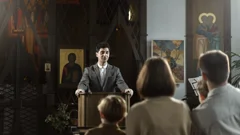

Read more: Barna
Check your recording hours before the recital

Read more: WpStream
Two new ways to put sports on a stream this fall
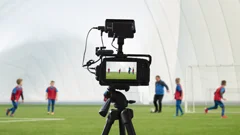
Read more: MarketScale · Sports Video Group