
How to Set Up a News Channel on My Website

A news channel on a website lets people watch updates as they happen, similar to a small TV station, but on a web page. Viewers can visit a Live page, press play, and instantly see the show. The same page can hold links to today’s stories, a short schedule, and a tip form. Some teams keep a headline loop video ready, so the page never goes empty when the host is away. Our guide to 24/7 live streaming covers keeping that channel on around the clock.
Many site owners ask about adding a news channel because social apps quickly pull viewers away. A website keeps the stream near the rest of the brand—like the blog, shop, or about page. This layout helps maintain audience attention and trust. A pinned note under the player can list emergency numbers and source checks.
Before diving in, this guide explains some technical terms and provides a step-by-step process to simplify building a news channel, even with a small team and without a TV truck or studio.
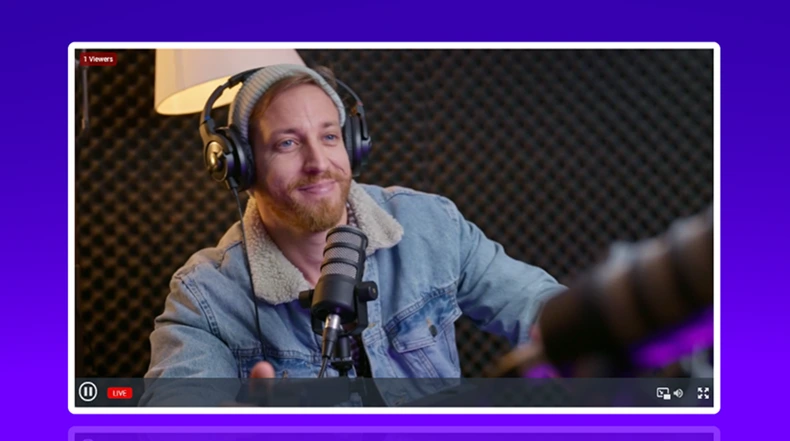
What a news channel website is
A TV channel often needs towers, cable deals, or satellite time. A web news channel sends video through the internet, then plays it on a site page. That shift is why schools, towns, and small companies can run live updates with a tiny crew.
A news channel website works best as a hub—not just for video, but for live streams, clips from past shows, and posts explaining sources. When a story moves fast, this mix helps viewers check details and see old coverage in one place.
People already use digital devices for news all day. Pew Research Center reports that 86% of U.S. adults get news at least sometimes from a smartphone, computer, or tablet, and 56% say they do so often. A steady site channel fits that habit.
The core parts of an online news channel
A basic online news channel needs four elements: capture, encode, deliver, and play. Capture requires cameras, mics, and screen feeds. Phones can handle outdoor shots, and laptops enable sharing maps or charts. Our multi-camera streaming guide covers mixing those feeds.
Encoding is the job of software like OBS Studio. It combines the camera and audio, then sends a single live feed. Many setups send the feed via RTMP or RTMPS, along with a stream key that acts like a private pass to the channel.
A simple flow keeps the setup clear:
- Camera and mic feed into the encoder.
- Encoder pushes RTMP or RTMPS with a stream key.
- A WordPress page loads a player for viewers.
A common setback is silent audio. A school can see video on the stream, yet the mic meter stays flat because the wrong input is picked. A short test stream, plus watching the audio meter move in OBS, can catch this before the public show starts.
Designing a newsroom-style broadcast
A stream feels like news when the screen tells viewers what they’re seeing. Lower thirds show names and roles. A ticker can scroll short headlines. A clock helps viewers know the show is live, and a logo helps the channel look real and steady.
OBS builds this look with scenes and sources. One scene can be for the anchor desk. Another can be for interviews. A third can be for a “breaking” screen with a bold banner. The team can switch scenes with hotkeys to keep the show smooth.
Many teams use a Browser Source in OBS to display HTML graphics, such as a lower third created with simple web code. That makes it easier to update names and headlines fast. Heavy web graphics can stutter, so a lighter HTML page and a quick device test can help.

Creating a live broadcast workflow
A news show runs better with a small plan that repeats. A simple run-of-show might be: intro, top story, local update, clip, weather, then wrap. When the plan is written down, the host can focus on clear words, not screen buttons.
Roles keep the show calm. One person can host. One person can watch chat and tips. One person can switch scenes and manage clips. On tiny teams, one person may do two roles, yet the tasks should still be named and timed.
Saved settings in the encoder can prevent last-minute mistakes. YouTube’s encoder guide recommends a keyframe frequency of 2s and warns against exceeding 4s. When the team saves that setting once, the stream is less likely to look jumpy.
A common setback is a show that looks live in the encoder but stays “offline” on the site. This often comes from a past stream key that has an extra space or the wrong channel key. Keeping stream keys in a password tool and pasting with care can stop this headache.
Publishing the news channel on a WordPress site
A “news channel on my website” needs a home page, often called /live. Many sites add this Live page to the menu so viewers can find it quickly. WordPress templates and parts help maintain a consistent layout across show pages.
WpStream supports adding a video player via a shortcode, a text code placed in a post or page. The WpStream documentation lists the wpstream_player shortcode, and the WordPress Shortcode API explains how shortcodes add special content to pages. This method fits editors who do not want to edit code files directly.
WpStream also documents an Elementor widget path for embedding a live stream. A page builder can place the player in a clean layout, with a headline area above and a list of today’s posts below. That page can live inside the site theme like any other page.
Caching can trip up live pages. Some cache tools can show an older page state, even when the stream is already on. Excluding the Live page from cache and testing while logged out can help viewers see the current stream fast. You can stream with WpStream and OBS by following these instructions.

Adding interactive features
Live news can feel one-way without feedback. Chat gives viewers a place to react and share tips, like road closures or event changes. WpStream provides a guide that pairs a live stream with the Better Messages plugin, allowing a chatroom shortcode to sit next to the player.
Polls give the channel feedback from viewers. A quick poll can ask which topic should appear on the next show. WordPress plugins support adding polls below the stream with shortcodes or blocks.
Live chat needs basic controls. YouTube describes “slow mode” as a way to limit how often each user can post, helping cut spam and repeat messages. A site team can mirror this idea by setting chat rules, naming a moderator, and keeping the chat view clean.
A common setback is spam that drowns out real tips. A channel can fix this by enabling rate limits, blocking profanity, and moving sensitive reports to a separate form. A calm chat space helps maintain trust during breaking stories.
Monetizing a news channel website
Many news teams mix free access with paid extras. A site can keep breaking updates free and sell a weekly deep-dive show, a replay library, or special guest talks. The WpStream plugin listing notes that it allows selling tickets or recordings through WooCommerce, which can be used for pay-per-view or member access.
Ads and sponsors can support a channel when it has steady viewers. The Interactive Advertising Bureau and PwC Internet Advertising Revenue Report says digital video revenue rose 19.2% year over year to $62.1 billion in 2024. That shows why video still draws sponsor budgets.
Sponsored segments need clear labels, so viewers do not feel tricked. The Federal Trade Commission says disclosures needed to avoid misleading people must be clear and prominent. A simple “Sponsored” tag on screen and near the player keeps the channel honest.
Donations can also work for local channels and school news. A site can place a support button under the player, then share what that support pays for, like mics or a camera tripod. Clear funding notes can build confidence over time.
Scaling the channel over time
A news channel can start with one host and one laptop. Growth often adds more cameras, clearer audio, and better control tools. A hardware switcher like the ATEM Mini from Blackmagic Design has multiple HDMI inputs and can act as a webcam output to a computer, helping a small team switch shots.
Remote guests are another upgrade. A team can bring in a reporter or expert guest, then show them on a split-screen scene in the encoder. This keeps the channel active even when the host is not on site, and it can widen coverage without travel.
A growing channel should keep an archive. WpStream documents a “Record Live Stream” setting that saves streams under Recordings, so the file can be downloaded and reused. Clips from the archive can become posts that help search traffic and trust.
Stream keys must stay private as the team grows. Mux warns that anyone with the stream key can broadcast to that channel, so it should be treated like a password. If a key leaks, resetting it fast can protect the channel from surprise streams.