
How to Make a Website: A Beginner’s Guide

Estimated reading time: 10 minutes
Most sites fail because the setup is rushed and user needs are ignored. Pages load slowly, servers crash during video playback, and live events crash at peak traffic – issues we’ve seen repeatedly when showing clients how to make a website from basic to video-ready platforms.
This guide shows how to make a website the right way. It’s written for beginners but shaped by real streaming and WordPress work. Each step explains what to do and why it matters later. You’ll also see where video and live streaming fit in, and how poor setup choices can hurt performance fast. By the end, you’ll know how to build a site that works today and stays stable when traffic grows.
You can also check out this video if you are a more ‘visual’ learner 🙂

What “Making a Website” Means Today
A website used to mean a few pages and a contact form. That’s no longer true because most sites now include video, forms, user accounts, and real-time content. Visitors expect fast loading and smooth playback on phones, tablets, and on their desktops.
We once had a small gym site that added workout videos using WordPress’ default media section. Although their traffic stayed low, the site slowed to a crawl. The issue was their hosting, which couldn’t actually handle the number of videos they added. This was a problem because they were offering video to their paying customers, yet the pages were loading super slowly.
Modern websites must handle:
- Mobile traffic
- Media files
- Traffic spikes
A website is a whole system in 2026 and not just pages. WordPress makes this easier with plugins and themes, but planning, researching, and choosing the right solution for your project still matters.
Stats show that pages taking over 3 seconds to load lose more than 50% of visitors. That loss starts early if the basics are skipped.
Define the Purpose of Your Website
Every website needs a clear goal. Without one, tools and plugins pile up fast. We’ve seen sites with 40 plugins doing the job of five. Some common goals:
- Blog or personal site
- Business site
- Course or membership site
- Video or live streaming site
- E-commerce site
- Gaming Site
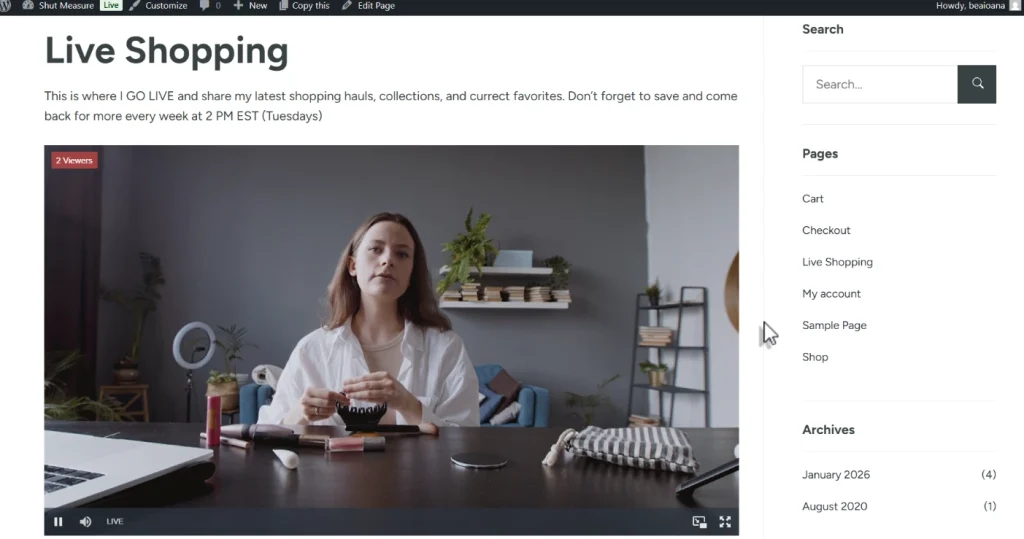
A video site needs more resources than a blog. Video and live streaming use significant bandwidth and server power.
A startup founder launched a product demo site with live video on shared hosting. The stream worked in testing but failed during launch hour.
Write down what your site must do now and what it may do later. This guides every choice that follows.
Choose a Domain Name and Hosting Provider
A domain is your address; hosting is the engine. Beginners often focus on price and overlook hosting limits.
Shared hosting means your site shares a server with many other sites and works for simple sites. It struggles with video and traffic spikes. Managed WordPress hosting is a service tailored for WordPress sites that handles updates and caching better.
Hosting types to know:
- Shared hosting
- Managed WordPress hosting
- Cloud hosting

Data shows that stable hosting improves search visibility. Google tracks speed and uptime closely.
Pick hosting that matches your site’s future, not just today. A few popular hosting solutions include Bluehost, Hostinger, Siteground, and GoDaddy.
Pick the Right Platform to Build Your Website
WordPress powers over 40% of all websites and scales from blogs to streaming platforms.
Website builders look easy, but lock features behind limits. Custom code offers freedom but also raises costs and maintenance.
WordPress sits in the middle:
- Thousands of plugins
- Flexible themes
- Large support community
WordPress works best with reliable hosting and smart plugin choices.
Install and Configure WordPress
Most hosts offer one-click installs. That’s fine, but setup doesn’t end there.
Key settings matter early:
- Permalinks set to post name.
- Disable unused features
- Enable automatic updates
Skipping setup leads to messy URLs and security gaps. A client lost a site after skipping updates for a year. WordPress works best when tidy from day one.
Design Your Website With Themes and UX Basics
Themes control layout and style, but speed matters more than looks.
Heavy themes slow page load times and break mobile views. We’ve tested themes that added two seconds to load time before the content appeared.
Choose themes that:
- Load fast
- Support mobile
- Work with page builders.
Stats show that over 60% of visits come from phones, so the design must first fit small screens. Even your grandmother uses her smartphone to browse the web – just be sure to train her on password security!
Add Essential Pages and Core Content
Every site needs basics.
Core pages include:
- Home
- About
- Contact
- Privacy policy
If you have these 4 pages to start with, and maybe even a blog page depending on your type of site, you’re already off to a GREAT start. A clear, familiar structure helps both users and search engines. Use menus wisely and avoid deep nesting. Don’t start adding ‘innovative’ or ‘creative’ words instead of the basic searchable menu items. While there is something to admire, we recommend sticking to simplicity.
Install Essential WordPress Plugins
Plugins extend WordPress. Too many can break sites, while too few limit growth.
Core plugin types:
- Security
- Backups
- Caching
A real case: a site crashed during an update with no backup. Stats show hacked sites often lack security plugins. Pick trusted tools backed by strong reviews and regular and timely updates.
Prepare Your Website for Growth and Traffic
Traffic rarely grows in a straight line. One post or video can spike visits.
A creator we worked with hit Reddit’s front page; the site went offline within minutes.
Prep steps include:
- Caching
- Image compression
- CDN use
Google reports stable sites rank better over time. Performance affects trust. Growth planning keeps surprises from turning into outages.
Add Video Content the Right Way
Video builds trust fast, but it also strains servers fast.
Self-hosting video results in higher storage costs and slower page load times. We’ve seen a single video consume a month’s worth of bandwidth in just days. Better options include external video delivery services built for streaming.

Stats show video pages keep users longer, but only if playback stays smooth. Video belongs on your site, but not on your server alone. The good thing is that there are plugins out there that keep that load off your servers.
Add Live Streaming Without Breaking Your Site
Live streaming multiplies the load. Every viewer adds strain.
A small event site attempted to host a live stream in-house. Ten viewers worked. Fifty crashed the server.
Live streaming needs:
- Dedicated streaming servers
- Adaptive delivery
- Viewer scaling
Stats show live video traffic can spike 10x normal load.
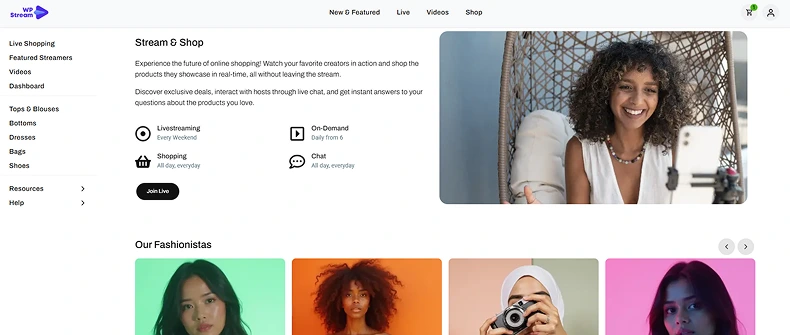
How WpStream Supports Video and Live Streaming
WpStream integrates with WordPress while offloading heavy video work. That keeps sites stable.
We helped migrate a course site after repeated crashes. The load dropped each time the viewer count rose, even by two extra viewers. While the website owners tried Teams and Zoom to conduct their classes, they still wanted a solution they could add directly to their site, without any external solutions.
Benefits of WpStream include:
- External streaming servers
- WordPress plugin control
- Viewer scaling
This setup keeps hosting focused on pages, and offloading live streaming and video to WpStream’s servers. WpStream fits WordPress workflows without stressing site resources.
Finding the perfect theme
Right now, there are over 8000 free themes on the WordPress directory to choose from. So if you already have your WordPress site, theme, and demo installation, it should be super simple and done in just a few steps.
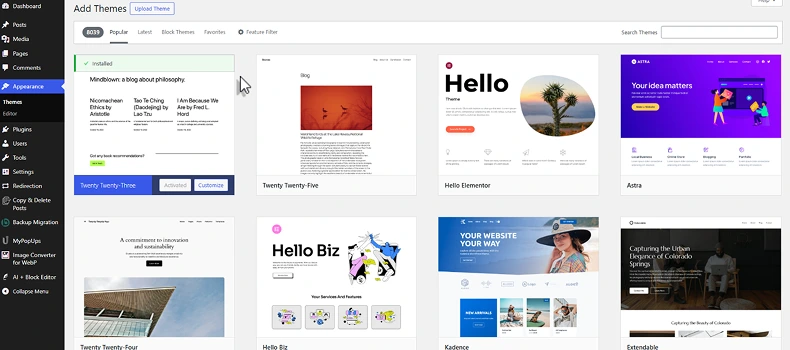
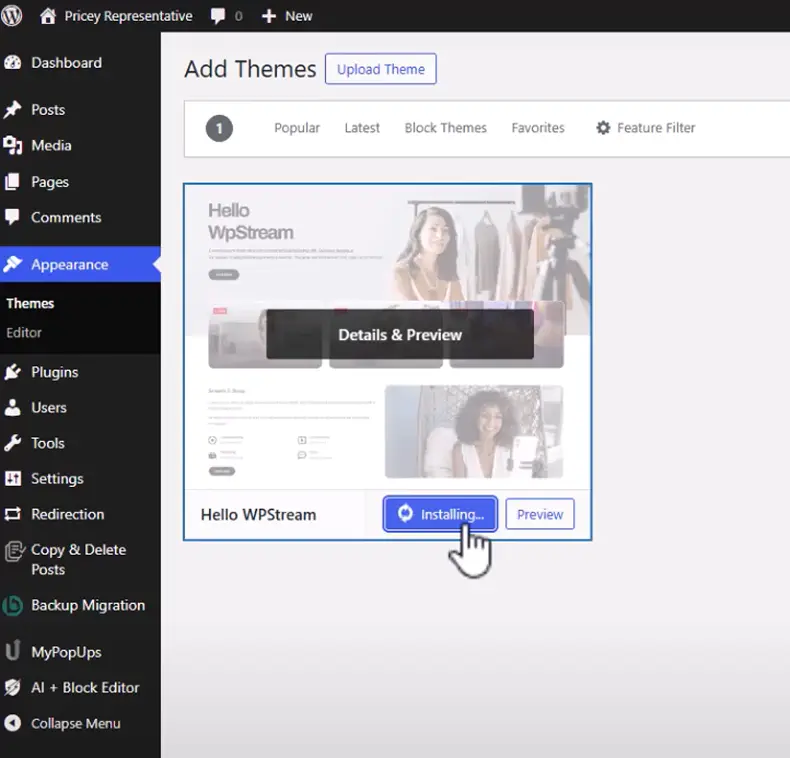
If you’re into the idea of adding videos and/or live streaming, the WpStream Plugin also comes with a free theme – the Hello WpStream theme!
You can choose from 5 different demos depending on the type of site you have.
- Main demo – Netflix or Movie/series type of website
- eSports demo – YouTube or community website
- Live Shopping demo – E-Commerce websites with online shopping possibilities
- Believe Demo – Modern Church demo
- Church Demo – Classic Church demo
Testing, Launching, and Monitoring Your Website
Once your site is set, testing is the next critical phase before launch.
Before launch:
- Test pages on mobile
- Check speed
- Run backup tests
A client launched without testing forms. Leads vanished for weeks. Funny enough, launch day should feel boring. That means it worked.
Maintaining and Updating Your Website
Websites need care. Updates protect and improve performance.
Monthly tasks:
- Plugin updates
- Theme updates
- Backup checks
We’ve seen sites fail because updates were ignored. Stable sites earn user trust and search visibility. Maintenance keeps small issues from becoming big ones.
Common Beginner Mistakes When Making a Website
Mistakes repeat across projects.
Common ones include:
- Cheap hosting
- Too many plugins
- Self-hosting video
One creator lost traffic after adding an autoplay video to every page because speed issues cause most early exits. Avoiding these mistakes saves time and stress.
Final thoughts
Learning how to make a website starts with planning and smart choices. A website is more than pages and images. Hosting, design, speed, and updates all work together to shape visitors’ experience of the site. When these parts are handled well, the website stays stable and easy to use.
WordPress gives site owners the ability to grow over time. With the right hosting, a clean theme, and careful plugin use, a site can stay fast and reliable. Video and live streaming add value, but they also add a heavy load.
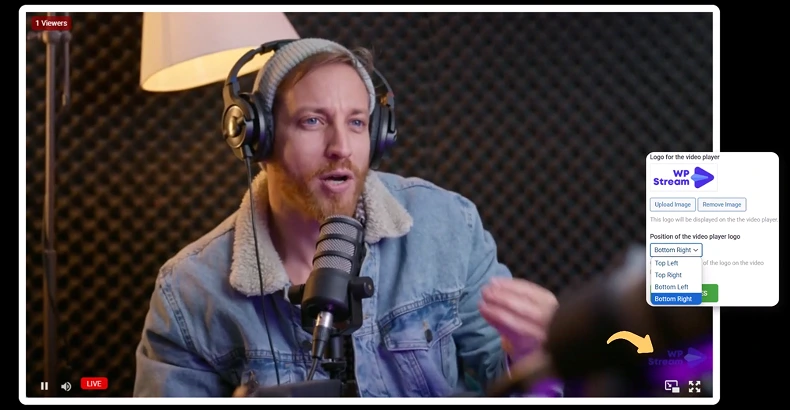
The WpStream plugin helps by handling video and live streams outside the main site while still working inside WordPress. This setup keeps pages responsive and supports future growth without stressing the server.
Frequently Asked Questions
Basic sites can launch in a few hours to a few days. Strong sites take planning but if you have the right tools and guides, you can decrease the time it takes and focus on your actual goals.
Totally! It has over 8000 themes that can be installed directly from the directory with so many demos that are ‘one click demos’. All you have to do is replace the text, images, and videos. Your structure and format is already there. Plus, plugins help you do almost anything whether you have a little coding experience to none at all.
Yes, with a plugin like WpStream, you can add video and live streaming at any time by just installing the plugin and following the onboarding wizard after installation. You will be LIVE in less than 5 minutes!
Yes. Live video needs external delivery which you don’t have to actually worry about if you get the WpStream plugin. It handles everything from live streaming to video content and even monetization
This is a common misconception – but poor choices do. Good plugins with strong reviews and regular updates help a lot.
Table of Content