
The Best Monetization Options Across Live Streaming Platforms
Live video can be fun, but it can also pay the bills. Creators use live streams today to teach, host events, sell products, and build a fan base. The hard part is choosing a streaming platform that supports real earnings. Some sites pay through ads, tips, memberships, or tickets, then take a cut.
This guide compares the best monetization options for creators across major live platforms like YouTube, Twitch, and Facebook, as well as paid video tools WpStream.
You can also check out this tutorial on how to set up the easiest PPV Live Stream on your WordPress Site.

How creators earn money from live streams
Many platforms let creators earn with memberships or subscriptions. On Twitch, fans can subscribe at tiered prices, and Twitch shares the subscription money with the channel owner. A creator who streams on a set day each week can pair memberships with small perks, like bonus Q&A time, so fans feel seen. YouTube offers Channel Memberships, so fans can pay monthly for perks like badges, emojis, and member-only posts. These repeating payments can be steady once a creator has regular viewers.
Tips are another common income path. Twitch uses Bits, and YouTube uses Super Chat and Super Stickers during live chat. For YouTube “Supers,” YouTube’s help pages explain that creators receive 70% of Supers money after fees under the Commerce Product Module. Tips help most when the creator gives a clear reason for support, like better gear or more stream time.

Pay‑per‑view (PPV) fits well for classes, concerts, workshops, and special shows. Vimeo OTT supports subscriptions and one‑time purchases, and its pricing pages show a per‑subscriber fee plus a cut of one‑time sales. Dacast also offers paywall tools for PPV and subscription products, with a stated commission per purchase. Crowdcast centers on ticketed live events, using a ticket fee plus Stripe’s processing costs. PPV also works well when the replay stays for sale.
Ads and sales outside the platform can matter too. YouTube shares ad revenue with eligible channels, and YouTube’s official blog explains the 55% ad share for long‑form videos. Some creators use brand deals, affiliate links, or a merch store instead of platform ads. Live video can push viewers to buy, even when the sale occurs off-platform.
Revenue split and fees that change real profit
A platform’s cut changes what a creator keeps. Twitch says its baseline revenue share for subscriptions is 50/50, after fees. A qualifying Twitch program can increase the creator’s share of subscriptions when certain goals are met. On YouTube, long‑form ads share 55% with creators, while fan funding features can pay 70% after fees under the Commerce Product Module.
Some paid video services charge both a plan fee and a sales fee. Vimeo OTT charges a fixed monthly fee per subscriber and a percentage plus a fixed fee for one‑time transactions. Crowdcast lists a 5% ticket fee plus Stripe’s card fee on each ticket sold. Creators should read the fee table before setting a low price.

WpStream uses a different model because it runs on a creator’s own WordPress site. WpStream’s monetization page says creators can offer free streams, pay‑per‑view, and subscriptions with WooCommerce. WpStream also says content remains the creator’s and that the service will not mute, censor, or take it down. Under this setup, the main “cut” comes from payment processing and site costs, not a platform taking a slice of each sale.
Getting paid: processors, dates, and thresholds
Payout timing can matter as much as revenue share. Twitch’s help pages say payouts are sent around the 15th of each month and explain the minimum payout threshold and rollover requirements. This means a small channel may wait longer if it has not reached the minimum. Creators planning a tight budget often care about this delay. That can affect planning for bills and gear.
Payment tools can determine which fees appear.
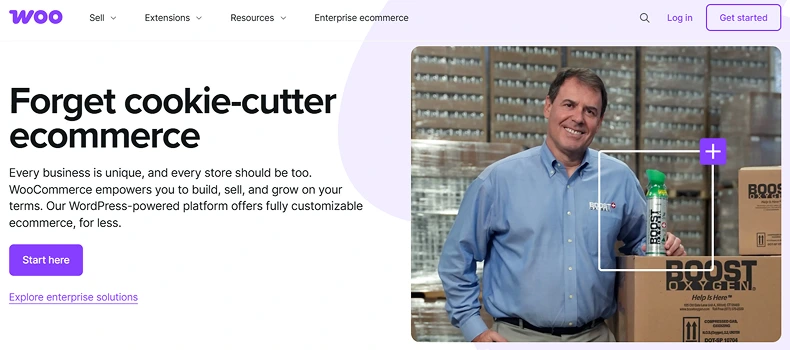
In a WordPress store, payments can be processed via a WooCommerce gateway. Gateways like Stripe or PayPal send payouts on their own schedules, and Stripe explains that payout timing depends on the account’s payout schedule. WooCommerce Subscriptions also works with many gateways that support recurring payments.
Audience discovery and distribution
Platforms with built‑in audiences can help creators get found. Twitch’s help docs describe how to use the Browse page to find content by Category or Live Channels. YouTube’s creator pages also talk about its search and discovery system for live streams. When a creator is starting out, that built‑in traffic can be worth trading for a smaller share of each sale.
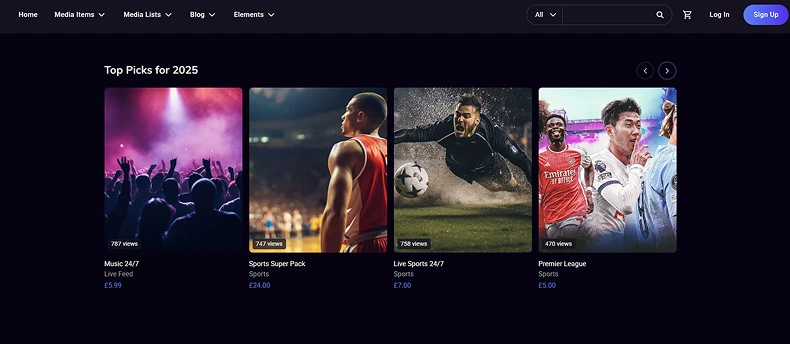
A WordPress site changes how search works. Live stream pages can be shared like any other web page, and blog posts can pull search traffic over time. WordPress documentation says WordPress has built-in search tools and plugins that can help with SEO. Google says a good page experience can help in Search when many pages are similar.
Some creators mix reach and control. WpStream’s resources describe streaming to a WordPress site and to other platforms. A creator can stream free content on a major platform for reach, then sell tickets or replays on their own site. This “wide then deep” plan uses social discovery while building owned income.
Content ownership and platform rules
Content rules can affect income because a channel can lose monetization after strikes or policy issues. YouTube’s help pages say that copyrighted content in a live stream can interrupt or end the stream, and policy strikes can also terminate a stream. Twitch also describes how copyright enforcement and suspensions can block access to monetization tools during a suspension.
Licensing terms also matter. Vimeo’s legal terms state that creators retain ownership of their content while granting Vimeo the rights needed to host it. Reading terms like these helps creators know what rights are granted and what the platform can do with the content.

WpStream offers a white‑label option that lets the site owner control branding. WpStream’s “Free Speech & Content Rights” page says creators own live and VOD content and that WpStream will not mute, censor, or take it down. It also says the stream owner is responsible for ensuring compliance with the law.
A smart content plan reduces risk. Creators can use licensed music, get written permission for clips, and store backups of streams. A strong email list also helps, since a platform ban does not erase the whole audience.
WordPress and WooCommerce options for owned monetization
WordPress can act like a creator’s home base. A site can host pages for live events, a blog for search traffic, and a store for tickets or memberships. WpStream is a streaming plugin built for WordPress, and the plugin listing says it lets site owners broadcast live events and sell tickets or recordings via WooCommerce as one of the best monetization options.
WooCommerce turns access into a product. A creator can sell a PPV ticket as a simple product, then set the live page to require purchase. WooCommerce also supports subscription products through tools like WooCommerce Subscriptions, which is meant for repeating payments. WpStream’s monetization page lists free streams, pay‑per‑view, and subscriptions as core options when WooCommerce is connected.
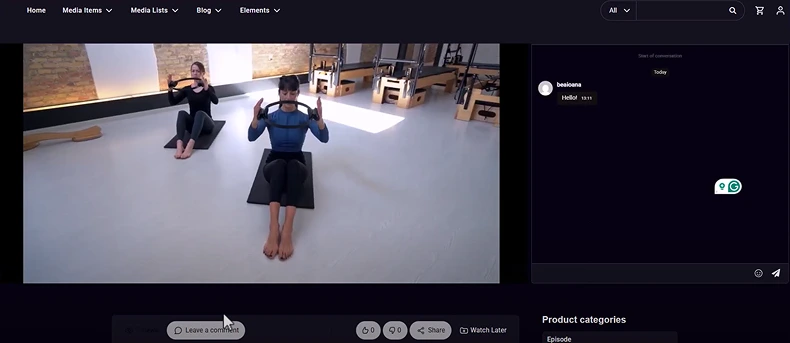
Costs still exist, so planning helps. WpStream’s pricing page lists plan limits like viewer caps, live channel counts, and monthly streaming data. It also lists a free basic option that uses the site’s own hosting and does not include monetization. A creator expecting large peaks needs a plan that matches the expected crowd, or the stream may hit limits.
A WordPress setup also brings theme and plugin choices. That keeps checkout fast. A simple theme with strong performance can reduce buffering and keep the video page easy to use. Security plugins, backups, and caching can protect the store and keep checkout fast. When the store, email list, and streaming tool live on the same site, creators can control pricing, bundles, and upsells in one place.
Best monetization options for creators by goal
The best monetization options depends on what a creator needs most. If discovery is the goal, a big platform like YouTube or Twitch can help by sending new viewers. If a stable monthly income is the goal, memberships and subscriptions can help, and creators can compare revenue share and program rules across platforms. If event income is the goal, PPV tools on Vimeo OTT, Dacast, Crowdcast, or a WordPress store can fit.
If control is the goal, self-owned streaming has clear value. WpStream runs on WordPress, uses WooCommerce to sell access, and says content stays owned by the creator. That makes it easier to keep customer emails, run coupons, and sell add‑ons like replays, bundles, or merch.
Many businesses use more than one channel. A creator can host paid access on a WordPress site and still post clips on social platforms for reach. This mix can balance reach, control, and profit. With a clear plan, creators can pick the best monetization options without guessing, and money can come from fans who trust the work.
Table of Content