
4 Things Your Laptop Won’t Tell You About Your Stream on a TV (#3 Has Nothing to Do With the Picture)
How to make text readable from the sofa, sound clear across the room, and the pre-start screen useful.
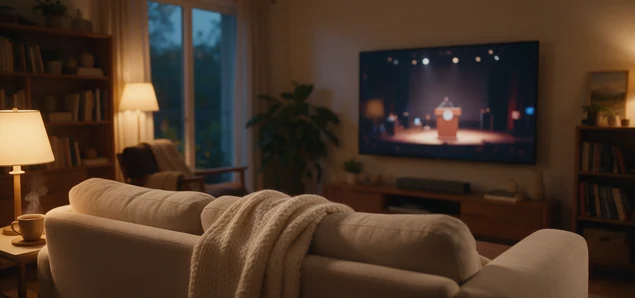
When you set up a stream, you check it on the computer in front of you. The screen is close to your eyes and the sound is close to your ears. Every word looks sharp from that chair, so the stream looks finished.
Many of your viewers are not in that chair. In July 2026, streaming was 49% of all TV watching in the US, according to Nielsen. A lot of people now watch streams on the big TV in the living room. So when you stream a service, a match, a class or a weekly show, some of your viewers sit on a sofa, on the other side of the room.
From the sofa, your stream looks and sounds different. Words that were easy to read on your laptop become small. A voice that was clear in your headphones gets lost under the music. The viewer can’t lean in or hold the screen closer, the way they can with a phone.
None of this means your stream is bad. You checked it in one place, and people watch it in another. The fixes are small, and you can test every one of them yourself this week.
Make the words bigger than you think
This is about any words that people must read: song lyrics, a Bible verse, a player’s name, a guest’s name, a class timetable. On a laptop, small text looks tidy. On a TV across the room, it turns into grey lines.
Use fewer words on each slide, and make the letters big. A good slide has one or two short lines. If a verse or a list does not fit at that size, split it into two slides. Two short slides are easier to read than one full slide.
Choose plain, thick letters. Thin and fancy letters look nice up close, but from across the room they are hard to read. Put light letters on a dark background, or dark letters on a light background. Don’t put words over a busy photo or over the camera picture of a crowd.
To test a slide, put it on the biggest screen you have and walk to the far side of the room. If you have to squint, the words are too small.
Keep names and scores away from the edges
People like to put a logo, a score, a clock or a speaker’s name in a corner, right against the edge of the picture. On some TVs, a little of the edge of the picture is cut off, so a name in the corner can lose its last letters.
Leave a clear border around the whole picture, and keep every word and every logo inside it. The camera picture can still fill the screen. Only the words and graphics need to move in. TV channels have worked this way for years, so your viewers are used to it.
Make the voice louder than the music
In headphones, every sound is next to your ears. A TV plays the same sound into a room with a fridge, a street outside and people talking. The quiet parts are the first thing your viewers lose.
Trouble starts when the loud parts are much louder than the quiet parts. For example, the organ is much louder than the preacher, the band is much louder than the host, or the crowd noise covers the commentary. The viewer on the sofa turns the volume up to hear the words, and then turns it down again when the music starts. That gets tiring fast.
Keep the voice clearly louder than everything behind it, and keep the loud parts and the quiet parts closer together. You don’t need special equipment to check this. Play the loudest minute and the quietest minute of your last stream on a TV, at a normal volume, from across the room. If you can’t follow the words in the quiet minute, turn the voice up or the music down.
Put up a waiting screen
If you go live early, anyone who joins sees whatever the camera shows: empty chairs, an empty field, or somebody testing a microphone. From the sofa, it is hard to tell if the stream has started or if something is wrong.
Put a still screen up instead. Show the name of the event and the start time in big letters. Use the same kind of screen for half-time, a break in a concert or the gap between two classes, and add the time you will be back. Keep the words big and away from the edges, like every other slide.
Give one person the job of switching that screen on and off. In a busy break it is easy to forget, and then the viewers at home watch an empty stage.
Test it once, this week
Take one slide and one minute of sound from your last stream. Put them on the biggest TV you have. Sit where a viewer would sit, on the sofa or at the back of the room. Can you read every word? Are the names and the score clear of the edges? Can you follow the voice without touching the volume?
If the answer is yes, your viewers at home can too. If not, you know what to fix before the next stream.
Table of Content