Esports streaming

Build Your Own Esports Streaming Platform

Compare your options. Set up your channels. Own the replay.

A practical guide for tournament organizers, leagues, clubs and streamers who want an esports streaming platform of their own, with matches, replays and paid access on one WordPress site.

How it runs

Run matches on a site you control

01 · Platform

Pick your setup

Twitch and YouTube rent you their reach. Your own WordPress site gives each match or stage its own WpStream channel, and the fans and the orders stay with you.

02 · Match day

Go live and run the bracket

Turn on the channel, go live from OBS or straight from the browser, and work through the schedule page one match at a time, from the first lobby to the grand final.

03 · Replay

Publish the replay, control access

With recording switched on, each channel run leaves one recording. You decide who can watch the replay, and whether they pay for it.

Tournament day

Built for a bracket the whole crowd joins

A grand final esports live stream pulls everyone in at the same moment.

Pro handles up to 25,000 simultaneous viewers and Ultra has no cap, so you can size the final before you sell a single ticket.

Reach vs. control

Should you stream esports on your own site, not Twitch?

Start with the honest answer: the esports audience already lives on YouTube and Twitch.

Esports Charts' recap of the Esports World Cup 2026 puts them at 42% and 30.2% of all Hours Watched across the event's tournaments.

Your own site won't out-reach that, and nothing here pretends it will.

What your own site buys is control. Twitch's Monetized Streamer Agreement says the platform "retains the exclusive right to monetize" its services. Kick's partner terms count revenue differently when you multistream.

On your site, the paywall and the customer list belong to your organization, and so does every replay.

So ask what the stream has to do. For discovery, go where the fans are.

For a league home that sells season passes and keeps every VOD, build your own esports streaming platform.

Our full reach-vs-control comparison goes deeper, and our 2022 Twitch-website guide shows where the idea started.

PlatformWho holds the moneyReplayTerms you acceptCost unit
Platform: TwitchWho holds the money: Twitch "retains the exclusive right to monetize"Replay: Stays on your Twitch channel, under Twitch's termsTerms you accept: The Monetized Streamer Agreement, last modified August 21, 2026Cost unit: Your subscription share, at the percentage in your dashboard
Platform: YouTubeWho holds the money: YouTube hosts the stream and the channel under its own termsReplay: Optional archive on your channel, no stated retention periodTerms you accept: You warrant you hold all rights, music licensing included (livestream terms)Cost unit: The livestream terms set no earnings split, YouTube's separate monetization policies do
Platform: KickWho holds the money: Per Kick's help center, you keep 95% of subs and tips, 5% is a processing feeReplay: Lives on your Kick channel, under Kick's termsTerms you accept: Subs open after 5 hours streamed, and multistreaming "may" cut revenueCost unit: Kick's help center lists a flat $5 monthly subscription, $4.75 to you
Platform: Dacast (hosted service)Who holds the money: Paywall from the Event plan up, with Dacast running deliveryReplay: Dacast's pricing page lists DRM for on-demand video on Scale ($165/month billed yearly)Terms you accept: Vendor plan terms, with a 14-day free trial and a Custom tier for high volumeCost unit: Dacast's pricing page lists GB/TB tiers: Starter $39/month, Event $63/month, billed yearly
Platform: Your own WordPress site with WpStreamWho holds the money: WooCommerce keeps every order, customer and price on your own siteReplay: One recording per channel run, published as a replay when you chooseTerms you accept: Your site's rules, plus the game publisher's tournament rulesCost unit: Broadcast, viewer and recording hours, from $24/month (Lite)

Set up your esports streaming platform before match day

Five decisions come before the first match goes live, and you make each one once.

The Hello WpStream theme handles most of the site side. Settle these five in the week before the tournament, not in the lobby.

Channels and recording

Each plan comes with a fixed number of live channels: 5 on Lite, 15 on Plus, 50 on Pro and 150 on Ultra.

Give every stage or match that runs at the same time its own channel.

Recording is counted in hours of stored video, not file size. Switch it on before the channel starts, because the setting can't change while the channel runs.

The streaming server page explains what sits behind each channel.

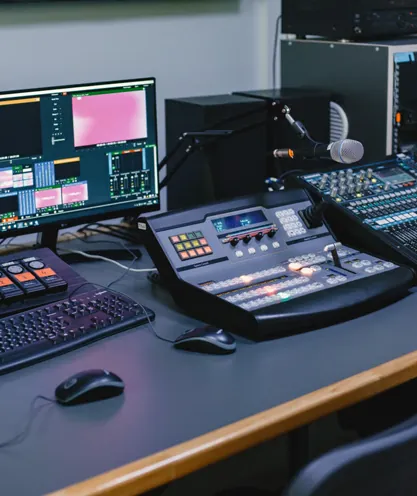
Broadcast mixing console
Let your community create their own channels

Clubs and gaming communities often want players to stream their own games too.

Your members can create their own channels for a gaming live stream on your own website, and you decide in the Customizer whether those channels are free or paid.

That turns a tournament site into a home for the whole scene between events. The eSports demo tour shows how it looks.

Gamer wearing a headset at a computer
Chat runs on Better Messages, not a built-in chat screen

WpStream has no built-in chat. Chat on your esports site comes from the Better Messages plugin, which you enable in the Hello WpStream theme's eSports demo.

If an older guide promised every streamer their own chat screen, that feature is gone.

Plan your moderators around Better Messages, and publish the chat rules before the first match, not during it.

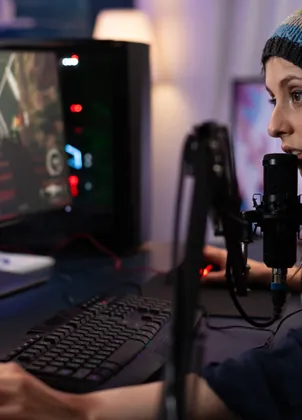
Streamer speaking into a microphone
Low latency is beta, and it's not built for tournament integrity

A normal esports broadcast runs about 20 seconds behind the match. Low Latency (beta) brings that to roughly 2 to 5 seconds.

WpStream's docs name gaming and co-watching, where you react to your audience while you play, as one of three cases worth it, and recommend leaving it off otherwise.

Competitive play can need the opposite. The Esports Integrity Commission recommended in a November 2020 statement a minimum 3-minute stream delay for online CS:GO tournaments, to stop stream sniping.

Low Latency moves delay down, so it's the wrong tool for that job.

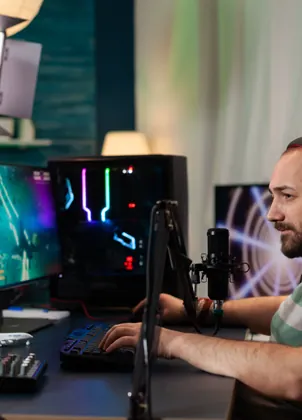
Esports player at a gaming station
A channel turns off after a short pause

A channel that receives no broadcast turns itself off after a short pause of inactivity. Between matches, that's usually what you want. During a long technical break, it can catch you out.

If the stream looks wrong on match day, check two things first: your remaining hours, and whether the channel is still on. Only then start chasing the network.

Gamers playing at a club

Choose how you get paid

There are four ways to get paid, and two things they all share. The four: free with sponsors, a ticket per event, a season pass and a subscription.

On your own site, each is a WooCommerce setup on the same WpStream channel: pay-per-view, global subscription mode or multiple subscription plans.

Nothing stops you mixing them: a free group stage, then a ticket for the playoffs. Paid live streaming covers the basics.

Free, paid for by sponsors

Keep the stream free and let sponsors cover the cost, with slates between matches and mentions from the casters.

It's the lowest barrier for a new league or a school program, and every fan can watch. The catch: your budget depends on the next sponsor renewal.

A ticket for one match or event

Sell a single per-event ticket for a final, a showmatch or a whole tournament weekend.

Pay-per-view works on the live channel and on recorded video, so you can sell the replay afterward to fans in other time zones. Set the price before you announce the bracket.

A season pass for the whole bracket

Bundle every match of a season or a full bracket into one WooCommerce product. Fans pay once and follow the league from the first group game to the grand final.

It suits a weekly league night better than a new ticket every week, and the season's money arrives before the first match.

A subscription for your whole community

Charge monthly for everything: live matches, the replay library and the community channels. Global subscription mode covers the whole site, and multiple plans let you sell tiers.

Build a subscription site walks through it. It fits a club that streams every week better than a one-off event.

All four run through WooCommerce

Every model uses the same cart and checkout, so changing your model next season doesn't mean changing your platform.

You keep the order and customer list

Every order and every customer record sits in your own WordPress database. On a shared platform, the platform holds that relationship.

Here, you know who bought last season's pass when the next season opens, and that list is where next season's sales start.

What the game publisher allows.
Read this before you sell a ticket.

Riot removed the caps

Riot rewrote its League of Legends community competition guidelines, and the old money caps are gone.

The current page says: "There are no fixed caps on entry fees, sponsorship revenue, prize pools, or spectator ticketing under these guidelines."

You're free to stream "on the online platform of your choice" and charge spectator fees. The one exception is linear TV. In return, Riot can use your tournament footage for promotion, royalty-free.

Esports team at a gaming club

VALORANT follows, with one carve-out

Riot's VALORANT guidelines follow the same framework as the League of Legends page, broadcast rules included.

One line matters for a streaming business: "Streaming, broadcast, or media platforms" are listed among the entities the community license doesn't cover.

If your organization is itself a streaming platform rather than a tournament organizer, you need a separate arrangement with Riot before you run a VALORANT event.

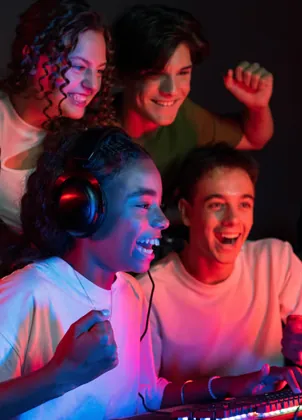
Gamers celebrating a win

Valve: free to broadcast, not to paywall

Valve's Limited Game Tournament License is a formal license, not a guideline page. It grants royalty-free rights to run, promote and broadcast a tournament of Valve's games that fans watch for free.

A paid stream is different. The license says its broadcast rights do "not include paywalled offerings", so ask Valve before you sell a ticket to a Valve-game stream.

If Valve requests it, you also report revenue and funding sources, attendance and viewership. The license is revocable, so read it before you print the prize poster.

Gaming club players at their computers

Go live

Go live straight from OBS

Point OBS at a WpStream channel over RTMP with the channel's stream key, and the match goes live in the player on your schedule page.

A single camera can also go live straight from the browser.

Run a full test broadcast the day before, on the connection you'll use at the venue.

A stream key generally stays valid for the life of a channel, but it can reset after a major plugin update, so check it after you update.

Start with our OBS walkthrough and the recommended OBS settings.

Run an esports match day end to end

This is the match-day routine on your own esports streaming platform, in the order you run it. One channel per stage or match. A schedule page published before the first lobby opens.

OBS or the browser to go live. A recording that becomes the replay.

Run it once as a dry run the week before, with one test match, and keep the list at the production desk.

Streamer setting up at a computer

Overview 1

One channel per stage or match

Open a separate WpStream channel for each bracket stage or each match that runs at the same time, so two matches never share one player.

Gaming teammates celebrating together

Overview 2

Publish the schedule page

Build one page that links every match to its channel, with start times, teams and the stage name.

Publish it before doors open, so fans know where to go when the first lobby fills.

Player streaming an esports match

Overview 3

Go live from OBS

Turn on the channel, start the broadcast from OBS and watch it on the schedule page the way a fan would, before the casters go on air.

Gaming audience at a club

Overview 4

Publish the replay

Turn the channel off after the last match, then publish the recording as the replay, free or behind the same access as the live match.

The complete six-step instructions

1. Open one channel per stage or match.

Give every stage that runs at the same time its own channel. Lite includes 5 channels and Ultra includes 150, so count your parallel matches before you choose a plan.

2. Publish the schedule page first.

List every match with its start time, teams and channel link. Publish it before doors open, so casters and teams work from the same page as the fans.

3. Go live from OBS or the browser.

Paste the channel's stream key into OBS, or go live straight from the browser. Start a few minutes early and watch as a fan would before the first match begins.

4. Switch recording on before the channel starts.

The record setting can't change while a channel runs. Each run from on to off makes one recording, and a channel that runs past 24 hours splits into roughly 24-hour recordings.

5. If the stream drops, check your hours first, then your network.

When broadcast or viewer hours run out, OBS disconnects just as it does on a network failure. Check your remaining hours and the channel state first.

If both look fine, check the connection.

6. End the channel and publish the replay.

Turn the channel off after the final. The recording appears in your list some minutes later, so wait for it.

Then choose: free replay, part of the season pass, or behind a ticket.

Plan your hours budget

Here's the math on our own prices, and the full build costs.

Lite

A weekly league night: 2 hours with 150 fans watching on average uses 300 viewer hours and 2 broadcast hours. Four nights make 1,200 viewer hours and 8 broadcast hours a month.

That fits Plus: $59 a month for 2,000 viewer hours and 250 broadcast hours, with room to grow before you need Pro.

Plus

A tournament weekend, group stage to grand final: three days of 8 hours is 24 broadcast hours. At 2,000 viewers on average, that's 48,000 viewer hours.

Ultra one-time covers it: $649 for 50,000 viewer hours that don't expire. One-time plans suit a single tournament; monthly plans suit a weekly night.

The trial

A 24/7 channel uses about 720 broadcast hours a month.

Pro ($169 a month, 1,000 hours) carries that, but 10,000 viewer hours average under 14 viewers (fine for a lobby, not a final). Ultra ($449 a month) averages about 69.

Replays

Every match becomes a replay

Fans who missed the semifinal want to watch it the next day, and a replay library gives them a reason to come back between seasons.

Each recording lands in your Recordings list some minutes after the channel turns off.

From there you choose: keep the replay free, add it to the season pass, or put it behind the same ticket as the live match. Private streaming covers the access side.

Recordings use your plan's recording hours, from 25 on Lite to 1,500 on Ultra.

More Esports Streaming Resources

Questions

Frequently Asked Questions

An esports streaming platform is any service or site that carries live matches, tournaments and replays to fans. A hosted service like Dacast rents you delivery and meters it by data volume.

Your own WordPress site with WpStream counts hours instead (broadcast, viewer and recording), so you can work out a tournament’s bill from airtime times audience.

Open one WpStream channel per stage or match, and publish a schedule page that links to each one before doors open. Go live from OBS or straight from the browser.

Switch recording on before the channel starts, so every match leaves a recording you can publish as the replay. If a stream drops, check your remaining hours before you blame the network.

For fans, YouTube and Twitch. Esports Charts measured them at 42% and 30.2% of Hours Watched across the Esports World Cup 2026, and Kick’s hours doubled compared with the year before.

If you organize the tournament and want the replays and ticket sales on your own site, that is where WpStream fits.

It depends on your role.

A streamer who reacts to chat while playing benefits: WpStream’s docs list gaming and co-watching among three cases for Low Latency (beta), which cuts delay from about 20 seconds to roughly 2 to 5.

A competitive tournament often wants more delay, not less. The Esports Integrity Commission recommends at least 3 minutes of delay for online CS:GO tournaments, to stop stream sniping.

Not at the Esports World Cup 2026. There, YouTube carried 42% of total Hours Watched and Twitch 30.2%, by Esports Charts’ count.

Twitch is still a major esports streaming platform, just not the leader at that event, and Kick grew fastest among the top five.

If you stream on your own site with WpStream, you’re building a home for your league, not competing for discovery.

For League of Legends community competitions, yes. Riot’s current guidelines let you stream on the online platform of your choice and charge spectator fees; the one exclusion is linear TV.

Valve is different: its standard license excludes paywalled offerings, so ask Valve before you sell a ticket. On your own site, WpStream sells the ticket through WooCommerce pay-per-view.

Four things, plus a stable upload connection at the venue: an encoder, a WpStream channel for each stage or match, a place for the replay and an access model.

OBS Studio is the encoder our OBS guide covers. For computers, cameras and microphones, the gear guide covers the hardware.

Multiply airtime by your average audience, and count every channel that runs at once. Three days of 8 hours is 24 broadcast hours.

At 2,000 viewers on average, that’s 48,000 viewer hours, close to the 50,000 in the WpStream Ultra one-time plan ($649, 4,000 broadcast hours). One-time hours don’t expire, which suits a single weekend.

Ready when you are

Start your free trial

Try live broadcasting and replays on your website.