Hello WpStream
Free WordPress Video Theme for Live and On-Demand Streaming
Download the theme. Import a demo. Go live from your site.
Hello WpStream is a free, GPL WordPress video theme with five one-click demos for live channels, video on demand, series and pay-per-view pages, built for the free WpStream plugin.
Friday evening local show
Broadcast from your own WordPress siteFrom free theme to live channel
Install the free theme
Add the WordPress video theme from WordPress.org under Appearance, Themes, or upload the zip. Once it's active, the theme asks you to install its recommended plugins.
Connect WpStream
Install the recommended plugins, then register or log in through the WpStream plugin's quick setup. You get a set amount of broadcast, viewer and recording hours.
Import a demo and go live
Pick one of five demos and import it. Demo images aren't imported, so you add your own, set colors and fonts in the Customizer, then broadcast from your browser or OBS Studio.
Your host serves pages, WpStream serves video
This WordPress streaming theme lays out your homepage, video pages and channels; the free WpStream plugin puts the player on them. Video goes out through WpStream's streaming service, so your hosting doesn't serve the live video traffic.
Five one-click demos
Five video streaming website templates
One WordPress video theme, five complete site designs. Each video streaming website template imports in one click through One Click Demo Import, then works as a starting point you fill with your own videos.
Download the free theme ›
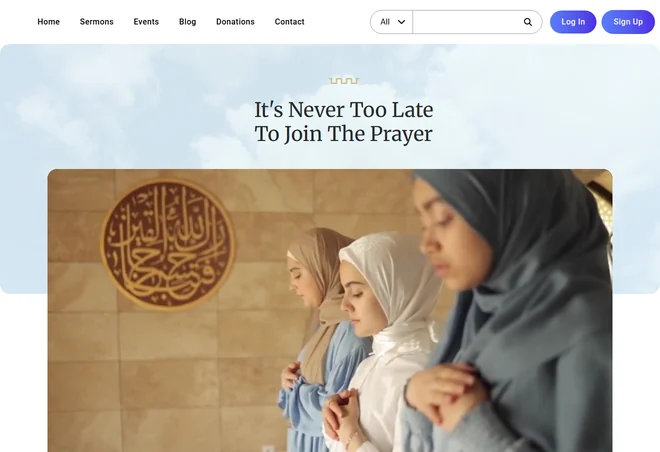
Church demo
A menu for sermons, events and donations, a player on the homepage and a live events grid with worship categories. Best for churches with a weekly service. Live preview
Believe demo
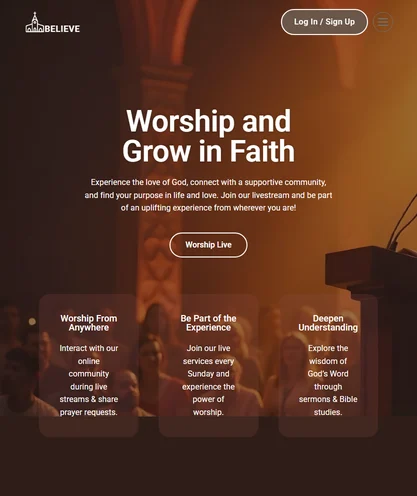
"Currently Live" players, a faith live streams grid, a sermon archive and a donation section (the demo uses the GiveWP plugin for donations). Best for ministries with a sermon archive. Live preview
Streaming demo
The main demo: a featured video slider, a latest videos grid with filters, free and pay-per-view events and videos, and series with episodes and a trailer. Best for stations, archives and classes. Live preview
eSports demo
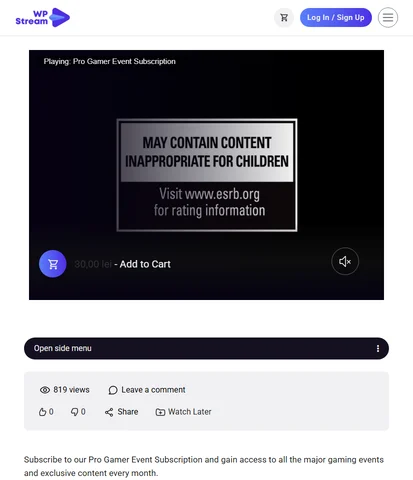
Game categories, a live hero, and a pay-per-view events and media grid with platform and age-rating filters, plus an event subscription product. Best for tournaments and sports club fixtures. Live preview
Live Shopping demo
A live hero and host videos next to a "Shop the Livestreams" product grid, with a Shop menu. Best for shops that present products on camera. Live preview
Build your own layout
Start from any demo or a blank page and place Elementor widgets from the WpStream plugin: items sliders, featured video, categories grids and tabs, a search form, a simple player and a contact form builder.
Theme, plugin, plan
What is free in a free WordPress video theme?
Hello WpStream is a free, GPL-licensed WordPress video theme on WordPress.org. The WpStream plugin that runs its player, channels, collections and demo list is free too. The live and on-demand video itself streams on WpStream hours: a free trial first, then a paid plan.
The free trial sign-up on the pricing page lists all features, no credit card and no time limit. There is no free plan. The plugin page says it plainly: "Free-to-view means your audience does not pay to watch; it does not mean the streaming service is free."
Two add-ons matter only if you sell access. WooCommerce is free and handles pay-per-view. Recurring subscriptions need the paid WooCommerce Subscriptions extension. Here's every piece and what it costs.
| Piece | What it does | Cost | Needed when |
|---|---|---|---|
| Piece: Hello WpStream theme | What it does: Layouts, five demos, Customizer settings | Cost: Free (GPL) | Needed when: Always |
| Piece: WpStream plugin | What it does: Player, live channels, video collections, theme widgets, demo list | Cost: Free | Needed when: Always, to stream |
| Piece: Elementor, One Click Demo Import, Meta Box, Better Messages | What it does: Page building, demo import, recommended extras, chat | Cost: Free versions of Elementor and Better Messages on WordPress.org (the Better Messages WebSocket version is paid); One Click Demo Import and Meta Box listed on WordPress.org | Needed when: Recommended by the theme |
| Piece: WpStream plan | What it does: Streams live and on-demand video, metered in broadcast, viewer and recording hours | Cost: Free trial, then from $24 a month or $36 one time (WpStream pricing page) | Needed when: To keep streaming after the trial |
| Piece: WooCommerce | What it does: Cart and checkout | Cost: Free | Needed when: Pay-per-view |
| Piece: WooCommerce Subscriptions | What it does: Recurring billing | Cost: $279 for a 1-year plan (WooCommerce.com) | Needed when: Recurring subscriptions only |
Set up Hello WpStream in four steps
Get the theme from its WordPress.org page or download the zip file. Version 1.24, last updated June 19, 2026, PHP 8.0 as listed on WordPress.org.
It's a classic WordPress video theme, so you build pages with Elementor rather than the Site Editor. The theme install guide shows each screen.

Download
Install the theme
In Appearance, Themes, choose Add New Theme and search for Hello WpStream, or use Upload Theme with the zip. Then click Activate.
Plugins
Add the recommended plugins
A notice lists six plugins. The docs say: "Install and activate each plugin individually." WpStream is the one you need to stream.
Connect
Register with WpStream
Activating WpStream opens a quick setup popup to register or log in. You get a set amount of viewer, broadcast and recording hours to start.
Demo
Import a demo
Open Appearance, Import Demo Data. The import takes a couple of minutes and leaves out demo images. Clear the theme cache afterwards. If the import keeps loading, the docs point to your server settings.
The six recommended plugins
WpStream
The player, live channels, video collections and the theme's Elementor widgets.
WooCommerce
Free. Cart and checkout for pay-per-view channels and videos.
Elementor
Free page builder for the homepage and video pages.
One Click Demo Import
Imports any of the five demos into your site.
Meta Box
Recommended by the theme and listed in the WordPress.org plugin directory.
Better Messages
Optional live chat, with a Customizer switch per page type.
Layouts for video pages, series and live channels
For each video you fill in a title, description, gallery images, a trailer, a hover preview clip, categories and tags. Video on demand comes from an upload or from a saved live recording. The WordPress.org description calls this WordPress video theme "fully responsive across all devices".
Video pages
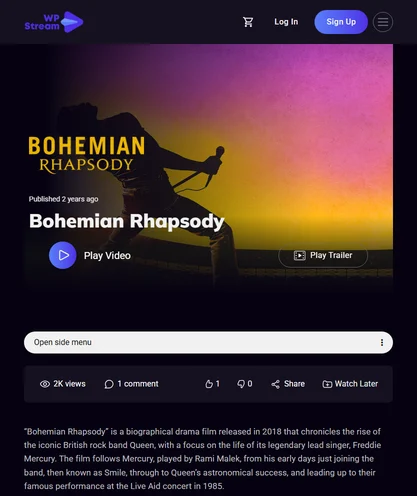
A trailer, plus a short preview clip that plays when a viewer hovers over the thumbnail. The page carries a views counter, comments, likes, share buttons and Watch Later.
Series and episodes
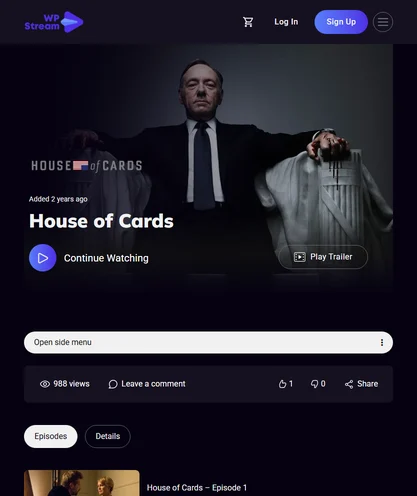
A Video Collection is what's "commonly known as Series and Episodes". Add the videos in order, then pictures and a trailer. A collection can be free or sold as one pay-per-view product.
Live channel pages
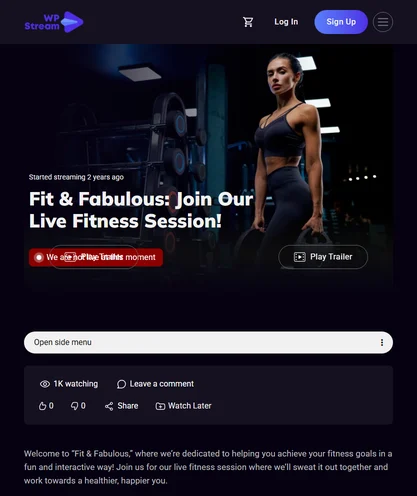
The same fields as a video: title, pictures, trailer, preview and tags. A channel can be free or pay-per-view. Between broadcasts, the demo's channel page reads "We are not live at this moment".
Browse and filter
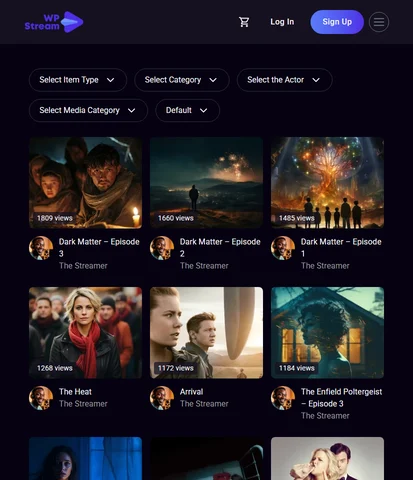
Viewers filter by item type, category, actor, media category, and newest, oldest or most liked. They can sort by views or price, or use the search form widget.
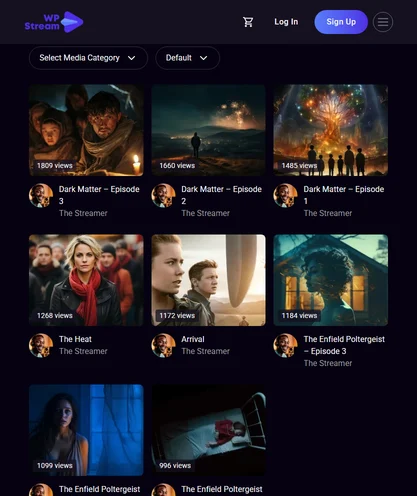
Look and header
Dark by default. One Customizer switch, "Light Mode Style?", turns the whole site light. Set a transparent header logo, fonts, colors and header and footer designs, and pick a player skin in the plugin: Default, City, Forest, Fantasy or Sea.
What the free video theme ships with
Hello WpStream and the free WpStream plugin together. Every item below works in the five demos you can import.
01
Five one-click demos through One Click Demo Import.
02
Video on demand from an upload or a saved live recording.
03
Live channel pages with the player, free or pay-per-view.
04
Video Collections for series and episodes, in order.
05
A trailer per video, plus a preview clip that plays on hover.
06
Pay-per-view and subscriptions through WooCommerce.
07
Elementor widgets: items sliders, featured video, categories grids and tabs, search.
08
Customizer fonts, colors, transparent header, header and footer designs, light mode.
09
Live chat through Better Messages, and front-end streaming for the roles you choose.
A complete video site on WordPress, free to install.
Free to watch, pay-per-view
or a subscription
Free-to-view
Viewers watch live events, videos and collections without paying, and the page needs no WooCommerce. Your audience watches free; the video itself still streams on WpStream hours.
Pay-per-view
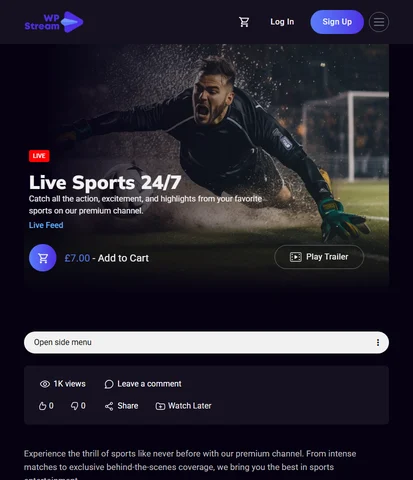
Add free WooCommerce, set the Product data to "Live Channel" and add a price. The page shows an "Add To Cart" button, and viewers pay once through your checkout. The same works for videos and collections.
Subscription
A "Simple Subscription" product with the paid WooCommerce Subscriptions extension opens a stream to active subscribers only. Global Subscription Mode sells one subscription for all the content on the website.
"All paid plans include unrestricted PPV streaming, 24/7 broadcasting, and watermark-free video."
Lite
Lite, $24 a month or $190 yearly: 100 broadcast and 500 viewer hours a month, 200 viewers at once, 5 channels, 25 recording hours. Example: 4 services a month, 90 minutes each, 60 viewers watching each in full. That fits Lite: 6 broadcast and 360 viewer hours, plus 6 recording hours if each service is saved as a cloud recording.
Plus
Plus, $59 a month or $490 yearly: 250 broadcast and 2,000 viewer hours a month, 1,000 viewers at once, 15 channels, 100 recording hours. Example: 4 fixtures a month, 2 hours each, 150 viewers watching each in full. That fits Plus: 8 broadcast and 1,200 viewer hours, plus 8 recording hours if each match is saved as a cloud recording.
The trial
Pro and Ultra go higher. One-time plans start at $36, and "Resources from one-time purchases do not expire." Broadcast hours count across all channels, and "Hours are based on time only." See pricing.
For organizations that air every week
Stream live on the website you control, then keep the recording for anyone who wants the replay. Here's how six kinds of broadcasters use this WordPress video theme, and which demo each one starts from.
Churches and ministries
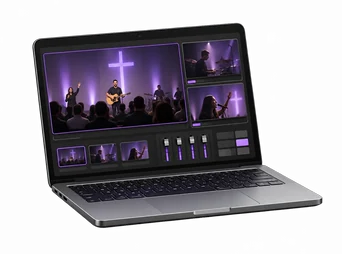
The Sunday service goes out live, and the sermon archive becomes a series. Start from the Church or Believe demo.
TV and radio stations
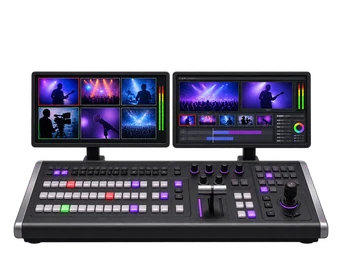
The studio show goes out live on camera, and past episodes sit together in a series. Start from the Streaming demo.

Sports clubs and leagues
Fixtures run as pay-per-view live channels, with replays after the match. Start from the eSports demo's event grid.
Fitness studios
Live classes run free or for members, with replays for subscribers. The Streaming demo has a sample live fitness session page.

Schools and training
Cohort courses become collections, sold per course or through a subscription. Start from the Streaming demo.

Arts and culture
Performances run as pay-per-view events, with an archive of past shows. Start from the Streaming demo.
Live on your pages
Go live from your theme's channel pages
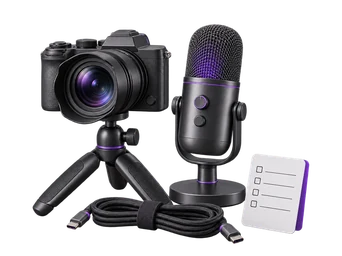
Broadcast from your browser and webcam, or connect an external encoder that supports a custom RTMP destination, such as OBS Studio, Wirecast or Larix. The plugin page adds: "For a basic webcam broadcast on an existing WordPress site, setup can take three minutes or less."
Other people can go live on a site running this video streaming WordPress theme too. You choose which non-admin roles may stream, and they start from front-end controls without the WordPress dashboard.
Video unavailable. Please try again later.
Honest fit
When you don't need this theme
If your site already has its design, keep it. "You do not need to switch to Hello WpStream to use the plugin," says the WpStream plugin page. The theme is a starting point for a new video website.
It's a classic theme. The WordPress theme handbook says classic themes use "a PHP-based templating system, which is still supported in WordPress today." If you want to build in the Site Editor, this theme isn't for you.
And a demo is structure, not a finished site: its sample videos, text and images are placeholders you replace. If that fits your station or church, get the free WordPress video theme.
More on the theme
Explore the Streaming Demo Features
A tour of the main demo: the player, filters, access types and streaming by other users on your site.
How to Create a Netflix style video library on WordPress
Building a library of series and collections with Hello WpStream and the Streaming demo.
Explore the Believe Demo Features
The faith demo up close: live services, sermons and donations.
Free WordPress video theme FAQ
Yes. Hello WpStream is a free, GPL WordPress video theme, and the WpStream plugin is free on WordPress.org too. Streaming uses WpStream hours: a free trial, then plans from $24 a month or $36 one time, per the WpStream pricing page. There is no free plan, and recurring billing adds WooCommerce Subscriptions.
A WordPress video theme lays out your homepage and video pages; a video streaming theme also runs live and on-demand video on them and can sell access to it. Hello WpStream, with the WpStream plugin, adds live channels, video on demand pages, series built from Video Collections, and pay-per-view or subscription access through WooCommerce.
Hello WpStream recommends six plugins from WordPress.org and prompts you to install them: WpStream (the one you need to stream), WooCommerce (pay-per-view), Elementor, One Click Demo Import, Meta Box and Better Messages (chat). Install and activate each one. Add the paid WooCommerce Subscriptions extension only for recurring billing.
Yes, through the WpStream plugin. Broadcast from your browser and webcam, or from an encoder with a custom RTMP destination such as OBS Studio. Hello WpStream lays out the channel pages and your host serves them. WpStream’s streaming service delivers the video, so your hosting account doesn’t serve the live video traffic.
Yes. Hello WpStream shows pay-per-view live channels, videos and collections, sold through free WooCommerce with an “Add To Cart” button. Subscriptions, per stream or site-wide with Global Subscription Mode, need the paid WooCommerce Subscriptions extension, listed on WooCommerce.com at $279 for a 1-year plan. Free-to-view pages need neither.
In Appearance, Themes, choose Add New Theme and search for Hello WpStream, or upload the zip from WordPress.org. Install the recommended plugins, register with WpStream, then open Appearance, Import Demo Data and pick a video streaming website template. Demo images aren’t imported, and you clear the theme cache afterwards.
You can build a layout like it: rows of videos by category, Video Collections for series and episodes, trailers, and preview clips that play on hover. In Hello WpStream a collection can be free or sold as one pay-per-view product. The Streaming demo is the closest starting point.
Not built in. Hello WpStream gets chat from the free Better Messages plugin, and the Customizer has switches to show it on video, free-to-view and product pages. The free version covers private and group conversations and chat rooms; the WebSocket version, which adds instant delivery, is paid.
Ready when you are
Start your free trial
Try live broadcasting and replays on your website.