
VOD platform

VOD Platform: Turn Live Broadcasts Into an On-Demand Library

Record every broadcast. Compare the platforms. Publish the replay.

Compare any VOD platform on storage, access, monetization and player, then turn your church, station, studio or course broadcasts into an on-demand library on your own website.

How it runs

Go live once, watch it whenever

01 · Stream

Broadcast from your own website

Turn on Record Live Stream in the channel settings before you go live, then broadcast the service, show or class as usual.

The recording uses recording hours for the length of the broadcast.

02 · Record

The recording lands in Recordings

When the live stream has ended, the finished recording shows up under Recordings. It's a saved copy of the broadcast, not yet something your congregation, audience or members can watch on demand.

03 · Publish

Turn it into an on-demand library

Open the recording and create a Free-To-View, Pay-Per-View or Subscription VOD. Each one gets its own URL, so the sermon archive, episode list or class library grows with every broadcast.

Live and on demand

One player, live now and on demand later

The same WpStream player shows the live broadcast and, once you publish the recording, the on-demand replay.

Your congregation, audience or members watch both on your own website, not on someone else's platform.

VOD, defined

What is a VOD platform?

A VOD platform, or video on demand platform, stores your recorded video and lets people watch it whenever they want.

Paired with live streaming, it turns each broadcast into a saved recording, then into a published video on demand: a sermon archive for a congregation, a newscast archive for a station, an on-demand class library for members.

The catch sits between those two steps.

A recording isn't a video on demand until someone publishes it, and the way a VOD platform counts stored video decides what a year of services, shows or classes costs you.

What to compare in a live-and-VOD platform

Four things decide whether a VOD platform fits a church, a station, a studio or a course: how storage is metered, who can watch, how you charge, and what plays the video.

Anyone who broadcasts live should check a fifth: how soon a broadcast becomes a replay.

Storage metering

WpStream counts recording hours: the total length of video you keep stored.

Record a 2-hour service and you use 2 recording hours, whatever the quality. (A better camera doesn't make the sermon cost more to keep.) Delete an old recording you no longer need and its hours come back, per WpStream support.

Other VOD platforms count differently.

As of September 2026, Uscreen lists hours of video storage on each priced plan, BoxCast keeps recorded streams for 30 days, 90 days or one year depending on the plan, and Dacast is metered by file size.
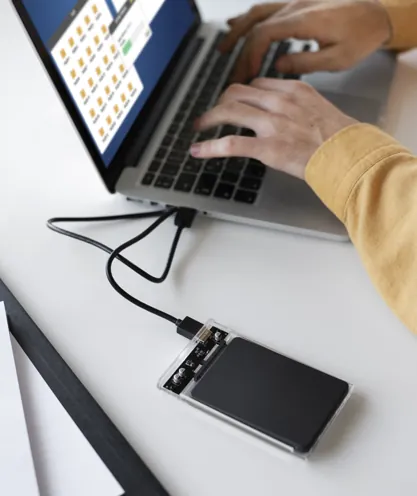
External drive connected to a laptop for video storage
Access control

Lock to Website stops a video playing when someone embeds it on another site, and Encrypt Video protects the files against unauthorized access, downloading and redistribution.

You can sell each recording through WooCommerce, or place it on a members-only page and let a membership plugin decide who watches.

WpStream's docs name five compatible plugins: Ultimate Membership Pro, MemberPress, Restrict Content Pro, Paid Membership Pro and ARMember.

As of September 2026, Dacast lists password protection and domain restrictions, with AES and DRM for on-demand video on its top Scale plan, and BoxCast lists geo-blocking by zipcode.

Padlock placed on a laptop for protected video access
Monetization

WpStream turns a recording into one of three VOD types: Free-To-View, Pay-Per-View (a one-time purchase per video) or Subscription.

Keep the sermon archive free, charge once for a recorded workshop, or sell a membership to the whole class library. There's no ad-supported (AVOD) model.

As of September 2026, Uscreen adds a per-subscriber fee on its Growth and App Essentials plans, plus a fee on one-time sales.

Dacast supports pay-per-view and subscriptions through its paywall, from the Event plan up.

Viewer paying online with a card and tablet
Player

The same WpStream player runs the live channel and the on-demand video, placed with a shortcode, an Elementor widget or a WPBakery block.

The WpStream Video on Demand List widget puts a whole library on one page, and video is watermark-free on every paid plan.

That's the page a station already builds for itself. WBRZ News 2 in Baton Rouge keeps a News Replay page listing its recent newscasts, on its own site.

Viewer watching a video on a tablet
How soon it's watchable

A replay isn't instant. The finished recording shows up under Recordings after the live stream has ended, and it stays a plain recording until someone creates a VOD from it.

Nothing publishes itself.

Sold the live event as Pay-Per-View? Open that same product, switch its type from Live stream to Video on demand and pick the recording.

Everyone who already bought it keeps access, per WpStream support.
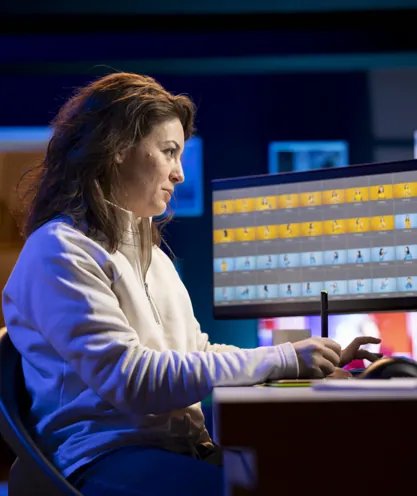
Editor reviewing recorded video for replay

Real archives, built this way.
Three organizations already do it.

Sermon archive

Faith Methodist Church in Richmond, Texas keeps an archive page where visitors can "explore full recordings of our past services."

The sermons stay on the church's own website, so a member of the congregation who missed a Sunday service finds the message in one place, next to the rest of the church's pages.
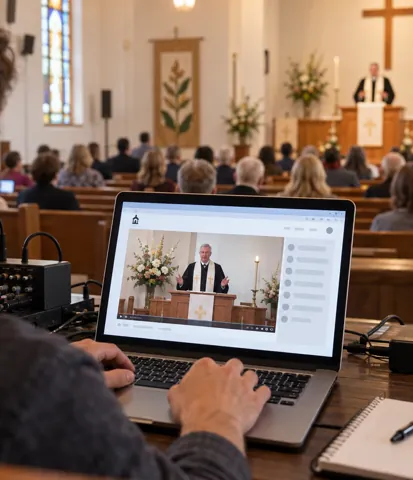
Church volunteer preparing a service recording

Live class plus library

Barre & Soul sells one virtual membership with unlimited live stream classes and video on demand access.

Members livestream in-studio classes with real-time feedback from the instructor, or, when the schedule doesn't fit, pick from "hundreds of pre-recorded classes ranging from 10 to 60 minutes."

One membership, live session and library together.
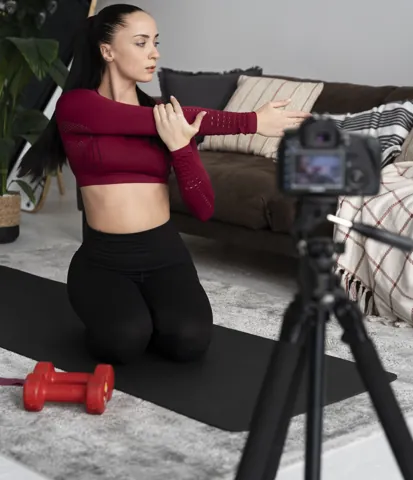
Fitness instructor recording an exercise class

Class recordings

Interface Technical Training built a named feature, Replay, around its class recordings: "Recordings are available after each class day."

A learner who missed part of a session can "watch it again, right away," which is exactly what a cohort needs when one evening goes wrong.
Training room with a video screen

Turn a live stream into video on demand

Four steps take a broadcast from live to VOD, the same way for a Sunday service, a weekly show or a cohort session.

Recording hours count the length of what you record and keep, and turning a recording into a VOD is always a step you take yourself.

It's the part of a VOD platform that decides how fast a replay reaches your audience. The full mechanics are in the recording docs.

Church broadcast control desk

Record

Turn on recording before you go live

Open the channel's Settings and enable Record Live Stream before you turn the channel on.

Skip it and the broadcast isn't recorded: there's no replay to publish later, and no recording hours are used.
Instructor recording a fitness class

Broadcast

Go live as usual

Stream the service, show or class the way you always do. The recording builds in the background and uses recording hours for its length.

Hours are based on time only, so higher quality doesn't cost more hours.

Editor reviewing video clips

Wait

Let the recording land

When the broadcast ends, turn the channel off. The finished recording shows up under WpStream, Recordings after the live stream has ended.

It can take a little while, so give it time before you assume something went wrong.

Students watching an online lesson

Publish

Create the VOD

Open the recording and create a Free-To-View, Pay-Per-View or Subscription VOD from it.

The VOD gets its own product ID and URL, separate from the live channel, so embed it on the page where your members or learners look for replays.

Before the replay goes live

1. Check recording before every broadcast

Enable Record Live Stream in the channel settings before you turn the channel on. Put it on the pre-service or pre-show checklist so nobody finds out afterwards.

2. PPV buyers keep the replay

Per WpStream support, after a paid live event you switch that same product to Video on demand and pick the recording. People who bought the live ticket keep access without buying again.

3. Deleting old recordings frees hours

Per WpStream support, recording hours count the video you keep stored. Remove last season's recordings you no longer need, and that time goes back into your plan.

4. Quality doesn't change the hour cost

Hours are based on time only. A 90-minute sermon uses 1.5 recording hours whether you stream it in standard or high quality.

5. Already have a file? Upload it

A class or episode that was never streamed live can be uploaded straight into Recordings, then turned into a VOD the same way as a broadcast.

6. The replay needs its own embed

A VOD gets its own URL, separate from the live channel. Add it to the page where your congregation, audience or learners expect to find the replay.

VOD hosting compared

Which platform costs less to store a year of recordings?

The table below puts four VOD platforms side by side on the things that decide the fit: storage metering, access control, monetization and player. Read it left to right.

Every competitor figure is as of September 2026, taken from each vendor's own pricing or product page.

Video on demand hosting is compared by storage method here, and in hours only. A cap in hours tells a church or a station how many services or shows it can keep.

A cap by file size answers a different question, so this page doesn't convert one into the other for any vendor.

Plan context, as of September 2026: Uscreen Starter is $49 a month, billed monthly, and Growth is $149 a month billed annually ($199 billed monthly).

Both include 1 free hour of live streaming. WpStream's current plans and hours are on the pricing page.

What you compareWpStreamUscreenDacastBoxCast
What you compare: Storage meteringWpStream: Recording hours: the total length of video kept stored (a 90-minute service uses 1.5)Uscreen: Hours of video storage: 20 on Starter, 100 on Growth and App EssentialsDacast: Metered by file size, depending on planBoxCast: Recorded streams kept 30 days, 90 days or one year by plan; OTT Apps add-on includes 50, 100 or 150 hours
What you compare: Access controlWpStream: Lock to Website, Encrypt Video, five named membership plugins or a WooCommerce saleUscreen: Not listedDacast: Password protection, domain restrictions; AES and DRM for VOD on the Scale planBoxCast: Geo-blocking by zipcode or point and radius
What you compare: MonetizationWpStream: Free-To-View, Pay-Per-View and Subscription VOD; no AVODUscreen: $1.99 per subscriber a month on Growth, $0.99 on App Essentials; 10% or 5% fee on one-time salesDacast: Pay-per-view and subscriptions through its paywall, Event plan and upBoxCast: Ticketing add-on for live or recorded broadcasts
What you compare: PlayerWpStream: Same player for live and VOD, a Video on Demand List widget, watermark-free on paid plansUscreen: Not listedDacast: White-label player embedded with your brandingBoxCast: White-labeled embed; video markers in recorded broadcasts

Live first

Recordings become VODs on your site

WpStream is a live streaming platform first and a VOD platform second.

A recording exists because a service, show or class went out live, and it becomes a VOD only when you create one from it.

That's the opposite of an upload-first VOD host.

Your library starts from the live channel on your own website and grows one broadcast at a time, so the sermon archive or class library is never a separate project.

Plans priced in hours

All paid plans include watermark-free video and unrestricted PPV streaming.

Lite

Lite costs $24 a month or $190 a year, with 25 recording hours, 100 broadcast hours and 500 viewer hours.

Every year-long archive in the next table outgrows it, so Lite suits a short season, a single event or a small cohort, not a full year of weekly services.

Plus

Plus costs $59 a month or $490 a year, with 100 recording hours. That holds a weekly 90-minute service or a weekly 60-minute show for a whole year.

Pro ($169 a month, 500 recording hours) and Ultra ($449 a month, 1,500 recording hours) take a daily class schedule.

The trial

One-time plans start at $36, and their resources don't expire. On monthly and yearly plans, broadcast and viewer hours reset every month and don't roll over.

The hours math

How many recording hours does a year really need?

The table below runs one year of recordings for four organizations: a church, a local station, a fitness studio and a course.

It assumes nothing is deleted, so every service, episode, class and session stays in the library all year.

Recording hours are a cap on the total length of video you keep stored.

A church or studio that deletes older recordings needs less than the table shows, because deleting a recording frees its hours, per WpStream support.

The fitness row assumes a class every day of the week. A studio that streams five days a week lands closer to 195 hours: still past Plus, still inside Pro.

Whichever VOD platform you pick, run this math before you buy.

A weekly 90-minute service passes Lite's 25 recording hours in its 17th week, and the plan you need depends on how much of last year you still want to keep.

SegmentTypical scheduleRecording hours a yearLowest plan that fits
Segment: Faith: weekly serviceTypical schedule: 52 weeks x 90 minutesRecording hours a year: 78 hoursLowest plan that fits: Plus (100 hours)
Segment: Local media: weekly showTypical schedule: 52 weeks x 60 minutesRecording hours a year: 52 hoursLowest plan that fits: Plus (100 hours)
Segment: Fitness: daily classTypical schedule: 365 days x 45 minutesRecording hours a year: About 274 hoursLowest plan that fits: Pro (500 hours)
Segment: Cohort education: 10-week programTypical schedule: 10 weeks x 2 sessions x 90 minutesRecording hours a year: 30 hoursLowest plan that fits: Plus (100 hours)

Honest limits

When does a VOD-only host fit better?

When nothing goes out live. A course library recorded in advance, or an archive of marketing videos, doesn't need a live streaming platform.

A VOD-only host, or a WordPress player such as Presto Player, fits that better.

Presto Player's own FAQ answers the hosting question by pointing to self-hosting or a third-party host such as Bunny Stream.

That's not a knock on either one.

A recorded course sold to learners who never meet live needs good upload tools and a clean player, and a live-first platform adds live channels and recording settings nobody will use.

WpStream has no ad-supported (AVOD) model. If advertising is how your station or channel pays its bills, you need a platform built around ads.

And WpStream needs a broadcast to start from. The library grows out of what your church, station, studio or cohort streamed live.

For a wider host-by-host view, read our video hosting platform guide.

Go deeper on VOD

Questions organizers ask

Frequently Asked Questions

Yes, per WpStream support. After the event, the organizer opens that same product, switches its type from Live stream to Video on demand and picks the recording.

Everyone who already bought the ticket keeps access, with no second purchase.

On WpStream it’s measured by length: recording hours count the total time of video you keep stored, so a 2-hour service uses 2 recording hours at any quality.

Some VOD platforms meter storage by file size instead, so check which unit a plan uses before you compare prices.

No. The finished recording shows up under Recordings after the live stream has ended, and it stays a plain recording until someone creates a Free-To-View, Pay-Per-View or Subscription VOD from it in WpStream.

SVOD is a recurring subscription, TVOD is a one-time purchase per video, and AVOD is paid for by ads. WpStream supports Subscription and Pay-Per-View VODs plus free viewing, but not AVOD.

Yes. A class or episode that was never streamed can be uploaded into Recordings and turned into a VOD the same way.

But WpStream is built around live streaming first, so an organization with nothing to broadcast is usually better served by a VOD-only host.

No. WpStream counts hours by time only, so a 90-minute sermon uses 1.5 recording hours whatever the quality.

A live streaming platform delivers a broadcast as it happens, and a VOD platform stores recordings and plays them on demand afterward.

A platform that pairs the two, like WpStream, records the live service, show or class, and the recording becomes the on-demand copy once you publish it.

When there’s no live component at all, such as a pre-recorded course library or an archive of marketing videos.

A WordPress player such as Presto Player, or a dedicated VOD-only host, fits that case better than WpStream.

Ready when you are

Start your free trial

Try live broadcasting and replays on your website.