
WooCommerce Stores Are Boosting Sales with Live Shopping. Here’s How.

Estimated reading time: 7 minutes
WooCommerce store owners are always searching for new ways to increase sales. One new approach is live shopping. In this setup, a store hosts a real-time video where a presenter shows products and talks with viewers. Shoppers can ask questions in a chat and buy items during the video. It’s similar to a personal shopping channel online, and it’s helping many stores turn more viewers into buyers.
Live shopping is quickly becoming more popular in e-commerce. In 2024, it made up about 2% of online sales, but experts think it could reach 20% by 2026. What started small is now becoming a big part of online sales. Many customers have already tried live shopping, so it’s becoming more common. This trend suggests that live shopping is a timely idea for WooCommerce stores and could lead to higher profits.
What is Live Shopping?
Live shopping, also known as livestream shopping, is a way to sell products using live video. During these events, a host shows and describes products on camera, gives details, and answers questions from viewers in real time. People watch on their phones or computers and can type questions or comments. The host responds right away, much like talking with customers in a physical store.
Viewers can buy products directly from your live video. If they see something they like, they can click a “Buy Now” without leaving the stream.
Live shopping first became popular in Asia, especially in China with about 15% of all online sales in 2023 being through this method. Now, companies like Amazon, TikTok, and Instagram have added live shopping features, and the trend is spreading worldwide. WooCommerce store owners can create a similar interactive experience on their own websites.
Why Are WooCommerce Stores Trying Live Shopping?
Many WooCommerce stores are trying live shopping because it can lead to higher conversion rates. In other words, more viewers end up making a purchase. Live shopping shows have been found to turn viewers into buyers at a much higher rate than regular online shopping. Studies show that live shopping events can get about 9% to 30% of viewers to buy, while typical e-commerce conversion rates are only around 2–3%. That’s a big increase in the number of people who decide to buy.
There are several reasons why live shopping boosts sales for WooCommerce stores:
- Humanity with raw and chaotic energy
- Real-time engagement
- Product trust
- Urgency and exclusivity
- Longer site visits
How to Start Live Shopping on a WooCommerce Store
Setting up live shopping on a WooCommerce store is getting easier thanks to new tools and plugins. Store owners have a few options to add live commerce to their site. One way is to use social media platforms like Facebook, Instagram, or TikTok to stream a live video and send viewers to the WooCommerce store’s products. Another option is to host live shopping directly on the store’s website using a WooCommerce plugin or extension. Our roundup of the best live shopping platforms compares those options.
There are plugins specifically made for live shopping in WooCommerce. For example, Channelize.io offers a plugin called “Live Shopping & Video Streams” that adds live shopping features to a WooCommerce site. With such a plugin installed, a store owner can broadcast live video on their site and display product listings side by side. Viewers on the site can click an Add-to-Cart button during the live video to instantly add that product to their cart. The plugin syncs with the product catalog and inventory, so everything stays up to date. Essentially, this turns a WooCommerce store into a live interactive shop where customers don’t have to go elsewhere to watch or buy.
Here are the basic steps to launch a live shopping event on a WooCommerce store for live selling and engagement:
- Set up a live shopping page
- Plan the live stream
- Promote your live stream
- Test the setup
- Go live
- Encourage checkouts
- Follow up
Tips for a Successful Live Shopping Event
Here is how you can add live shopping to any page on your site.
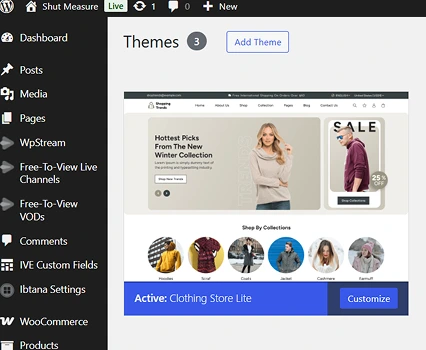
First, start by installing any theme (or building your own site). In my experiment, I used a free e-commerce theme from the WordPress directory. You can find it here – Clothing Store Lite
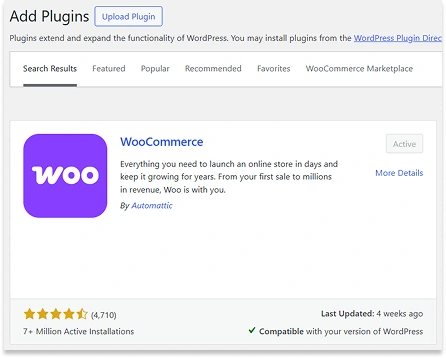
Next, go to the ‘Plugins’ Section in Look up WooCommerce. Install, Activate, and setup your WooCommerce store.
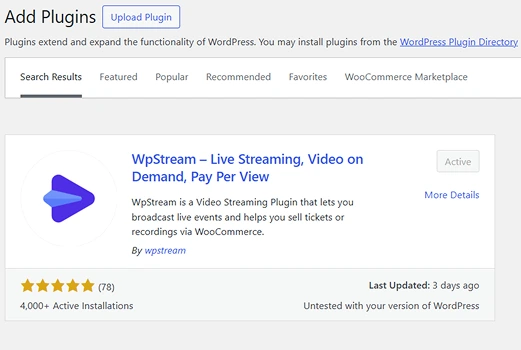
Look up WpStream. Install, Activate, and Create an account/Login.
Go to ‘All Channels’ → Add New → Add a title, description, featured image, and publish your channel. This is where you will go LIVE.
Go to ‘Pages’ and add a page title and some text about this page. I’ve named it ‘Live Shopping’ so that people know what they get when they come to this page.
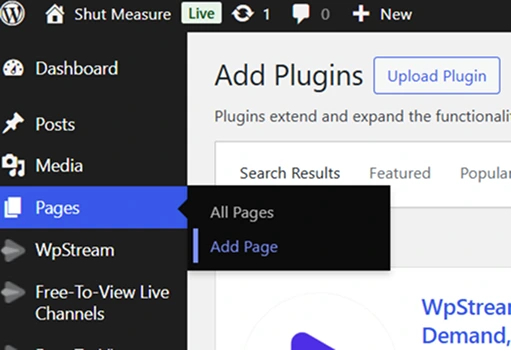
Click on the ‘+’ and look for ‘Shortcode’. You will paste this:
[wpstream_player id="1234"][/wpstream_player]
Replace “1234” with the Channel ID of the live channel that you’ve created.
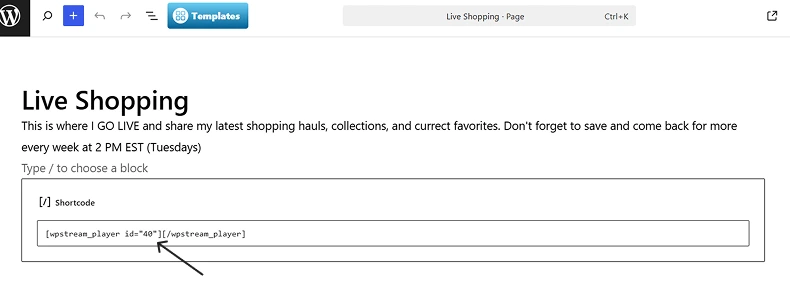
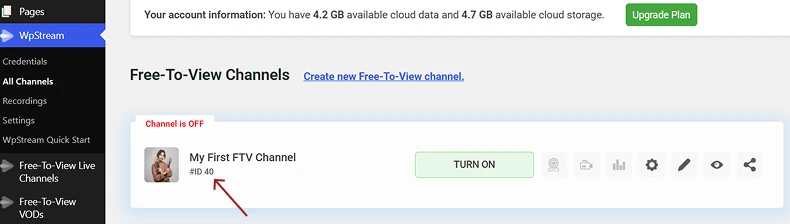
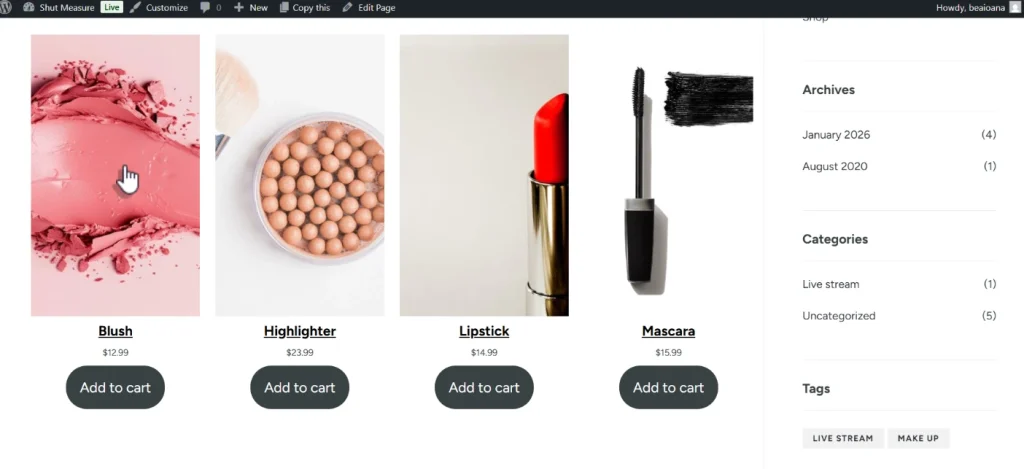
Click on ‘+’ again, this time looking up the WooCommerce blocks. They will appear and you’ll have the products from your store here. You can choose whichever one you like!
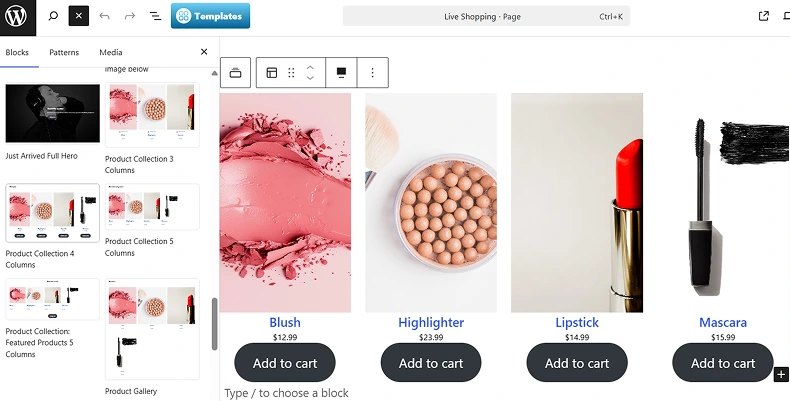
Go back to your channel, turn it on, and GO LIVE.
If you go back to your page, you will see your live stream with the WooCommerce products right under.
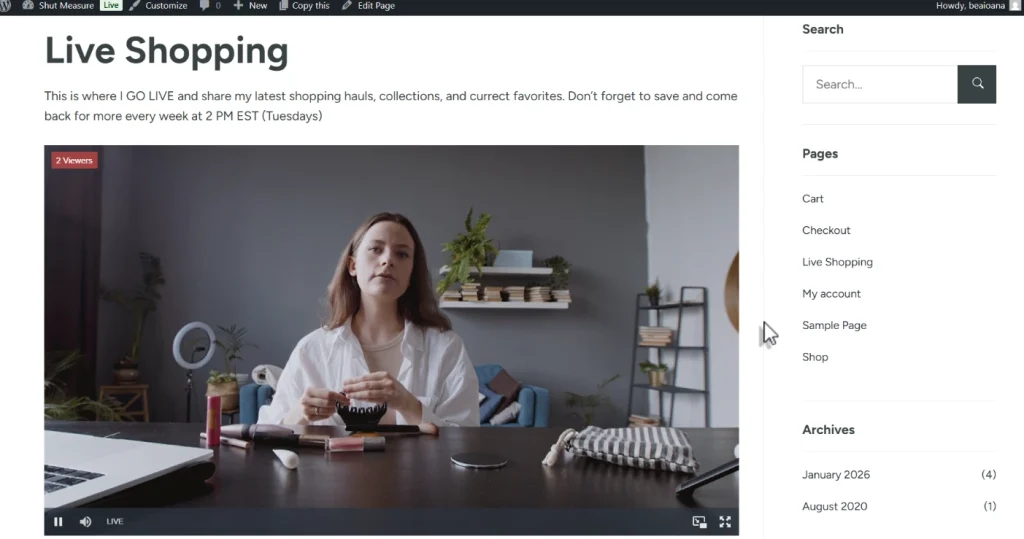
By using these tips, WooCommerce store owners can create live shopping experiences that are smooth and interactive. The goal is to give viewers a personal shopping experience online. The more genuine and engaging the session, the more likely viewers are to buy and return for the next event.
Live Shopping is Here to Stay
Live shopping is not just a passing trend. It’s becoming an important part of online retail. Shoppers enjoy the fun and interactive nature of live streams, and businesses benefit from higher conversion rates and deeper customer engagement.
For WooCommerce stores, using live shopping can help a business stand out from the competition. It offers a way to connect with customers that goes beyond regular product pages by making shopping more interactive.
As technology improves and more people get used to shopping through video, live shopping could become as common as traditional online shopping.
WooCommerce stores that start using live shopping now can get ahead by building loyal viewers and increasing their sales. Overall, live shopping lets WooCommerce stores give customers a more personal, interactive experience, which can lead to happier shoppers and higher sales.
If you want a more legit and upgraded site specifically for live shopping, check out our free Live Shopping Demo.
Table of Content