
Movie streaming platform

Build Your Own Movie Streaming Platform: A Practical Guide

Pick your route. License your titles. Sell from your own library.

Compare the four routes to a movie streaming platform, learn the rights each title needs, put your library and payments online, and price the running cost in hours.

How it runs

From rights to your own library

01 · Catalogue

Secure the titles

Stream only titles you made or have licensed for the VOD right, the territory and the term you sell into.

Your own productions, deals with filmmakers and distributors, and verified public-domain films all qualify.

02 · Library

Upload and price each title

Upload the master as an .mp4 or .mov file and turn it into a Video on demand product.

Set it free, per title or under a subscription through WooCommerce, then add the poster and trailer.

03 · Run

Sell, screen and count the hours

Subscribers and rental buyers watch on your site. Premieres go out live and stay on as on-demand titles. The plan meters hours: recording hours for stored runtime, viewer hours for runtime watched.

Premiere night

Built for the premiere that fills at once.

A premiere brings the whole audience into a movie streaming platform at the same minute. Our pricing page lists 25,000 simultaneous viewers on Pro and unlimited on Ultra.

Afterwards the title stays in your library for rental or subscription.

Movie streaming platform

What is a movie streaming platform?

A movie streaming platform is a website or app that publishes films and series on demand, controls who watches, and charges by subscription, per title or with ads.

Looking for something to watch tonight? Try Netflix, Prime Video, Kanopy or the Criterion Channel.

Filmmakers, distributors, festivals and film clubs that want to create a movie streaming service for their own catalogue have four routes.

A hosted OTT service such as Uscreen, Vimeo OTT, Muvi One or Dacast runs everything on its servers. A custom build is yours, and so is the development bill.

White label is the hosted route under your brand. WordPress with WpStream puts the library on a site you already own.

They differ on who holds the subscriber list and domain, per-subscriber fees, branded TV apps and built-in ways to charge.

Pick a hosted service if you need branded Roku, Apple TV, Fire TV or mobile apps, or studio DRM for licensed titles. Pick a custom build when nothing off the shelf fits.

Pick WpStream for a platform on your own site, and accept that it ships no native TV apps.

And the market is real but restless. Antenna estimates that about one-third of US subscribers had used a specialty SVOD by Q2 2025, with specialty churn at 6.6 percent a month.

A niche film service is a retention business. The table below compares the four routes.

RouteSubscriber list and domainHow you chargeTV and mobile appsCost model and time to launch
Route: Hosted OTT service (Uscreen, Vimeo OTT, Muvi One, Dacast)Subscriber list and domain: Subscriber accounts sit on the vendor's service, under the vendor's terms.How you charge: Subscription and per title. Ads on Vimeo OTT Enterprise, Muvi One and Dacast Event. Vimeo OTT Starter is web-only and pre-recorded video only.TV and mobile apps: Uscreen: mobile apps from $449 a month billed annually, TV apps on its top plan. Vimeo OTT: Enterprise only. Muvi One: extra apps at $299 each a month. Dacast: none listed.Cost model and time to launch: Uscreen: $49 a month, or $149 billed annually plus $1.99 per subscriber a tier up. Vimeo OTT: $1 per subscriber plus 10% of one-time sales. Muvi One: from $399 a month billed annually, plus variable fees. Dacast: $39 a month billed annually. Launch: sign up, upload, publish.
Route: Custom buildSubscriber list and domain: Yours entirely, on your own domain.How you charge: Any model you build. Each one is its own piece of development.TV and mobile apps: Each app is its own project.Cost model and time to launch: Development budget plus hosting. An agency build starts near $100,000 for a website-only scope, per our build-cost page. Launch waits on the developers.
Route: White label (a hosted route under your brand)Subscriber list and domain: On the vendor's service, branded as yours.How you charge: The vendor's pricing models, under your name.TV and mobile apps: The vendor's apps under your brand, usually priced per app (Muvi One lists $299 per app a month).Cost model and time to launch: Platform fee plus per-app fees. The vendors are listed on our white-label OTT page. Launch runs on the vendor's onboarding.
Route: WordPress with WpStream on your own siteSubscriber list and domain: Yours: WooCommerce holds the customers and orders on your domain.How you charge: Subscription (Global Subscription Mode), per title (Pay-Per-View VOD) or free (Free-To-View). Ads are not built in.TV and mobile apps: No native apps. Browser playback, and TV devices only through a third-party HLS player with limited support, per the WpStream docs.Cost model and time to launch: Hours, no per-subscriber fee: Lite is $24 a month with 25 recording hours and 500 viewer hours, up to Ultra at $449 (WpStream pricing page). Launch: import the theme demo, upload, publish.

Which rights do you need to stream a film?

A movie streaming platform can stream only the titles you own or have licensed for the VOD right, the territory and the term you sell into.

Rodriques Law puts it bluntly: "The actual contract language matters more than the label."

The rule is simple: licensed or yours, nothing else goes in the library. We don't help anyone copy or host films they haven't licensed.

The six cards below are the deal's own vocabulary, taken from IFTA's International Standard Terms.

Licensed rights: the VOD types

IFTA's Schedule of Definitions says VOD means "only AdVOD, FVOD, SVOD and TVOD". SVOD is a set fee for a period that opens the whole licensed service.

TVOD is a set fee for a period to view one picture.

Downloads to own (EST) are a separate right. Check which ones your deal names before you set a price.

3D illustration of a film reel with a signed licence seal

Territory

The territory is "the countries or territories listed in the Deal Terms", in IFTA's words. It decides who may press play.

The Criterion Channel shows it in practice: its FAQ, read 2026-09-26, says the service "is available only in the U.S. and Canada."

Sell a title to a country outside its territory and you're outside the licence.

3D illustration of a globe with two marked regions

Term and licence period

The term starts and ends on the dates in the deal terms. The licence period is the maximum time you may exploit each right, and IFTA's terms set it right by right.

Put every end date in a rights register. A title that outlives its licence is a title you have to take down.

3D illustration of a desk calendar with a marked end date

Exclusive or non-exclusive

An exclusive grant keeps a right yours alone in the territory.

Under a non-exclusive grant, IFTA's terms let the licensor exploit the same right in the territory and authorize others to do so.

The Law Offices of Ernest Goodman note that streaming rights can be either, "on various streaming services, both subscription-based and ad-supported."

3D illustration of two keys on one ring

Holdbacks and windows

A holdback is "a contractual restriction on the period" in which a right may be exploited, in IFTA's words. A window is the release stage a title sits in.

Both decide when you may run a premiere or open rentals, so plan the calendar from the contract, not from the date you'd like.

3D illustration of an hourglass beside a clapperboard

Geo-restriction is a duty

IFTA's terms bar the distributor from "making the Picture available on the Internet without commercially reasonable technological protection measures" that restrict access to the territory.

In plain words: license a film for one country and your platform has to keep the other countries out. It's written into the deal.

3D illustration of a shield over a map outline

Where do the titles in your catalogue come from?

The titles on an independent movie streaming platform come from five real sources. Your own productions are the fastest catalogue.

Everything else arrives as a licence with a territory and a term attached. And public domain is narrower than it looks.

Your own productions

You already hold the rights to the films you made, subject to the clearances inside them: music, performers and any footage licensed into the cut.

Rodriques Law's list of deal points includes "delivery obligations" and "dubbing/subtitling obligations", so check your own film against that list before it goes live.

The master you upload is your mezzanine file, the best copy you have. Keep it clean and keep a backup.

Your own productions are the fastest way to open a library, because nobody else has to sign.

Tall illustration of a film canister and hard drive on a neutral background
Direct licences from filmmakers and sales agents

This is the IFTA deal in miniature.

The licensor grants "the Licensed Rights in the Picture, throughout the Territory for the Term in the Authorized Languages", subject to the exclusivity and holdbacks written in the deal terms.

A sales agent sells those rights on the producer's behalf, so you may never speak to the filmmaker at all.

Money often moves as a minimum guarantee, which Rodriques Law defines as "an advance against future revenues."

Ask for the grant in writing, right by right and territory by territory, before you add the title to your catalogue.

Tall illustration of a licence agreement folder with a pen
Distributors and aggregators

A distributor holds rights for a territory and can license titles on to a platform like yours.

Rodriques Law draws the line: "A distribution deal often gives a distributor broader authority to exploit a project.

A licensing deal may be narrower and limited to a defined medium, platform, or territory."

The Law Offices of Ernest Goodman name the tell: "Precise language regarding the grant of rights is a key indicator".

An aggregator packages titles onto platforms, so check that it actually holds the VOD right you're paying for, in your territory.

Tall illustration of a stack of film cases with territory tags
Screening and rental platforms

You don't need your own site to screen a film online.

Kinema, a screening platform for filmmakers, lists an annual plan at $22.50 a month per film, billed at $270, with revenue split 45 percent to the filmmaker, 45 percent to the host and 10 percent to Kinema.

VOD rentals carry a 99-cent fee per rental, and splits are calculated after Stripe's 2.9 percent plus 30 cents (Kinema pricing page, read 2026-09-26).

On your own site nobody takes a split of each rental. WpStream bills in hours, so the per-sale fee is your payment processor's.

Tall illustration of a projector beside a ticket stub and a laptop
Public-domain titles, verified

The US Copyright Office's Circular 15A, revised April 2026, says "all works published in the United States before January 1, 1931, are in the public domain."

Duke Law's Center for the Study of the Public Domain notes that films from 1930, Cimarron among them, entered it on January 1, 2026.

Two catches. Duke warns that "only the original films from 1930 are public domain", so a restored or reconstructed version may carry new copyright. And this is US status only.

Circular 22 explains how to search the Office's records before you publish.

Tall illustration of an archive film reel with a magnifying glass

Subscription, per title or free.
How a film service charges.

Subscription (SVOD)

IFTA defines SVOD as a set fee for a period that opens a title "along with other Motion Pictures" on the service.

Niche services show the range, read 2026-09-26: OVID.tv charges $6.99 a month, Dekkoo $9.99 and the Criterion Channel $10.99, US and Canada only.

On a subscription movie streaming website with WpStream, one WooCommerce Subscriptions product in Global Subscription Mode opens every title, or several plans each hold their own.

Our membership page covers how access is enforced. It fits a catalogue deep enough to keep a subscriber month after month.
Cinema audience in a small independent screening room

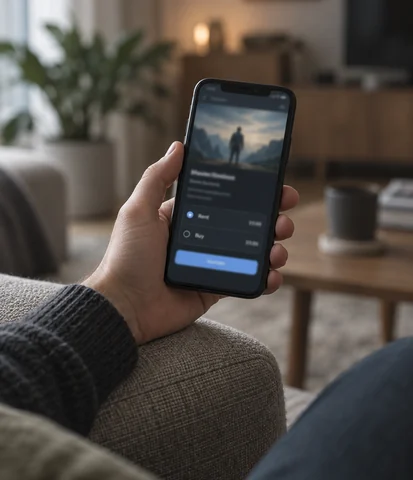
Per title (TVOD)

TVOD, in IFTA's words, is a set fee "for a specified period to view the Motion Picture": a rental.

On WpStream that's a Pay-Per-View VOD product, and the docs are plain about it: "You will not be able to view the Pay-Per-View VOD until you purchase it".

WooCommerce sells it without a membership plugin, and our pay-per-view walkthrough shows the setup. Compare Kinema's 99-cent fee per rental.

Per title fits a short catalogue, or a single premiere people will pay for once.
Hand holding a phone with a film rental checkout on screen

Free with a trailer, then the premiere path

FVOD, per IFTA, is free to the viewer with no advertising.

On WpStream it's a Free-To-View VOD, and the theme's trailer and hover preview do the selling for the paid titles next to it.

Then the premiere path: sell the premiere live as pay-per-view, and switch the product to Video on demand afterwards. WpStream support has confirmed that everyone who bought keeps access.

Ads (AVOD) aren't built into WpStream and need a third-party player, while Vimeo OTT Enterprise, Muvi One and Dacast Event include ads.


Festival crowd waiting outside a cinema on premiere night

How to make a movie streaming website on WordPress

The stack on your own site: WordPress, the WpStream plugin, the free Hello WpStream theme, WooCommerce, and WooCommerce Subscriptions (a paid third-party plugin) if you sell subscriptions.

The general build is in our video streaming website guide and the theme tour in the WpStream theme walkthrough.

You can create a movie streaming website from uploaded films without any live channel. These four moves turn a master file into a title in your library.

Editor uploading a feature film master from a laptop

Upload

Upload the film

Go to WpStream, then Recordings, and upload the file from your computer. The docs accept .mp4 and .mov extensions.

Producer filling in a title's details on a screen

Product

Create the Video on demand product

From Recordings, create a Free-To-View or Pay-Per-View VOD. Add a name, description, image, tags and categories, then click Publish.

Distributor setting a rental price at a desk

Price

Set free, per title or subscription

Put a price on the Pay-Per-View product for per-title sales, or open titles through a subscription with Global Subscription Mode in WooCommerce.

Film library grid of posters on a large screen

Library

Show it in the library

In the theme, add the poster, trailer, hover preview and categories. A series becomes a Video Collection with episodes in order.

The complete six-step library setup

1. Import the streaming demo.

In WordPress, go to Appearance, Import Demo Data, Import Demo. The WpStream docs say the import takes a couple of minutes.

You get the Main Streaming Demo, a finished library layout with trailers and preview videos, ready for your own films.

2. Upload the master.

Go to WpStream, Recordings, and upload a file from your computer. Accepted extensions are .mp4 and .mov, and the docs suggest a converter such as HandBrake for anything else.

Every hour of runtime you keep stored counts against your recording hours.

3. Create the product.

From Recordings, create a Free-To-View or a Pay-Per-View Video On Demand. Give it a name, a description, an image, tags and categories, then click Publish.

Nobody can watch a Pay-Per-View title until they buy it, so check the price first.

4. Pick how you charge.

Per title: set a price on the Pay-Per-View product.

Subscription: create a Simple Subscription product, copy its product ID, enable Global Subscription Mode and paste the ID, leaving Attach to Subscription blank on each title.

Several plans: attach each title to one plan.

5. Dress the title.

In the theme, add the title, description, gallery images, trailer, hover preview clip, categories, tags and featured image. A series is a Video Collection with its episodes in order.

The WpStream Video on Demand List widget then lists free or pay-per-view titles and can order them by most recent.

6. Protect and brand the player.

In VOD Settings, Lock to Website blocks embedding on other sites and Encrypt Video protects the files against unauthorized access and downloading.

Then upload your logo under General Settings and pick one of the five player skins the docs list: Default, City, Forest, Fantasy or Sea.

Your library

A library that looks like a film service

Your viewers get a poster grid, trailers, hover previews, genre categories and collections for series, in dark or light mode.

The player carries your logo and one of the five skins in the WpStream docs, on live and on-demand titles alike.

How the rows, filters and continue-watching are built is covered on our video library page. Your library sits on your domain, with your subscribers and nobody else's logo on the player.

What a feature-length title needs to play well

A 90-minute film is not a clip. It needs a clean master, several quality variants, subtitles, key art and, when a licensor asks for it, DRM.

The rules below come from Apple, the IETF, the W3C and the companies that own the DRM systems.

On WpStream you upload the master and it plays in a Video.js-based player. WpStream documents adaptive bitrate as a beta feature for live channels.

The docs don't describe quality ladders for uploaded films.

The master file

WpStream takes .mp4 and .mov uploads.

Apple's HLS Authoring Specification says all video "MUST be encoded using H.264/AVC, HEVC/H.265, Dolby Vision, or AV1", and on-demand video "SHOULD use a natural frame rate for the content."

Export the mezzanine file at the film's own frame rate.

3D illustration of a film master hard drive with a cable

Several bit rates, not one

Apple's rule 9.9: "You MUST provide multiple bit rates of video". Its defaults: a 2000 kbit/s default variant, key frames every two seconds, six-second target durations.

RFC 8216 says why: clients "should switch between different Variant Streams" as the network changes, so a viewer on hotel Wi-Fi still gets the film.

3D illustration of three stacked video bars of different sizes

Subtitles and captions

Apple requires subtitles in WebVTT or IMSC1 and says captions "SHOULD be provided" for accessibility. The W3C's WebVTT spec describes files that "provide captions or subtitles for video content".

On WpStream, closed captions come through a third-party player, which the docs say needs the platform API and gets limited support.

3D illustration of a speech bubble with caption lines

Trailer, poster, metadata

The WpStream theme gives each title fields for a trailer, a hover preview clip, gallery images, categories, tags and a featured image, and it groups series into collections.

Hosted services sell this as automation: Muvi's pricing page lists AI posters, banners and trailers. Either way, somebody still has to pick the poster.

3D illustration of a film poster frame with a play badge

Encryption and domain lock

WpStream's VOD Settings offer Lock to Website, which "blocks attempts to embed on another site", and Encrypt Video, which prevents "unauthorized access, downloading, or redistribution".

The docs add their own caveat: "Encrypted video may not display in all browsers." Test your titles in the browsers your audience uses before a premiere.

3D illustration of a padlock over a browser window

Licensed DRM when the licensor demands it

FairPlay, Widevine and PlayReady are separate licensed systems, and browsers reach them through the W3C's Encrypted Media Extensions. Apple approves FairPlay access "only if your team provides a streaming service to consumers."

WpStream documents encryption and domain lock, not these systems. Dacast Scale lists "DRM for VOD" and Muvi One includes DRM views.

3D illustration of a film frame wrapped in a chain with a padlock

If a licence names a DRM system, read our DRM explainer before you sign.

Running the library on your site

Here's the maths, in hours, on our own prices.

Lite

Recording hours are "the total recording time available for storing saved videos", as the pricing page puts it: the runtime you keep stored.

Lite's 25 recording hours hold about 16 features of 1.5 hours.

Its 500 viewer hours a month cover about 330 full views. Lite is $24 a month or $190 a year. A film-only site uses no broadcast hours.

Plus

A 30-title catalogue at 1.5 hours is 45 recording hours, so Plus: 100 recording hours and 2,000 viewer hours for $59 a month or $490 a year (pricing page, read 2026-09-26).

One title watched 400 times uses 600 viewer hours.

At 150 titles you need 225 recording hours, so Pro at $169. Stored runtime picks the plan first.

The trial

There's no free plan. The docs list a free trial with 10 recording, 100 viewer and 20 broadcast hours. Monthly hours reset each month and one-time packs don't expire.

Hours count time only, so 4K costs what 1080p does.

Nine jobs after the launch.

A niche movie streaming platform is a retention business. Antenna’s Q3 2025 specialty report puts specialty SVOD churn at 6.6 percent a month. These nine cards are the operator’s monthly routine.

The operator’s monthly routine

01

Keep a rights register for every title: licensed rights, territory, term end date, exclusivity and holdbacks, the same fields IFTA’s standard terms use.

02

Restrict every title to the territory you licensed. IFTA’s standard terms make technological geo-restriction the distributor’s duty, not a nice extra.

03

Retire a title when its term ends. WpStream support confirms that deleting the recording frees its recording hours for new titles.

04

Check recording hours against stored runtime before you add a batch of titles. One-time packs carry their own recording hours and, per the pricing page, don’t expire.

05

Read viewer hours every month. Our pricing FAQ says monthly and yearly resources reset and don’t roll over, so size the next plan from runtime watched times views.

06

Run premieres live as pay-per-view, then switch the product to Video on demand. Everyone who bought the premiere keeps access, per WpStream support.

07

Keep every title dressed: poster, trailer, preview clip and categories. Put each series in a Video Collection so the episodes stay in order.

08

Own the subscriber relationship. WooCommerce holds your customers and orders on your domain, so watch renewals and cancellations there, in your own dashboard.

09

Measure churn against Antenna’s 6.6 percent specialty benchmark each month. Parks Associates reports that ten US services were phased out in Q2 2026. Keep new titles and premieres coming.

A catalogue you own, on a site you run, in hours you can count.

More film platform resources

Questions

Frequently asked questions

Yes, unless you made the film or its US copyright has expired.

Licensed means the VOD right, for a territory, for a term, granted by the rights holder, as IFTA’s standard terms set out.

Public domain covers US works published before 1931, and only the original version, per the Copyright Office and Duke Law. WpStream plays what you upload, so holding the licence is your job.

There are two costs: the catalogue and the platform. Licences or your own productions come first. For the platform, our build-cost page prices each route.

To build a movie streaming platform on a hosted service, Uscreen Starter is $49 a month, monthly only, and Vimeo OTT Starter charges $1 per subscriber (both read 2026-09-26).

On WordPress, WpStream starts at Lite, $24 a month (pricing page, read 2026-09-26).

Running a movie streaming platform on WpStream is priced in hours. Recording hours cover the runtime you keep stored, and viewer hours are runtime watched times views.

A 150-title catalogue of 1.5-hour films is 225 recording hours, so it needs Pro at $169 a month.

If 200 subscribers each watch four films a month, that’s 1,200 viewer hours, well inside Pro’s 10,000 (pricing page, read 2026-09-26).

Yes. Every route to a movie streaming platform except a custom build works without code.

With WpStream you install the free theme, which brings in the plugins it needs, import the demo, upload your films and create a Video on demand product for each one, all from the WordPress dashboard.

You need a developer only for a third-party player, playback on TV devices or a fully custom build.

Use a hosted service such as Uscreen, Vimeo OTT, Muvi One or Dacast when you need branded TV and mobile apps or studio DRM. Build custom when nothing off the shelf fits.

Choose WordPress with WpStream when you want your movie streaming platform, its subscriber list and its pricing on a site you already own, with no per-subscriber fee.

The honest limits: no native apps, no built-in ads, and no built-in audience chat.

In IFTA’s definitions, SVOD is a set fee for a period that opens a whole service, TVOD is a set fee to view one film for a period, AdVOD is free to the viewer with advertising, and FVOD is free with no ads.

Pay-per-view is the ticketed form of TVOD, live or on demand. On WpStream they map to Global Subscription Mode, Pay-Per-View VOD and Free-To-View, and ads aren’t built in.

The model comparison goes deeper.

On a hosted service, yes, at the app tiers.

Uscreen’s Custom plan adds five TV apps, Vimeo OTT lists Roku, Apple TV and Amazon Fire on Enterprise, and Muvi One sells extra apps at $299 each a month on Standard (all read 2026-09-26).

WpStream has no native apps. Its docs say any HLS player can play your titles on OTT devices through the platform API, with limited support.

A hosted movie streaming platform is sign-up, upload, publish.

On WordPress with WpStream it’s the theme demo, which the docs say imports in a couple of minutes, then your first uploads and products.

A custom build takes as long as the development does. On every route the slow part is the catalogue: licences are negotiated right by right and territory by territory.

Ready when you are

Start your free trial

Try live broadcasting and replays on your website.