
Live Podcasting
How to Start a Live Podcast on Your Own Website
Pick Your Mic. Connect Your Encoder. Go On Air from Your Site.
For a station, church, or independent show, you’ll need gear, an encoder, a live player on your WordPress page, a replay library, and paid episodes with WpStream.
Tonight's Live Episode
Broadcast from Your Station WebsiteHow to start a live podcast in three steps
Set Up Mics and Camera
Get a mic for each host and guest. Ensure everyone has headphones, and use a camera or cover image.
Connect OBS or Your Browser
Paste the channel's server URL and stream key into OBS or a hardware encoder, or go live from your browser.
Go On Air from Your Page
Turn recording on, activate the channel, and the episode plays on your WordPress page.
Your Episode, Live on Your Own Page
Place the player on your station, church or show's episode page. WpStream handles the video traffic while your listeners stay on your own site.
Three Shows That Go Live
from Their Own Website
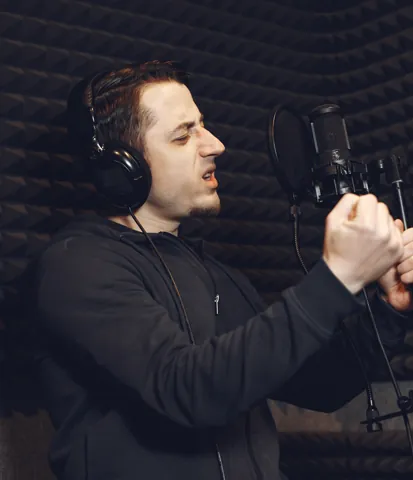
Example: A Station Talk Show on Camera
A local radio station streams its weekly one-hour talk show live, with call-in segments.
Podcasts now lead talk radio in the US: they captured 40% of spoken-word listening time compared to 39% for spoken-word radio (Edison Research, reported by TechCrunch, February 2026).
Example: A Church's Weekly Talk Show
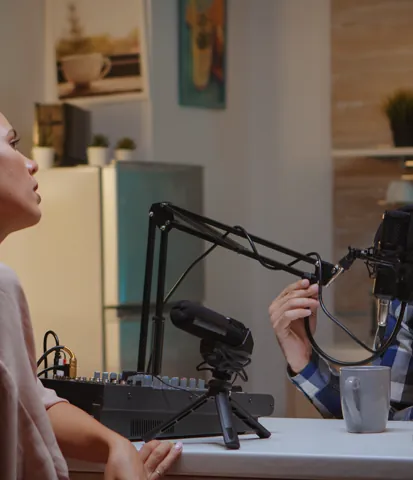
A pastor and co-host stream a one-hour Bible study weekly on the church website. Members can watch the replay later, adding to the church's video library.
Example: An Independent Interview Show
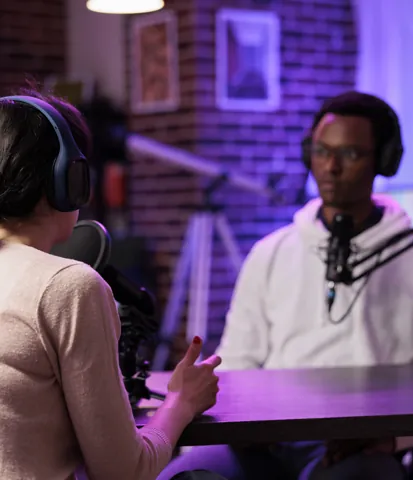
A host streams a 90-minute interview with a guest each week on the show's site. Listeners can buy a single episode or a subscription that covers live shows and replays.
Why go live
One show, three jobs
The same show works as a live stream, a video replay, and an audio feed. 57% of Americans 12+ have both listened to and watched a podcast (Edison Research, The Infinite Dial 2026). In Q3 2025, 82% of weekly podcast consumers were actively watching video, against 78% listening to audio only (The Podcast Consumer 2026).
Audio still matters: 92% of US weekly podcast consumers say they "listen" (Cumulus Media and Signal Hill Insights, Podcast Download Spring 2026).
Important Note: WpStream runs the live show and video replay on your site. It does not create a podcast RSS feed or submit to Apple Podcasts or Spotify.
Getting Started: Treat the podcast feed separately. Find out how to create a podcast on WordPress.
| Question | Live podcast | Recorded video podcast | Audio-only RSS podcast |
|---|---|---|---|
| Question: What it is | Live podcast: The show streamed while it's recorded | Recorded video podcast: Recorded, edited, then published as video | Audio-only RSS podcast: Audio files listed in a feed |
| Question: What you need | Live podcast: Mic, camera or cover image, an encoder (OBS, hardware or browser) | Recorded video podcast: Mic, camera, video editing | Audio-only RSS podcast: Mic, audio editing, a podcast host |
| Question: Where it lives | Live podcast: A live player on your page, plus YouTube if your encoder sends it there too | Recorded video podcast: Your site's replay page, YouTube | Audio-only RSS podcast: Apple Podcasts, Spotify and other apps, through the RSS feed |
| Question: When the audience gets it | Live podcast: At air time | Recorded video podcast: Any time after | Audio-only RSS podcast: Any time after, in their podcast app |
| Question: How listeners and watchers find it | Live podcast: Your site, newsletter, social posts | Recorded video podcast: Your site, YouTube search | Audio-only RSS podcast: Podcast apps and directories |
| Question: Where WpStream fits | Live podcast: Live channel, player on your page, recording | Recorded video podcast: The recording as free or pay-per-view video on demand | Audio-only RSS podcast: Not WpStream: a third-party podcast host supplies the RSS feed, or you create the show in Apple Podcasts Connect (feed guide) |
What Gear Does a Live Podcast Need?
Start with Audio Gear: Buy the mic and headphones first. These are what listeners hear throughout the episode.
Prices are from the maker's US store in September 2026. For cameras, capture, and lights, see our streaming equipment guide.
Mic
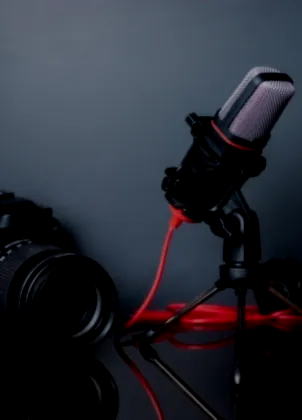
Dynamic mics are best for speech. Try the RØDE PodMic USB ($209) or the Samson Q2U. A station desk often uses the Shure SM7B ($439).

Interface or Mixer
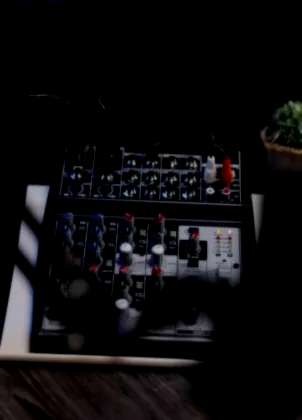
The Focusrite Scarlett 2i2 4th Gen ($239.99) has two mic preamps. The RØDECaster series adds mix-minus for guests.

Headphones
Every host and guest should wear them. Open speakers can create echo. The Audio-Technica ATH-M50x starts at $159.

Camera
A Logitech C920S webcam ($69.99) is a good starting point. An Elgato Cam Link 4K ($99.99) can convert a mirrorless camera into a webcam.

Light
One key light in front of the host is enough. The Elgato Key Light Air MK.2 ($139.99) is a 15-inch LED panel.

Encoder and Upload
Use a computer with OBS Studio or a Blackmagic ATEM Mini Pro ($349) that streams over RTMP and SRT.
Test your upload speed: focus on upload speed, not download. For low latency (beta), aim for at least double your bitrate.

Put Your Show on Your Own Site
Think of Two Layers: The production layer includes mics, guests, and OBS. This happens before WpStream. The delivery layer receives the stream and provides the player, recording, replay, and paywall.
The WpStream plugin is free to install; streaming runs on a WpStream account. Follow the full walkthrough to stream from OBS to your website.

Channel
Create the Show's Channel
Step one: create a channel for the show. Turn on "record live stream" in Channel Settings before activating the channel (recording docs). If you skip this, the episode won't be saved.
Encoder
Send the Show from OBS
In OBS, go to Settings, then Stream. Select Service Custom, paste the Server URL and Stream key, and press Start Streaming (OBS docs).
A hardware encoder over RTMP or a browser broadcaster works too. Adjust it using our OBS settings.
Episode Page
Place the Player Next to the Show Notes
Put the WpStream Player block, Elementor or WPBakery element, or shortcode on the episode page, above the show notes (embed docs). This gives listeners the live show and show notes in one spot.
Replay
Turn the Recording into a Replay
After the episode ends, the recording is available under WpStream, then Recordings. Create a free or pay-per-view video on demand for the back catalogue.
Channel Settings for Producers
Auto TURN ON
The channel activates when OBS starts streaming, so no manual switch is needed.
Lock to Website
Locks the live stream to your website, preventing sharing elsewhere.
Viewer Count
Displays how many people are watching in the upper left corner of the player.
Low Latency (Beta)
Reduces delay to about 2 to 5 seconds, useful for call-in segments.
Adaptive Bitrate (Beta)
Set a 5-second keyframe interval. It requires a fast, steady upload.
Co-host Can Go Live
Allow certain roles to stream, so a co-host can start a broadcast without admin access.
Guests, Call-Ins, and Music on a Live Show
An edited show can fix mistakes. A live show cannot. Decide on guests, call-in segments, music, and chat before going live.
Guests Join in the Encoder Layer: They connect before WpStream, and any copy sent to YouTube also leaves from there. WpStream receives the final mix.
Remote Guests Without Echo
Guests can join via tools like VDO.Ninja or studio tools that send a custom RTMP stream (StreamYard needs a paid plan).
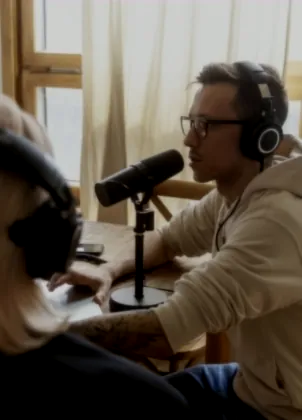
Ensure all guests wear headphones. On a RØDECaster, mix-minus will send everyone the show minus their own voice, preventing echo.
Audio-First Show on Video
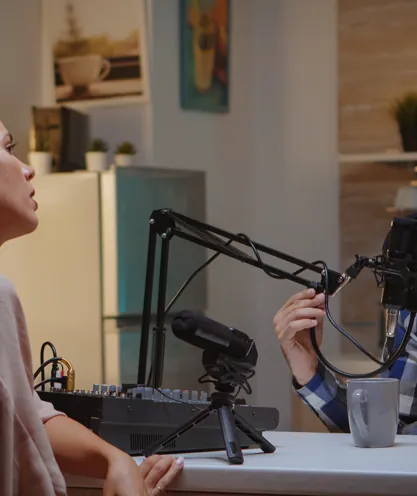
WpStream supports video streams, so an audio-first show goes live as video. Add your cover art as an Image Source in OBS over the mic feed or use a camera.
OBS captures your desktop audio and mic by default, so no extra steps are needed for sound.
Call-In Segments and Delay
Listeners typically hear you about 20 seconds after you speak, so chat questions arrive late. Low latency (beta) reduces this delay to 2 to 5 seconds, with a 1-second keyframe interval.
For most shows, the normal delay is fine. More on the tradeoff in low latency streaming.
Music on Air
Streaming music from a website counts as a public performance. Commercial music needs a public performance license (ASCAP). Sync and master rights come from publishers, not ASCAP.
Church shows playing worship songs should consider the CCLI Streaming License.
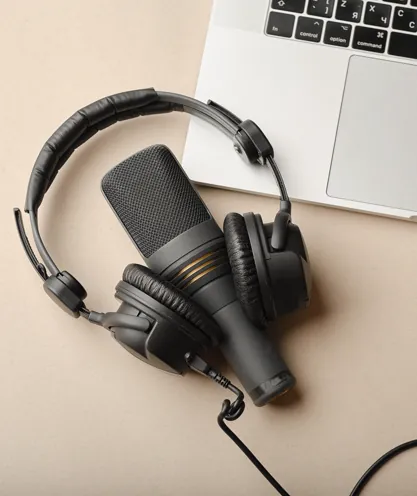
Chat and Socials
Live chat comes from the Better Messages integration in the Hello WpStream theme. Many podcast fans watch on YouTube.
To stream there too, add your WpStream channel as a target in the encoder, or use a relay to send to both. Setup details are in how to multistream.
Replay
Keep Every Episode as an On-Demand Replay
When the episode ends, the recording goes to WpStream, then Recordings. For a pay-per-view episode, switch it from Live stream to Video on demand and choose the recording. Buyers keep access.
Recording Hours: This measures the video you store: a standing cap, not a monthly allowance. Each episode adds to it. Replays use viewer hours like live viewing.
Your back catalogue will grow on your own site.
Video unavailable. Please try again later.
Nine Checks Before You Go On Air
Are you learning how to start a live podcast? Use these checks every episode. They help catch issues that can ruin a live show, like a dead mic, echo, or a frozen stream.
Every Episode, Before the Channel Goes Live
01
Recording is on in Channel Settings before turning on the channel.
02
Server URL and stream key are pasted into OBS under Service Custom.
05
Every guest wears headphones, or the mixer sends mix-minus.
06
Upload is tested using the upload figure, not download; double your bitrate if using low latency (beta).
07
Keyframe interval matches the channel: 1 second for low latency (beta), 5 seconds for adaptive bitrate (beta).
08
A short test stream is done, using broadcast hours, since the channel is on.
09
The player is on the episode page with show notes, and any music is cleared for streaming.
Then go on air, and let each replay grow your back catalogue.
Plans are sized on three hour types: broadcast, viewer and recording.
Lite
Lite, $24 billed monthly: 100 broadcast hours, 500 viewer hours a month, 25 recording hours.
Example: For a weekly show in a five-episode month, if the channel runs for 1 hour 15 minutes, with 60 watching live for 45 minutes and 40 replays of 30 minutes each: 6.25 broadcast hours, 325 viewer hours. Recordings add 6.25 hours: four months fit.
Plus
Plus, $59 billed monthly: 250 broadcast hours, 2,000 viewer hours a month, 100 recording hours.
Example: For a weekly interview show in a five-episode month, if the channel runs for 1 hour 45 minutes, with 150 watching live for 1 hour and 100 replays of 45 minutes each: 8.75 broadcast hours, 1,125 viewer hours, exceeding Lite's 500. Recordings add 8.75 hours: 11 months fit.
The trial
The free trial offers 20 broadcast hours, 100 viewer hours, and 10 recording hours. It’s enough for a rehearsal and a short first episode. Remember, it’s a trial, not a plan.
Prices as of September 2026.
Paid Episodes
How do you get paid for a live podcast?
Listeners pay for shows they enjoy.
21% of weekly podcast consumers supported a podcast last year. 36% of those donors paid for exclusive membership content (Edison Research, The Podcast Consumer 2026, reported by Radio Ink).
Once you learn to start a live podcast on your own site, you have three ways to charge: sell one episode pay-per-view through WooCommerce. Sell a recurring pass to the live show and back catalogue with WooCommerce Subscriptions. Use a free channel inside a membership plugin area like MemberPress or Paid Memberships Pro.
A free show can earn too.
76% of weekly podcast consumers acted after hearing a podcast ad (The Podcast Consumer 2026). This includes sponsor reads in each episode.
| Model | How it works | What you need | Fits a show that |
|---|---|---|---|
| Model: Free live and free replay | How it works: Anyone watches the episode | What you need: A WpStream channel and the player on your page | Fits a show that: Wants reach and runs sponsor reads |
| Model: Pay-per-view episode | How it works: Buy one live episode; afterwards you switch the product to Video on demand and pick the recording, and buyers keep access | What you need: WooCommerce | Fits a show that: Runs specials or a big guest |
| Model: Subscription pass | How it works: Recurring access to every live episode and the back catalogue | What you need: WooCommerce and WooCommerce Subscriptions; Global Subscription Mode unlocks everything | Fits a show that: Airs weekly for a loyal audience |
| Model: Membership area | How it works: A free channel on a members-only page | What you need: A membership plugin | Fits a show that: Already runs a membership or a church members' area |
| Model: Replay sold later | How it works: A pay-per-view video on demand made from the recording | What you need: WpStream Recordings | Fits a show that: Wants to earn from the back catalogue |
More on Podcasts and Shows
How to Create a Podcast on WordPress
Use a podcast plugin, an RSS feed, and hand off to podcast apps your listeners use.
How to Set Up an Internet Radio Station Online
Move a radio station online from studio gear to live broadcast on your website.
How to Stream from OBS to Your Own Website
Full encoder steps include OBS settings, server URL, stream key, and player setup.
Questions hosts ask before air
Yes. The episode goes out live while you record. Listeners follow along in real time. Most podcasts are recorded, edited, and published later. Going live doesn’t limit you to the on-demand version.
Key Step: Switch recording on before the channel goes live. After the show, the recording is under Recordings, ready to publish as a replay on your site.
To start a live podcast, follow these four steps: Gear: One mic per voice, headphones, and a camera or cover image. Encoder: Use OBS, a hardware encoder over RTMP, or your browser. Set up a WpStream channel with recording on. Player: Place it on your episode page using a block, Elementor element, or shortcode. Test: Paste the server URL and stream key into the encoder, run a short test, then go live.
Test streams also use broadcast hours.
Learn to start a live podcast, then record each episode to keep it as video on demand. No separate editing day needed.
Audiences prefer video: YouTube is the most-used podcast service, with 37% of weekly consumers (Edison Research, The Podcast Consumer 2026, reported by Radio Ink).
The share preferring to watch podcast videos while listening rose from 30% in April 2022 to 49% in April 2026 (Cumulus Media and Signal Hill Insights, Podcast Download Spring 2026).
WpStream keeps the replay on your pages. For audio feeds, use a podcast host (feed guide).
No. WpStream doesn’t create a podcast RSS feed or submit to directories. Apple requires a show through an RSS feed from a third-party provider or its own Apple Podcasters Program. Spotify tells shows hosted elsewhere to get the feed from their host. For that, see how to create a podcast on WordPress.
You can live stream a podcast, but not as audio alone. WpStream plays video streams, and there’s no audio-only player. The simple answer is your cover art.
Add it in OBS as an Image Source over the mic feed, or use a camera. OBS captures mic and desktop audio, so listeners hear the show as usual while viewers see the cover.
Treat the cover art as essential as the mic in how to start a live podcast.
Ensure every guest wears headphones and mix-minus is set on the mixer. A mixer like a RØDECaster sends each person everything except their own voice, preventing echo or feedback.
Guests connect in the encoder layer before WpStream. VDO.Ninja can bring them into OBS. Alternatively, a studio tool can send the finished show over custom RTMP (StreamYard requires a paid plan for custom RTMP).
Example: For a one-hour station talk show, if the channel runs for 1 hour 15 minutes, with 60 watching live for 45 minutes and 40 replays of 30 minutes each: about 6.25 broadcast hours, 325 viewer hours, plus 6.25 recording hours, assuming each recording runs as long as the channel is on.
WpStream Lite fits: 100 broadcast hours and 500 viewer hours a month. Its 25 recording hours cap allows about four months of episodes.
Plus Plan: With 100 recording hours, about 16 months of content can be stored online.
Yes. Selling access is part of how to start a live podcast on your own site, in three ways: single episodes pay-per-view through WooCommerce, recurring passes with WooCommerce Subscriptions, or access through a membership plugin.
Global Subscription Mode lets one subscription unlock every episode. Once a paid episode is over, switch it from Live stream to Video on demand and select the recording. Buyers keep access.
Older episodes in the back catalogue can also be sold as pay-per-view videos on demand.
Ready when you are
Start your free trial
Try live broadcasting and replays on your website.